
Taritu - Minecraft Skins & Skin History
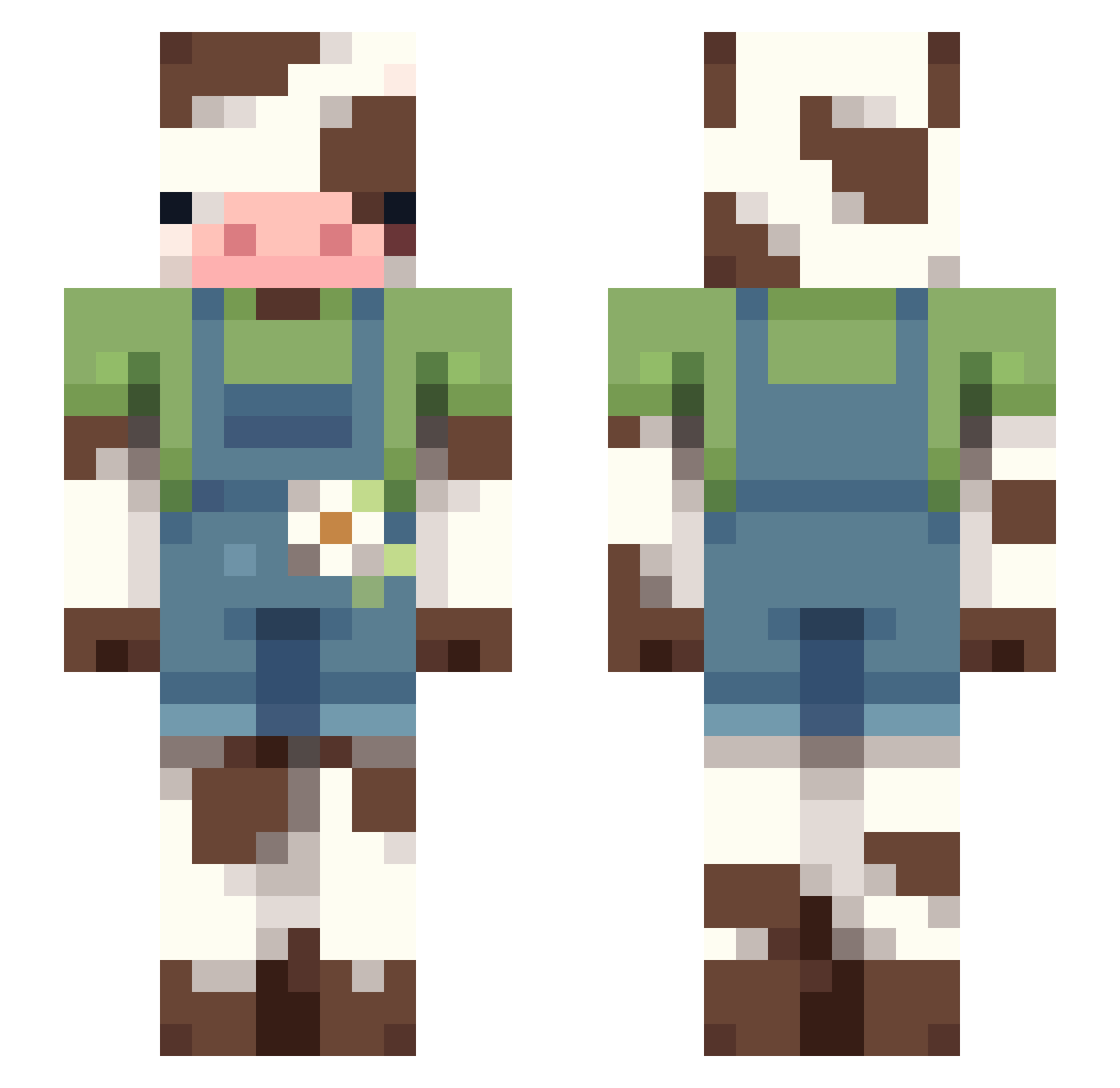
Current Minecraft skin of the player Taritu, loaded from the official Mojang API. Rotate the 3D model with your mouse or finger, then download the skin as a PNG file and use it in Minecraft: Bedrock Edition or Java Edition for free. When Taritu changes their skin, this page updates automatically and the old skin stays in the history below.
Other players with this skin (108)
Taritu was the 86th player we have seen with this skin, first spotted on 10.10.2026. The same skin was seen on these players. Open a nickname to see their current skin and skin history.
 VaporWolf6 T4ke0ver_ evelyndanger69 VividNova13 paigekaylee RageyLUL D3oqe Mabsam the_glitch123 Constipated_Calf futur_ism permabulk420 m00dy13 RuneTheYoshi Apelsoss rottedrengen69 Ghostface59400 V1PER1S alicia_2011 okamyyy caterpillar_29 Al_ek OP9366 Corpieh kumori04 crisisnfr wqllows yesunim1225 haxxe_43 XxKaeOwOxX Blazingaud22 JordieSure Choomcolate TheMysteryGinger hambogga jjzrs anjuhleen HWA_HWA Violetforestowel gent1eman2669 Bender2g Sermoc MooMooMush MorrisZapp GiorgioGrotti carraskilla Oloxos JoHimbeere SapphireCherrys m4d1s0n07 RyeBreadd1_ cuidaww Sockx_ LillyMad Gqwd JoelRodr0804 celia1311 SebbiBoy187 ChristSavesSouls VerreNice
More Cow Minecraft skins
How to install the Taritu skin
- Press the Download button above to save the skin as a PNG file.
- Minecraft: Bedrock Edition (PE): open the Dressing Room from the main menu (or tap your character → Edit Character), go to Classic Skins → Owned, press the + (new skin) button, choose the downloaded PNG and pick the Slim (Alex) model. Works on PC and mobile; consoles cannot import custom skins.
- Minecraft: Java Edition: open the Minecraft Launcher, go to the Skins tab, click New Skin, load the PNG, pick the Slim (Alex) model and press Save & Use. You can also upload it at minecraft.net → Profile → Change Skin.
The skin does not show up after import - what should I do?
Restart Minecraft and open the Dressing Room again - imported skins sometimes appear only after a restart. Also make sure you selected the imported skin and picked the Slim (Alex) model.
Which model should I choose, Classic or Slim?
This skin is designed for the Slim (Alex) model. If you pick the wrong model, the arms of the skin will look stretched or squeezed.
Is the skin of Taritu free to download?
Yes. Press Download, save the PNG file and use it in Minecraft: Bedrock Edition or Java Edition - no payment or registration needed. The skin also works on multiplayer servers and Realms.
More skins
Looking for more? Go back to all Minecraft skins and check the top skins of the week, month and all time, or find any player's skin by nickname.