
TarekKIZ - Minecraft Skins & Skin History
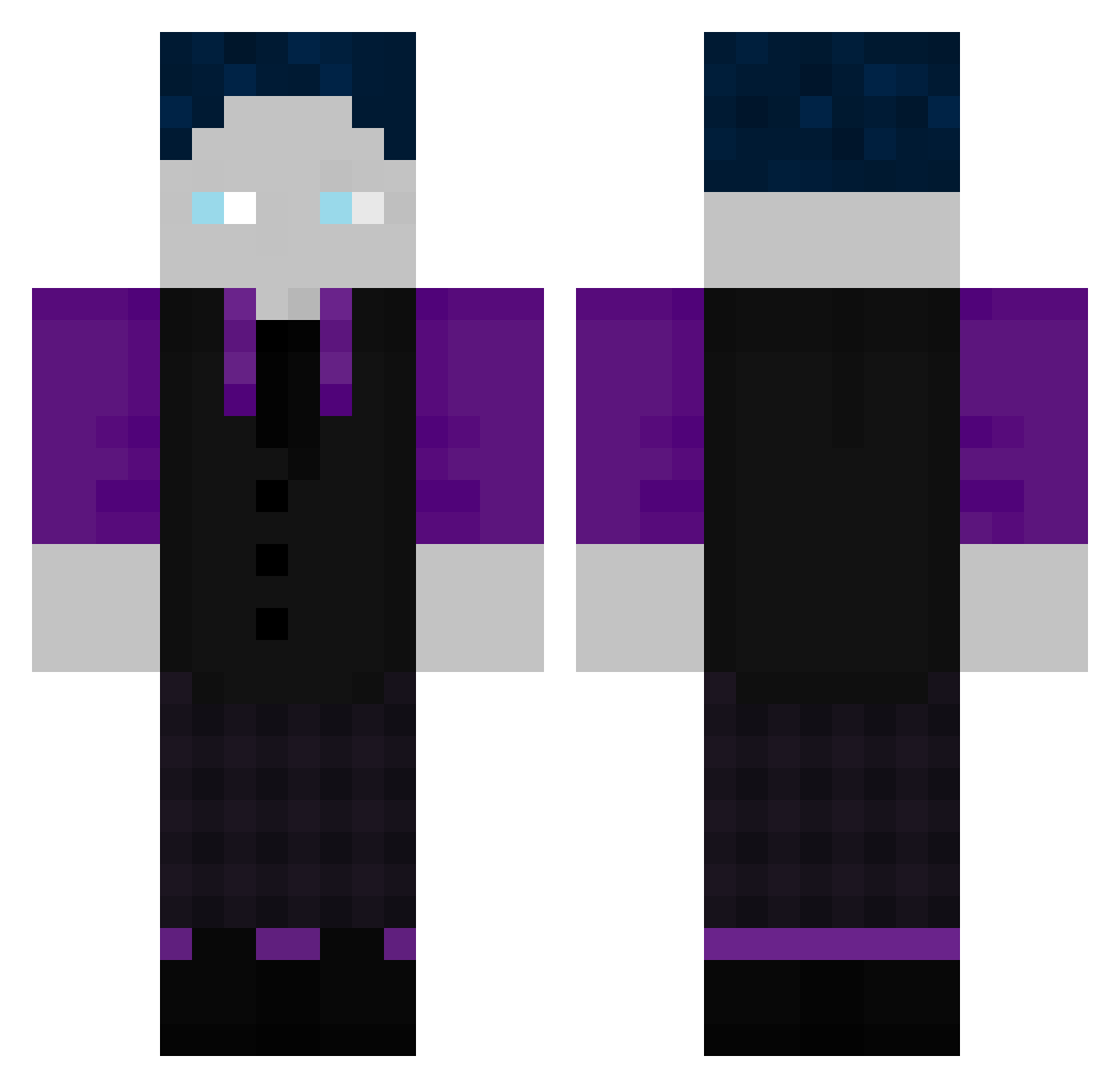
Current Minecraft skin of the player TarekKIZ, loaded from the official Mojang API. Rotate the 3D model with your mouse or finger, then download the skin as a PNG file and use it in Minecraft: Bedrock Edition or Java Edition for free. When TarekKIZ changes their skin, this page updates automatically and the old skin stays in the history below.
Other players with this skin (507)
TarekKIZ was the 192nd player we have seen with this skin, first spotted on 05.09.2026. The same skin was seen on these players. Open a nickname to see their current skin and skin history.
 SilasVFB Johann11223 DJ_Diabetes_69 BJ1268 yesyesyes73 PopFriend655660 Luckyfox5678 Cudder87 ScarisTV KilledByMex88 ProTobi1 NCLCrafter LuckyBoy002 Blaubarschbubeee 5xnx MaxTilo bastighg6957 Niemand98GHG NeilonAbi Stickyzzz Thunder4385 Kajjakk MistyyFoxy lostmaxxx fvslysDJXBS Basti2020 Travinator42 Zimbelten slavik333
 david150q Leon_xdo Marvin77777 BabyChewi batirik DerPatryk13 WilliamGHG
 Sakuliner KevinBobby69 steeebooo Konsti24 Lastwse MOON39 Giftman36 Da_Heinz X7_Louis AMGJulian Mlionen Ragezzz00 AcAb1312AcAb Legend_BIackBear Rabitze indo1337 nativeAFD Schlingel_ing Lukas1871 Jonne_3_0 Zap_vortex NiciGHG0 BelaLouis ILoveYouUwU
How to install the TarekKIZ skin
- Press the Download button above to save the skin as a PNG file.
- Minecraft: Bedrock Edition (PE): open the Dressing Room from the main menu (or tap your character → Edit Character), go to Classic Skins → Owned, press the + (new skin) button, choose the downloaded PNG and pick the Classic (Steve) model. Works on PC and mobile; consoles cannot import custom skins.
- Minecraft: Java Edition: open the Minecraft Launcher, go to the Skins tab, click New Skin, load the PNG, pick the Classic (Steve) model and press Save & Use. You can also upload it at minecraft.net → Profile → Change Skin.
The skin does not show up after import - what should I do?
Restart Minecraft and open the Dressing Room again - imported skins sometimes appear only after a restart. Also make sure you selected the imported skin and picked the Classic (Steve) model.
Which model should I choose, Classic or Slim?
This skin is designed for the Classic (Steve) model. If you pick the wrong model, the arms of the skin will look stretched or squeezed.
Is the skin of TarekKIZ free to download?
Yes. Press Download, save the PNG file and use it in Minecraft: Bedrock Edition or Java Edition - no payment or registration needed. The skin also works on multiplayer servers and Realms.
More skins
Looking for more? Go back to all Minecraft skins and check the top skins of the week, month and all time, or find any player's skin by nickname.