
Tantan_33 - Minecraft Skins & Skin History
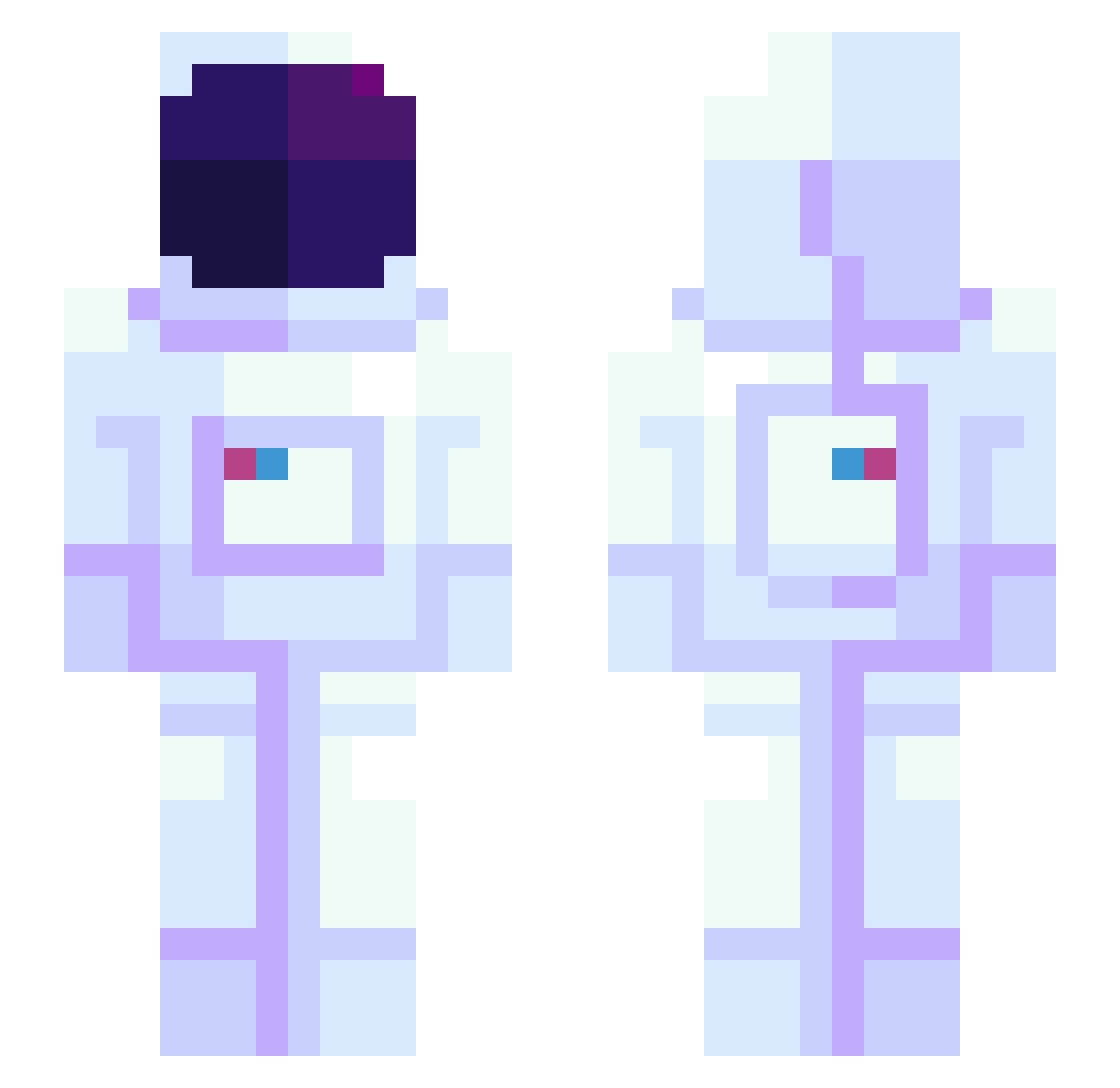
Current Minecraft skin of the player Tantan_33, loaded from the official Mojang API. Rotate the 3D model with your mouse or finger, then download the skin as a PNG file and use it in Minecraft: Bedrock Edition or Java Edition for free. When Tantan_33 changes their skin, this page updates automatically and the old skin stays in the history below.
Other players with this skin (945)
Tantan_33 was the 226th player we have seen with this skin, first spotted on 22.08.2026. The same skin was seen on these players. Open a nickname to see their current skin and skin history.
 Sasimin3 yFoozy Yipepo papamoon MrExoLOR aliyaahjs coby22771 Rare_Mayonaise w4ffle__ spacetrash913 _Wisecraft OPS_8 Dr1zzy00 oreo000888 NY_15 crowsanwra ItsWoj Keyzofr NeoDestroyer912 Silaris JClunk AntiLink Droggelbecherboi da_ninja I_Chose_Wisely_ DuukNuukem Llewz AreS_DayZo JackWolf08 Opec_MINE ArtenGoodEnough
 1Papitoo DoomGuy6768 lolo_hash27_ PuppetCat09 K_HS_1010 namgwon siggyq CosmicDisciple3 akcentowany YassBey slowave AngriFlamingo ZOMBIEPINYATA XxX_Peter_XxX Kiidstien Dan77111 Ishi0423 Ayachin_Elite jmcornejo22 Anorak314 butch_m Beetle46703 berk_enstock CamzMari rblaha MrBones420 happycatQAQ Syks_ NeONeXX
More Astronaut Minecraft skins
How to install the Tantan_33 skin
- Press the Download button above to save the skin as a PNG file.
- Minecraft: Bedrock Edition (PE): open the Dressing Room from the main menu (or tap your character → Edit Character), go to Classic Skins → Owned, press the + (new skin) button, choose the downloaded PNG and pick the Slim (Alex) model. Works on PC and mobile; consoles cannot import custom skins.
- Minecraft: Java Edition: open the Minecraft Launcher, go to the Skins tab, click New Skin, load the PNG, pick the Slim (Alex) model and press Save & Use. You can also upload it at minecraft.net → Profile → Change Skin.
The skin does not show up after import - what should I do?
Restart Minecraft and open the Dressing Room again - imported skins sometimes appear only after a restart. Also make sure you selected the imported skin and picked the Slim (Alex) model.
Which model should I choose, Classic or Slim?
This skin is designed for the Slim (Alex) model. If you pick the wrong model, the arms of the skin will look stretched or squeezed.
Is the skin of Tantan_33 free to download?
Yes. Press Download, save the PNG file and use it in Minecraft: Bedrock Edition or Java Edition - no payment or registration needed. The skin also works on multiplayer servers and Realms.
More skins
Looking for more? Go back to all Minecraft skins and check the top skins of the week, month and all time, or find any player's skin by nickname.