
Tank_Jodd - Minecraft Skins & Skin History
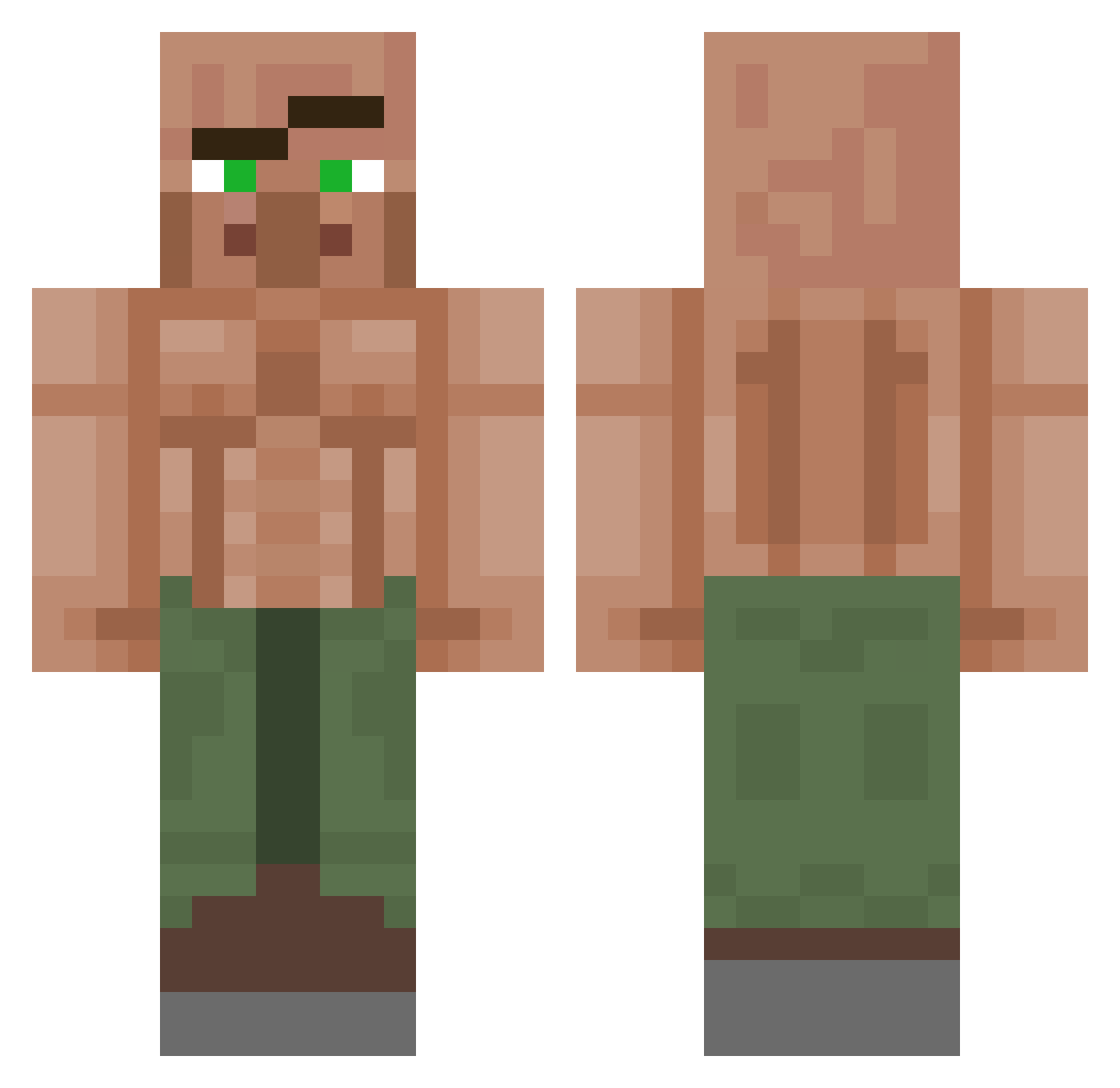
Current Minecraft skin of the player Tank_Jodd, loaded from the official Mojang API. Rotate the 3D model with your mouse or finger, then download the skin as a PNG file and use it in Minecraft: Bedrock Edition or Java Edition for free. When Tank_Jodd changes their skin, this page updates automatically and the old skin stays in the history below.
Other players with this skin (1151)
Tank_Jodd was the 347th player we have seen with this skin, first spotted on 29.08.2026. The same skin was seen on these players. Open a nickname to see their current skin and skin history.
 paul_croix TBGamer TimHaze_ Boman404 Damimush
 PROcat2014 Lmcgill21 CAMPAGNHOLO_ ChadCockington EvanLeBoss _ELRes_ Guille_247 Jag0ba EM0NEE _michelleeg Ahelicks IndeedItIsMe Withfor09 dazed680 aarongreen603 Artemis_XR PlvtzZz Aequinook 88LazerDIM7OO mortal_master JOYE0 Mr_Jackson Cryniixz vy40 NoodleKing99 Der_Coach69 ARGHHHHHHHHHHHH Lucsaj Gokucr7plus Sk8masker ArmanRektYou NaughtyPig Gab71 MoLdRaN_ZD AleVar018 eeeeee6
 wasdyu Attero113 LeBoss912 GoopieWoopie DarkSnaik BelegteStulle88 sherek199 Bokidna1144 snowballemporer boo6le jimmy554 CaptainOlizard YHDGG Bigsecretalex BanditFPS aw3grt DopDel Bestpotato198 CallMeZacsky
More Buff Villager Minecraft skins
See all 40 Buff Villager skins
How to install the Tank_Jodd skin
- Press the Download button above to save the skin as a PNG file.
- Minecraft: Bedrock Edition (PE): open the Dressing Room from the main menu (or tap your character → Edit Character), go to Classic Skins → Owned, press the + (new skin) button, choose the downloaded PNG and pick the Classic (Steve) model. Works on PC and mobile; consoles cannot import custom skins.
- Minecraft: Java Edition: open the Minecraft Launcher, go to the Skins tab, click New Skin, load the PNG, pick the Classic (Steve) model and press Save & Use. You can also upload it at minecraft.net → Profile → Change Skin.
The skin does not show up after import - what should I do?
Restart Minecraft and open the Dressing Room again - imported skins sometimes appear only after a restart. Also make sure you selected the imported skin and picked the Classic (Steve) model.
Which model should I choose, Classic or Slim?
This skin is designed for the Classic (Steve) model. If you pick the wrong model, the arms of the skin will look stretched or squeezed.
Is the skin of Tank_Jodd free to download?
Yes. Press Download, save the PNG file and use it in Minecraft: Bedrock Edition or Java Edition - no payment or registration needed. The skin also works on multiplayer servers and Realms.
More skins
Looking for more? Go back to all Minecraft skins and check the top skins of the week, month and all time, or find any player's skin by nickname.