
TangTong0917 - Minecraft Skins & Skin History
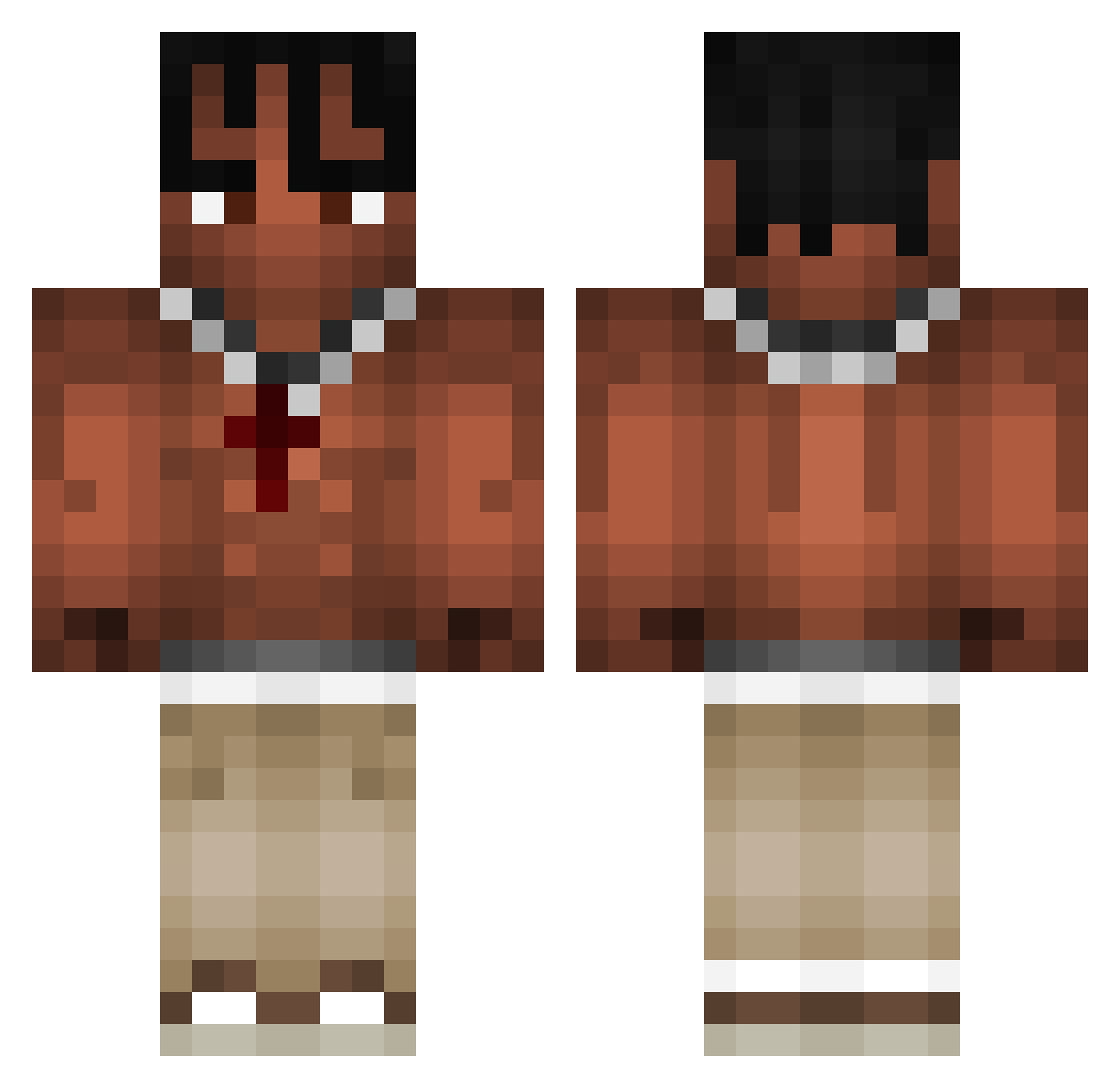
Current Minecraft skin of the player TangTong0917, loaded from the official Mojang API. Rotate the 3D model with your mouse or finger, then download the skin as a PNG file and use it in Minecraft: Bedrock Edition or Java Edition for free. When TangTong0917 changes their skin, this page updates automatically and the old skin stays in the history below.
Other players with this skin (969)
TangTong0917 was the 370th player we have seen with this skin, first spotted on 02.09.2026. The same skin was seen on these players. Open a nickname to see their current skin and skin history.
 digao00 KvindeElskeren CactusJackMeal42 alpbtw Jo_Barca VRAJIITORELUL Filipek_Pog ovrbom PnAnnoying Mirage_Quits lasarluca Enderz54 lucasav02 kennyxgaming HappyChappy_2007 Skip677 Guepardex piterszef777 xalamari loweqqas TRAVISxSCOTT SlumpGodx_ NlK0D3M Rize_Lixe cashcatcash T1grezz SaintSixer Nesnej9 24542578 LarryDZ ofofebek Sasouso Cloudsy12 juju_Murfy M0RAES_ Appi40 Yeno_9 Yguinlol zeruytuv2 russiansidechik ZS117 fryzz_zz MikolSikk ComaszTomasz melocatania Wakerid Rares_B perasmrda Kauboyx Amar194 alsannn jgucci SeroyLane Lonis69 _Dariox_ Quenzio666 TominoHD xPsyco8 Natethemaker LorenzoKill14
More Xxxtentacion Minecraft skins
See all 407 Xxxtentacion skins
How to install the TangTong0917 skin
- Press the Download button above to save the skin as a PNG file.
- Minecraft: Bedrock Edition (PE): open the Dressing Room from the main menu (or tap your character → Edit Character), go to Classic Skins → Owned, press the + (new skin) button, choose the downloaded PNG and pick the Classic (Steve) model. Works on PC and mobile; consoles cannot import custom skins.
- Minecraft: Java Edition: open the Minecraft Launcher, go to the Skins tab, click New Skin, load the PNG, pick the Classic (Steve) model and press Save & Use. You can also upload it at minecraft.net → Profile → Change Skin.
The skin does not show up after import - what should I do?
Restart Minecraft and open the Dressing Room again - imported skins sometimes appear only after a restart. Also make sure you selected the imported skin and picked the Classic (Steve) model.
Which model should I choose, Classic or Slim?
This skin is designed for the Classic (Steve) model. If you pick the wrong model, the arms of the skin will look stretched or squeezed.
Is the skin of TangTong0917 free to download?
Yes. Press Download, save the PNG file and use it in Minecraft: Bedrock Edition or Java Edition - no payment or registration needed. The skin also works on multiplayer servers and Realms.
More skins
Looking for more? Go back to all Minecraft skins and check the top skins of the week, month and all time, or find any player's skin by nickname.