
Tack_v0 - Minecraft Skins & Skin History
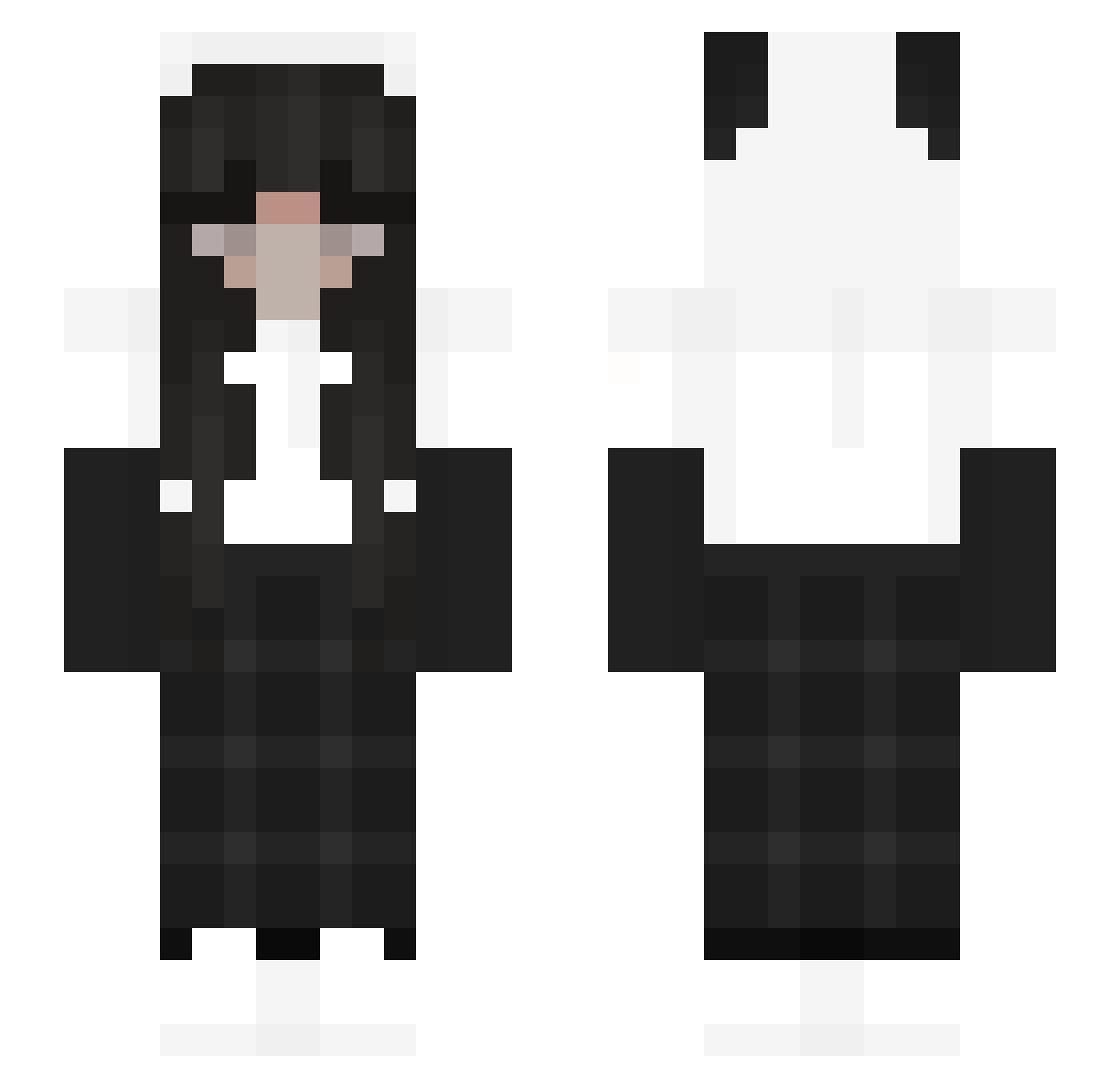
Current Minecraft skin of the player Tack_v0, loaded from the official Mojang API. Rotate the 3D model with your mouse or finger, then download the skin as a PNG file and use it in Minecraft: Bedrock Edition or Java Edition for free. When Tack_v0 changes their skin, this page updates automatically and the old skin stays in the history below.
Other players with this skin (194)
Tack_v0 was the 76th player we have seen with this skin, first spotted on 15.09.2026. The same skin was seen on these players. Open a nickname to see their current skin and skin history.
 OblivionPvping Lilia08 jfer2203 RenTyi scriminalera candy10girl SsalDukYee 28elisa kokosnootje5 CeliWhoever chowmienisyummy Belul4 cat51248 dboge09 Kitkatrin AngelsBeatss ChiChan025 jialin628 Shera86 VVamppp Dorotka1340 Macaroooons TWP_alfs wwicyys Huanxian14 DesPreSo45 vvsvd Ma_Mini Kiakozh iltisFolie144335 iathan MrBladeWielder 92mph Viktorkaaa1 xleila asdf85566 TheNebula96 Meowtheunicorn satsuki0220 Magdzik HottesDing Cahzinha__ jasmine_ls Fr0sT3D_FLAKES YuvalPro RumiN0s03 NoSkillAndy Madelinena Acey0072 NoNameYet_ zCharlieHerbert xSlushie Bellaagg Compysaurus kwonfeel CossCanCob Kuriomi hustine dumduckk Gaietta5678
More Panda Minecraft skins
How to install the Tack_v0 skin
- Press the Download button above to save the skin as a PNG file.
- Minecraft: Bedrock Edition (PE): open the Dressing Room from the main menu (or tap your character → Edit Character), go to Classic Skins → Owned, press the + (new skin) button, choose the downloaded PNG and pick the Slim (Alex) model. Works on PC and mobile; consoles cannot import custom skins.
- Minecraft: Java Edition: open the Minecraft Launcher, go to the Skins tab, click New Skin, load the PNG, pick the Slim (Alex) model and press Save & Use. You can also upload it at minecraft.net → Profile → Change Skin.
The skin does not show up after import - what should I do?
Restart Minecraft and open the Dressing Room again - imported skins sometimes appear only after a restart. Also make sure you selected the imported skin and picked the Slim (Alex) model.
Which model should I choose, Classic or Slim?
This skin is designed for the Slim (Alex) model. If you pick the wrong model, the arms of the skin will look stretched or squeezed.
Is the skin of Tack_v0 free to download?
Yes. Press Download, save the PNG file and use it in Minecraft: Bedrock Edition or Java Edition - no payment or registration needed. The skin also works on multiplayer servers and Realms.
More skins
Looking for more? Go back to all Minecraft skins and check the top skins of the week, month and all time, or find any player's skin by nickname.