
TSKemin - Minecraft Skins & Skin History
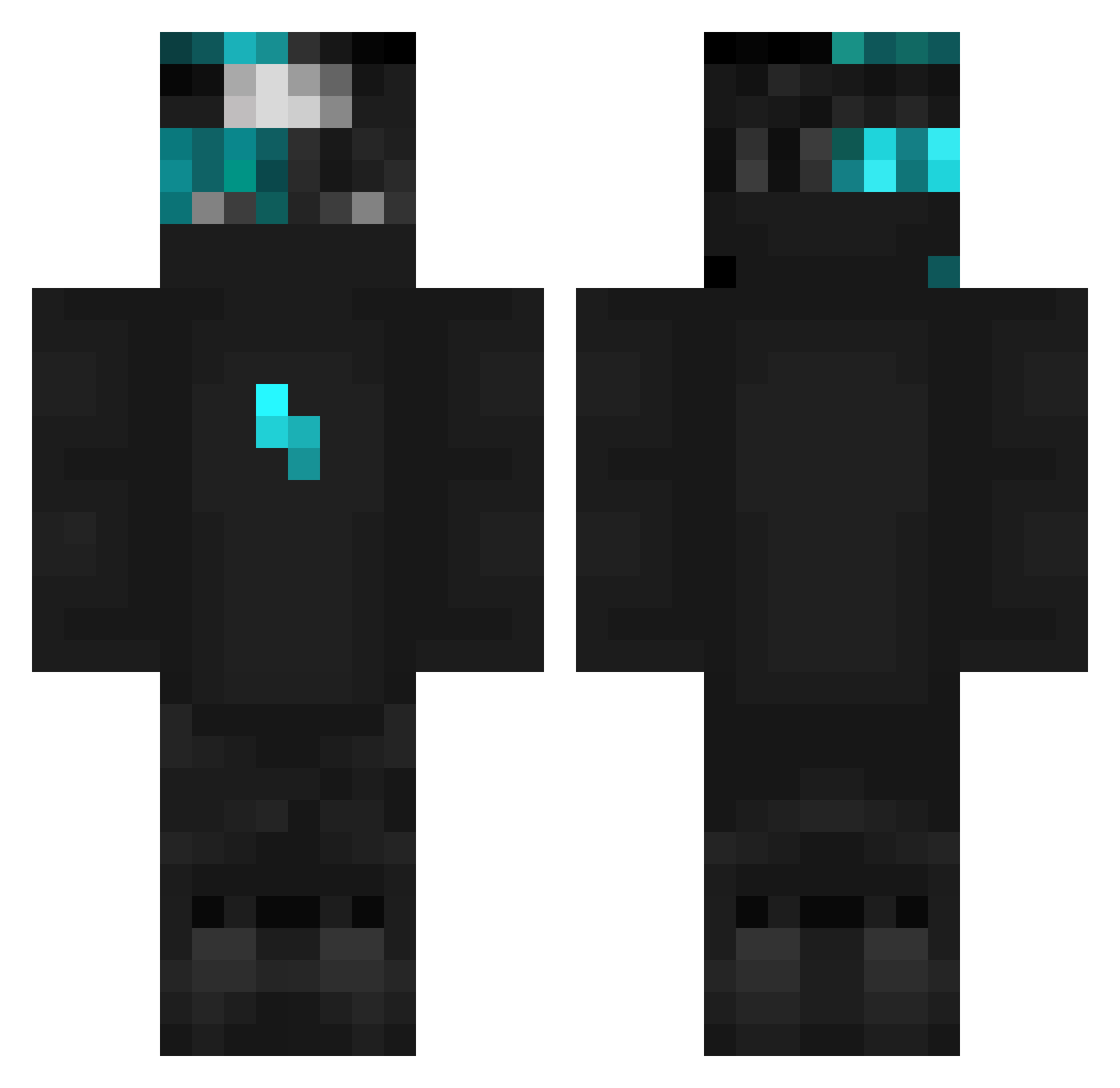
Current Minecraft skin of the player TSKemin, loaded from the official Mojang API. Rotate the 3D model with your mouse or finger, then download the skin as a PNG file and use it in Minecraft: Bedrock Edition or Java Edition for free. When TSKemin changes their skin, this page updates automatically and the old skin stays in the history below.
Other players with this skin (103)
TSKemin was the 64th player we have seen with this skin, first spotted on 29.09.2026. The same skin was seen on these players. Open a nickname to see their current skin and skin history.
 Jeancarlos_CF Z00M1NN xXENESXx Assassin314 wisnva Fl0rant ItzStrafeOnMe Zealotlickr67 Ake8812 Z4n1th777 T_lane overcure Triinyti Kinqxz Crysman davje croserr Tensh1NoHits KngBxltz420 Dwarfontop Condottieri Broken_boy Sowciaa_ Alpha4082 dave2_2013 az_D5Y8F_10_09 DadeGiro bestmxx Aleson00 _MikiTV_ BlancDeDinde_ E5MH szymex9 devran6161 Strawbs_75 GODSENT_pronax Xasaki LordOblivion07 Dronekk Secondary_cola2 omar44568 69efpies torbaciRazy SanDark0fc ZOOM202 Zwaktus Plhzq Valiro rzepkayou985 M1sterNick Sr_Lapin Hatiks AtiExe sKiwiEz_ diogofariaa MistyDuck3505 Zelebtw Asseco Superman112581 fr0xybtw
More Lightning Bolt Minecraft skins
See all 879 Lightning Bolt skins
How to install the TSKemin skin
- Press the Download button above to save the skin as a PNG file.
- Minecraft: Bedrock Edition (PE): open the Dressing Room from the main menu (or tap your character → Edit Character), go to Classic Skins → Owned, press the + (new skin) button, choose the downloaded PNG and pick the Classic (Steve) model. Works on PC and mobile; consoles cannot import custom skins.
- Minecraft: Java Edition: open the Minecraft Launcher, go to the Skins tab, click New Skin, load the PNG, pick the Classic (Steve) model and press Save & Use. You can also upload it at minecraft.net → Profile → Change Skin.
The skin does not show up after import - what should I do?
Restart Minecraft and open the Dressing Room again - imported skins sometimes appear only after a restart. Also make sure you selected the imported skin and picked the Classic (Steve) model.
Which model should I choose, Classic or Slim?
This skin is designed for the Classic (Steve) model. If you pick the wrong model, the arms of the skin will look stretched or squeezed.
Is the skin of TSKemin free to download?
Yes. Press Download, save the PNG file and use it in Minecraft: Bedrock Edition or Java Edition - no payment or registration needed. The skin also works on multiplayer servers and Realms.
More skins
Looking for more? Go back to all Minecraft skins and check the top skins of the week, month and all time, or find any player's skin by nickname.