
TRIPER2011 - Minecraft Skins & Skin History
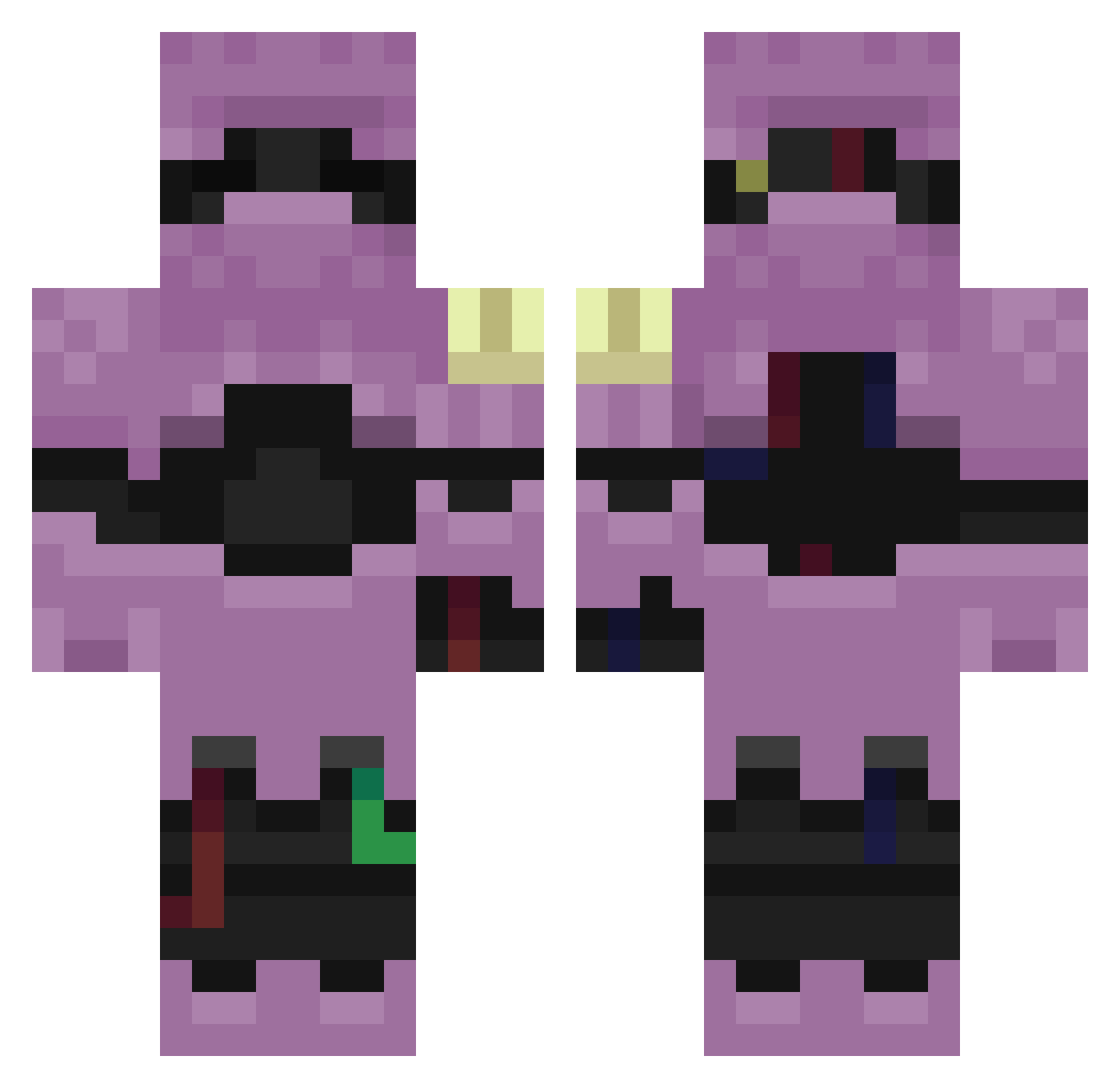
Current Minecraft skin of the player TRIPER2011, loaded from the official Mojang API. Rotate the 3D model with your mouse or finger, then download the skin as a PNG file and use it in Minecraft: Bedrock Edition or Java Edition for free. When TRIPER2011 changes their skin, this page updates automatically and the old skin stays in the history below.
Other players with this skin (256)
TRIPER2011 was the 224th player we have seen with this skin, first spotted on 19.10.2026. The same skin was seen on these players. Open a nickname to see their current skin and skin history.
 mogalts_p4k9i tanakai0628 liloishereFoxmeq Sv2S64GhktMUMSv2 nexcHT1 LinhjHvdY0102 Entitilo_JMipv orangebigg8er IvanMist_576 Sv2_Iron_elh gruesomer Sv2_Core_0ao WDX_mje Sv29lUeUzIXElSv2 LmdVXp0707 Sv2FDEQSJE95jSv2 AltVerse_wf9_AV Entitilo_ijOdx LinhnpgdR0215 Sv2ArEqDsSCZQSv2 Sv2Boldq5d SKBDNJVeilh19 SKBDNJFrosttgg Sv2_Pulse_uun Ask_McNhW_05_06 aks_WBDbw_02_22 FernanDotClub23 Sv2_Vex_b4w NotHerBroken Sv26V4byH46iDSv2 G0LD_pfYtP_01_26 LinhEgyAs0269Sv2 LGoldrb4UwU minimax_xi8um7un PASIRu1d0h08i5n6 WinvoxTriks mogalts_dyp3g peguni Sv24ThpsoUz9aSv2 Tzi_jRDVu_04_25 Sv2_Glow_9jv Sv28H0KW1N1cQSv2 LinhpruhG0408 Sv2unmoXIFt6sSv2 liloishereneq Sv2BQbseP4sEgSv2 luma_DYOMc_02_17 21nagia lapa2908 Sv2_Crim_sof Sv2KXUoLyycQtSv2 Sv2_Forge_yp7 Ask_XkdZN_05_02 WEST13K Sv2W6FND5wPyoSv2 LinhthqoQ0502 Gr33kNickosz1 LinhEdgeyllUwU Boojamomma Reticulation
More Armored Minecraft skins
How to install the TRIPER2011 skin
- Press the Download button above to save the skin as a PNG file.
- Minecraft: Bedrock Edition (PE): open the Dressing Room from the main menu (or tap your character → Edit Character), go to Classic Skins → Owned, press the + (new skin) button, choose the downloaded PNG and pick the Classic (Steve) model. Works on PC and mobile; consoles cannot import custom skins.
- Minecraft: Java Edition: open the Minecraft Launcher, go to the Skins tab, click New Skin, load the PNG, pick the Classic (Steve) model and press Save & Use. You can also upload it at minecraft.net → Profile → Change Skin.
The skin does not show up after import - what should I do?
Restart Minecraft and open the Dressing Room again - imported skins sometimes appear only after a restart. Also make sure you selected the imported skin and picked the Classic (Steve) model.
Which model should I choose, Classic or Slim?
This skin is designed for the Classic (Steve) model. If you pick the wrong model, the arms of the skin will look stretched or squeezed.
Is the skin of TRIPER2011 free to download?
Yes. Press Download, save the PNG file and use it in Minecraft: Bedrock Edition or Java Edition - no payment or registration needed. The skin also works on multiplayer servers and Realms.
More skins
Looking for more? Go back to all Minecraft skins and check the top skins of the week, month and all time, or find any player's skin by nickname.