
TREXSOME - Minecraft Skins & Skin History
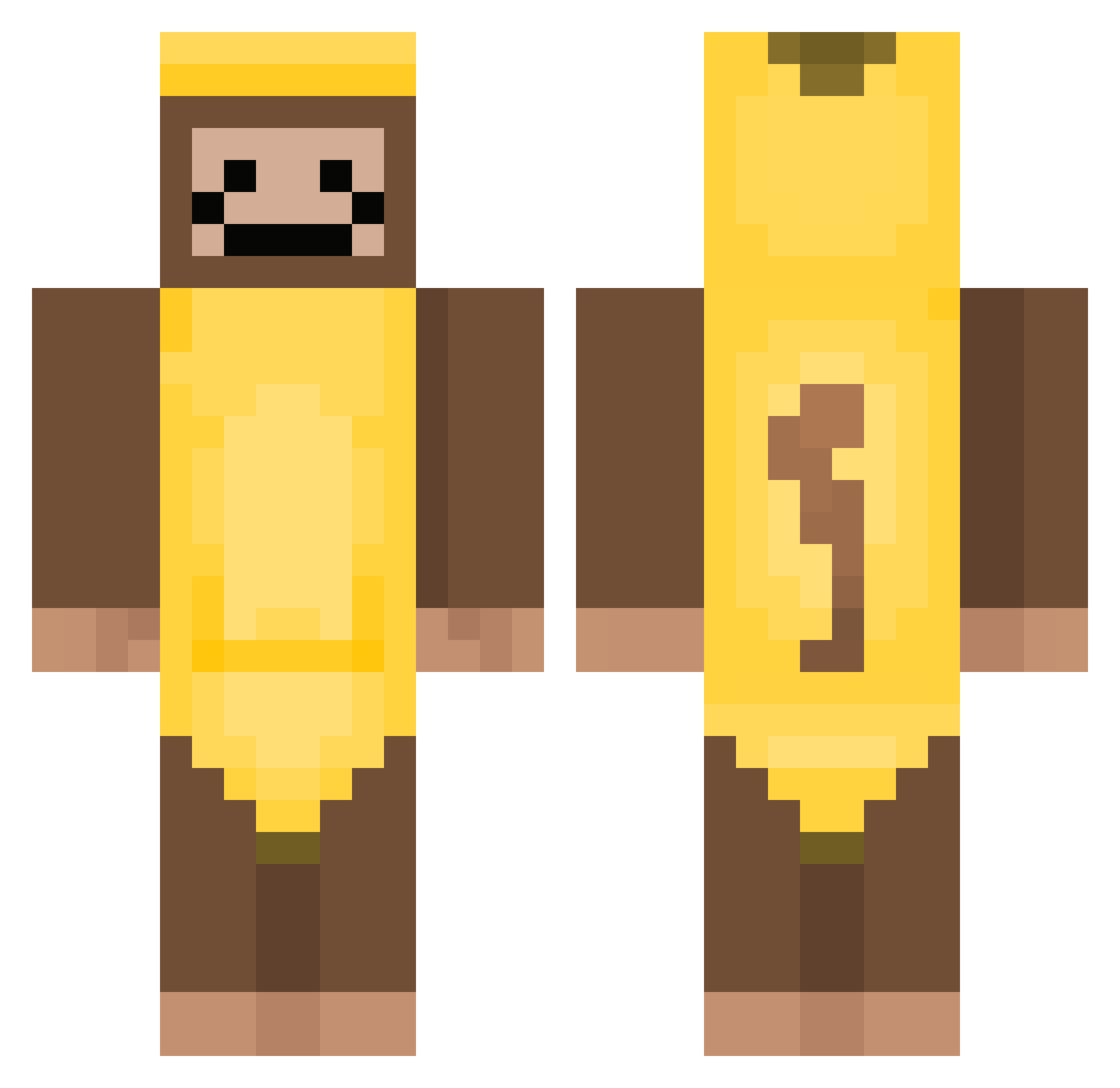
Current Minecraft skin of the player TREXSOME, loaded from the official Mojang API. Rotate the 3D model with your mouse or finger, then download the skin as a PNG file and use it in Minecraft: Bedrock Edition or Java Edition for free. When TREXSOME changes their skin, this page updates automatically and the old skin stays in the history below.
Other players with this skin (423)
TREXSOME was the 388th player we have seen with this skin, first spotted on 02.11.2026. The same skin was seen on these players. Open a nickname to see their current skin and skin history.
 Termoso That1idi0t_ TheAlexSpade WOODwz PatFusty456 sccminecraft2 MyleeLikesUvula jimmyneutron1102 GottenHadez sweetb33z Londoncrafter adusszeff TatorCakes03 iamasigmawolfwoo TintedBussy MonkeyLemur1 rockstarcs Banana_lover007 Bats76 CHKLP aadddhh444mm Alva_2 povj67 Pancakepie2012 harryish peartrain poke031 Rainbowbrizzy WESTSPEEED PapoteMalote05 AlightxMaNuX Kiaky _D3L3T3D_ SweetB33s N0elll lil_scoot zsirken Randres13 AutoTEILFLO nach0iscool luluisa21 cgmaj Yolo_Swagmaster chinese_eggman DO_NOT_DISTURB 69Gangia69 pan1122ok wonpayung RebornSuS ProtoPeteyMan Smithy_213 exaheast DTavs mintee2128 yourmumisvvhot GioTa0811 Nyxo64 AngelSloppy SKIWOOKIEE ChefGorilla
More Banana Costume Minecraft skins
See all 56 Banana Costume skins
How to install the TREXSOME skin
- Press the Download button above to save the skin as a PNG file.
- Minecraft: Bedrock Edition (PE): open the Dressing Room from the main menu (or tap your character → Edit Character), go to Classic Skins → Owned, press the + (new skin) button, choose the downloaded PNG and pick the Classic (Steve) model. Works on PC and mobile; consoles cannot import custom skins.
- Minecraft: Java Edition: open the Minecraft Launcher, go to the Skins tab, click New Skin, load the PNG, pick the Classic (Steve) model and press Save & Use. You can also upload it at minecraft.net → Profile → Change Skin.
The skin does not show up after import - what should I do?
Restart Minecraft and open the Dressing Room again - imported skins sometimes appear only after a restart. Also make sure you selected the imported skin and picked the Classic (Steve) model.
Which model should I choose, Classic or Slim?
This skin is designed for the Classic (Steve) model. If you pick the wrong model, the arms of the skin will look stretched or squeezed.
Is the skin of TREXSOME free to download?
Yes. Press Download, save the PNG file and use it in Minecraft: Bedrock Edition or Java Edition - no payment or registration needed. The skin also works on multiplayer servers and Realms.
More skins
Looking for more? Go back to all Minecraft skins and check the top skins of the week, month and all time, or find any player's skin by nickname.