
TPANoRu - Minecraft Skins & Skin History
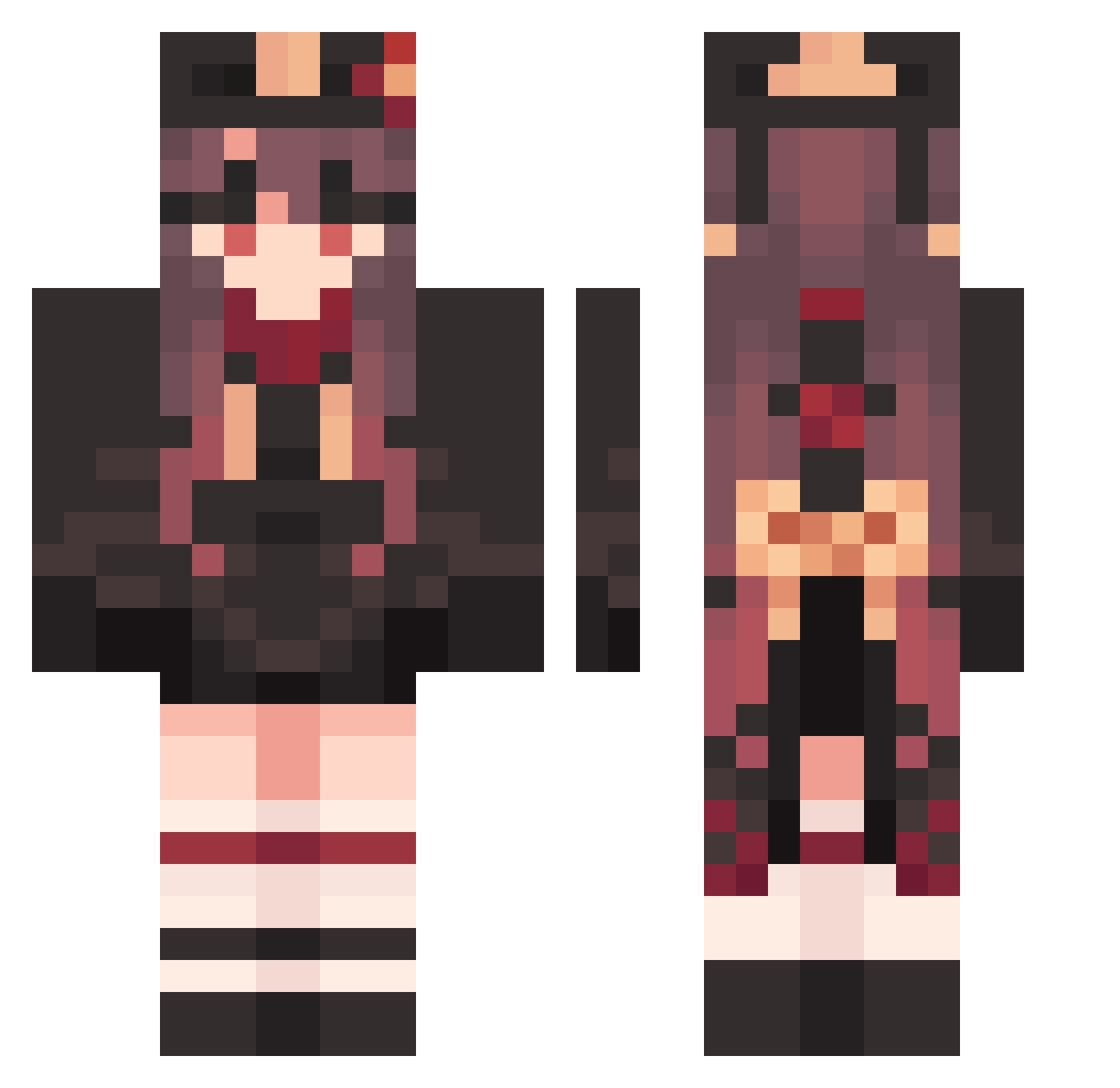
Current Minecraft skin of the player TPANoRu, loaded from the official Mojang API. Rotate the 3D model with your mouse or finger, then download the skin as a PNG file and use it in Minecraft: Bedrock Edition or Java Edition for free. When TPANoRu changes their skin, this page updates automatically and the old skin stays in the history below.
Other players with this skin (1585)
TPANoRu was the 1319th player we have seen with this skin, first spotted on 22.10.2026. The same skin was seen on these players. Open a nickname to see their current skin and skin history.
 Cherrizz1 VagabondWeary333 HaleTerribleT LoveDaHai_GbyxSc Henty001 Elrci BrownWorkable793 Hanser_002 Hutao_MQRhxrM429 ChunkyCynical888 _KrZ sleepyHuTao james101494 Hutao_LjtOfzx286 EconomicGiddy482 MuLLJka QiuShuiHan SuddenUptight237 Rori_kawaii Hutao_bzXSpUh772 hutumi OrganicGrubby148 AbandonedGrey407 Hutao_ajuoEGn217 QuietNeedless965 AspiringGoofy991 Hutao_xRr144 selinabhz PuzzledNormal482 Garsilaks yurikomi iGqbs TenderLegal93 lv_xie Hutao_ERqgYgL765 geya Hutao_PvqlIZC867 Hutao_PXBmUzv243 Hutao_fNN204 BitterTedious946 EasyRuddy88 dusdn890 wnddu M_Hanikamupoteto Walnut990 Hutao_WBumTjV125 CallousKindly923 VagueJagged842 dasimaki_ Hutao_GjOYpOO262 AcidicTelling439 iikemo HappyFlawless634 ReadyEnormous581 daf102 PlacidSupreme543 Cyberuh HardMarvelous799 Hutao_cazSRSm610 StandingSalty114
More Hu Tao Minecraft skins
How to install the TPANoRu skin
- Press the Download button above to save the skin as a PNG file.
- Minecraft: Bedrock Edition (PE): open the Dressing Room from the main menu (or tap your character → Edit Character), go to Classic Skins → Owned, press the + (new skin) button, choose the downloaded PNG and pick the Classic (Steve) model. Works on PC and mobile; consoles cannot import custom skins.
- Minecraft: Java Edition: open the Minecraft Launcher, go to the Skins tab, click New Skin, load the PNG, pick the Classic (Steve) model and press Save & Use. You can also upload it at minecraft.net → Profile → Change Skin.
The skin does not show up after import - what should I do?
Restart Minecraft and open the Dressing Room again - imported skins sometimes appear only after a restart. Also make sure you selected the imported skin and picked the Classic (Steve) model.
Which model should I choose, Classic or Slim?
This skin is designed for the Classic (Steve) model. If you pick the wrong model, the arms of the skin will look stretched or squeezed.
Is the skin of TPANoRu free to download?
Yes. Press Download, save the PNG file and use it in Minecraft: Bedrock Edition or Java Edition - no payment or registration needed. The skin also works on multiplayer servers and Realms.
More skins
Looking for more? Go back to all Minecraft skins and check the top skins of the week, month and all time, or find any player's skin by nickname.