
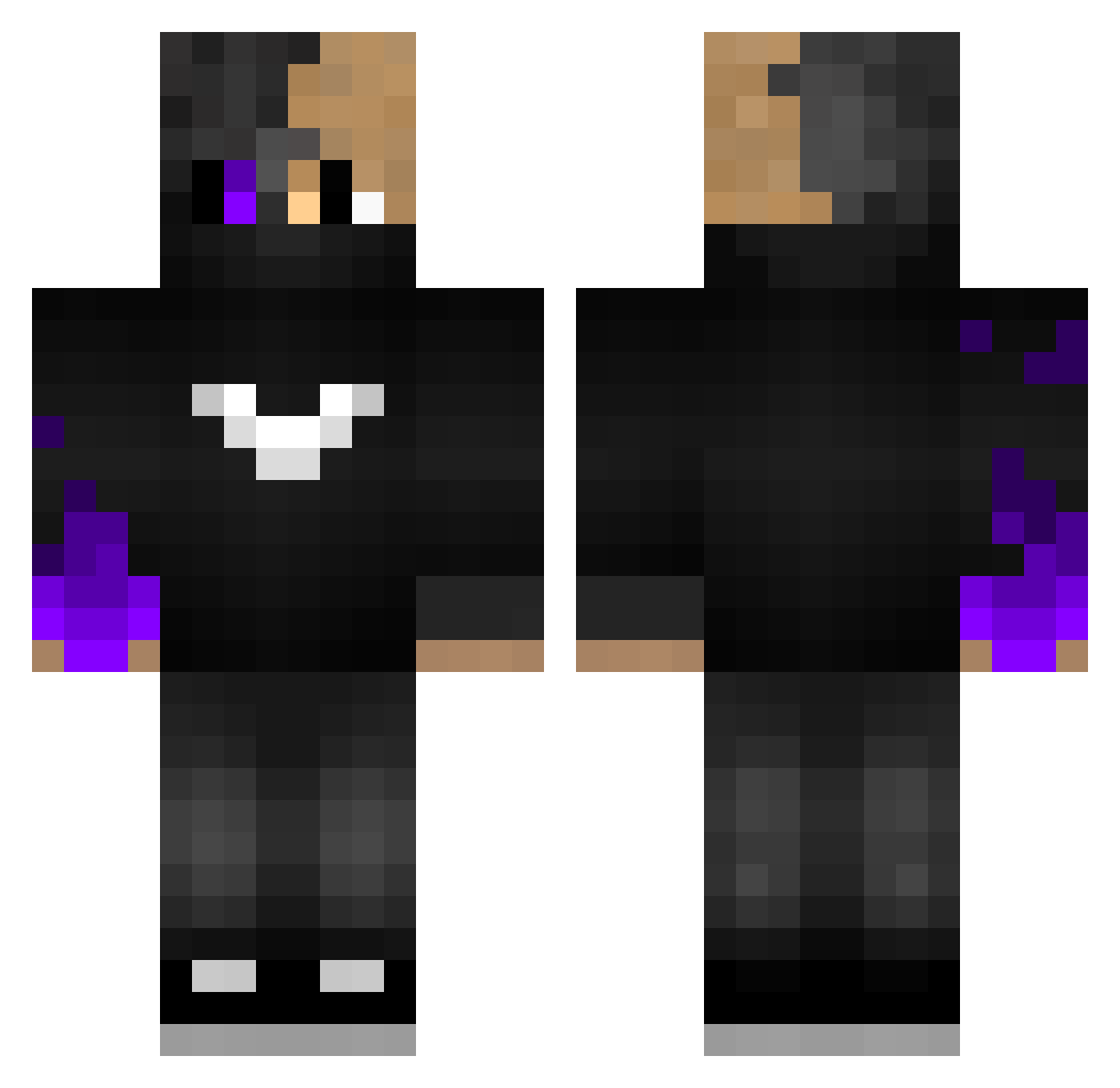
Current Minecraft skin of the player TIMMYHOCKEY66, loaded from the official Mojang API. Rotate the 3D model with your mouse or finger, then download the skin as a PNG file and use it in Minecraft: Bedrock Edition or Java Edition for free. When TIMMYHOCKEY66 changes their skin, this page updates automatically and the old skin stays in the history below.
Other players with this skin (57)
TIMMYHOCKEY66 was the 21st player we have seen with this skin, first spotted on 20.08.2026. The same skin was seen on these players. Open a nickname to see their current skin and skin history.
 COVID6969 Heflon MazerBlue RoboticBaxter Mr_Frelon54 RP_Killer Dr_Moronic_Acid Superadri64 Darknes_Lord Maannn bystorm91 ProxXRT9 MikaBwd xIZentix KediBey21 iNeodax Mr3bX97 Staublecker alleskitsfrits SqwiN Deliquescent xR3ktBoy ProJavi HaShak Lukas_Doebi JudikPlay Arion12314 _EnderMystery_ ryoma0112 GameMover CreasedHD TitanEmber L3V4G3 ItZIdefixPVP XxPvPxXGod Cr1t_ HappyzScore_BW BojanProMC Blacklist991 MlkGameplay mdz05 TheAcaPvP_YT ShadeZVI ArisMC xxxdev1lreap3rx MrHilfsbereit mmim08 Angexnxx Jastel33 iMonkayy Stormrage135 werwam ZDP_189 PlayLikeHero_ KenzoLaffineur FeZuApec pinkwolfboy
More Mask Minecraft skins
How to install the TIMMYHOCKEY66 skin
- Press the Download button above to save the skin as a PNG file.
- Minecraft: Bedrock Edition (PE): open the Dressing Room from the main menu (or tap your character → Edit Character), go to Classic Skins → Owned, press the + (new skin) button, choose the downloaded PNG and pick the Classic (Steve) model. Works on PC and mobile; consoles cannot import custom skins.
- Minecraft: Java Edition: open the Minecraft Launcher, go to the Skins tab, click New Skin, load the PNG, pick the Classic (Steve) model and press Save & Use. You can also upload it at minecraft.net → Profile → Change Skin.
The skin does not show up after import - what should I do?
Restart Minecraft and open the Dressing Room again - imported skins sometimes appear only after a restart. Also make sure you selected the imported skin and picked the Classic (Steve) model.
Which model should I choose, Classic or Slim?
This skin is designed for the Classic (Steve) model. If you pick the wrong model, the arms of the skin will look stretched or squeezed.
Is the skin of TIMMYHOCKEY66 free to download?
Yes. Press Download, save the PNG file and use it in Minecraft: Bedrock Edition or Java Edition - no payment or registration needed. The skin also works on multiplayer servers and Realms.
More skins
Looking for more? Go back to all Minecraft skins and check the top skins of the week, month and all time, or find any player's skin by nickname.