
THRPRX - Minecraft Skins & Skin History
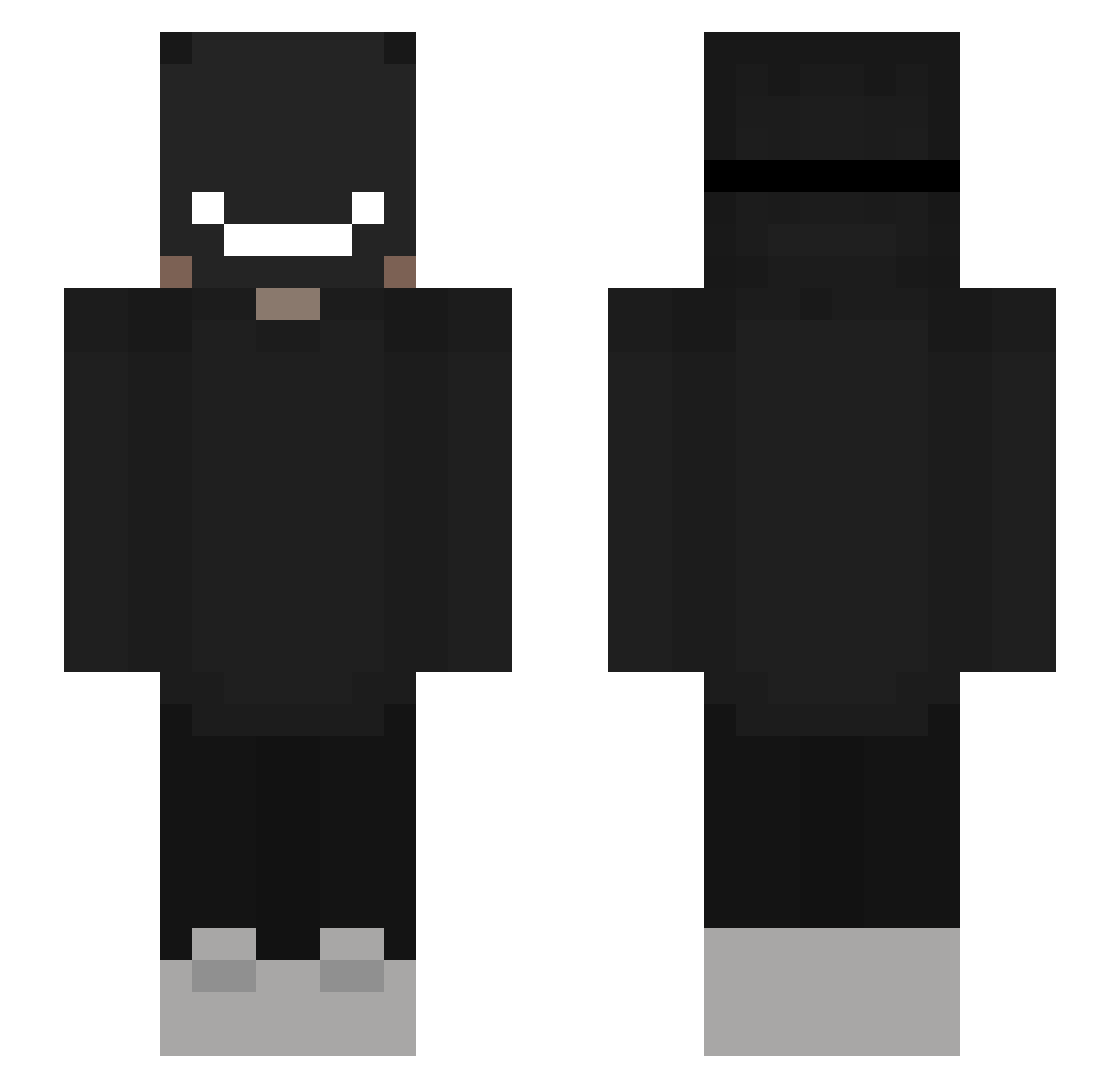
Current Minecraft skin of the player THRPRX, loaded from the official Mojang API. Rotate the 3D model with your mouse or finger, then download the skin as a PNG file and use it in Minecraft: Bedrock Edition or Java Edition for free. When THRPRX changes their skin, this page updates automatically and the old skin stays in the history below.
Other players with this skin (310)
THRPRX was the 115th player we have seen with this skin, first spotted on 06.09.2026. The same skin was seen on these players. Open a nickname to see their current skin and skin history.
 Lugubre Mac62006 TahaXA wneaki xakelx piglover18 ivyyyyy18 Niftynlck DaisL steeexxx xRIKU_08 XeroDen Vegeslaya Arcch wrathfulspy Kitoshi_hoshino scorexx113388 DeLonie RexxonXD arks_Drake fizzy06 HeroOG LivedBird284646 Pik0nn0 froglly CooperRivers Tankezoid KuB4s_ _low_HP_ TunReport Nacoxx 1NEEY JustANormie ROVzz Pyytthh T0m74 lepszyforall 52alblack TheBangDuelista LawlessBeast28 warlord776 Allah_Bonga IchziehPassiv gurinyaru1014 Twinz_YT funni3r hida05 LilaSchaf LINKsxxx Itz_Alpaca33 MacHHub PanCzmiel papero213 SweatyYTB RayX4D Me1Lz zNahuu_ artan_gr LelandCutone 8a7o
More Badboyhalo Minecraft skins
How to install the THRPRX skin
- Press the Download button above to save the skin as a PNG file.
- Minecraft: Bedrock Edition (PE): open the Dressing Room from the main menu (or tap your character → Edit Character), go to Classic Skins → Owned, press the + (new skin) button, choose the downloaded PNG and pick the Slim (Alex) model. Works on PC and mobile; consoles cannot import custom skins.
- Minecraft: Java Edition: open the Minecraft Launcher, go to the Skins tab, click New Skin, load the PNG, pick the Slim (Alex) model and press Save & Use. You can also upload it at minecraft.net → Profile → Change Skin.
The skin does not show up after import - what should I do?
Restart Minecraft and open the Dressing Room again - imported skins sometimes appear only after a restart. Also make sure you selected the imported skin and picked the Slim (Alex) model.
Which model should I choose, Classic or Slim?
This skin is designed for the Slim (Alex) model. If you pick the wrong model, the arms of the skin will look stretched or squeezed.
Is the skin of THRPRX free to download?
Yes. Press Download, save the PNG file and use it in Minecraft: Bedrock Edition or Java Edition - no payment or registration needed. The skin also works on multiplayer servers and Realms.
More skins
Looking for more? Go back to all Minecraft skins and check the top skins of the week, month and all time, or find any player's skin by nickname.