
TDog1313 - Minecraft Skins & Skin History
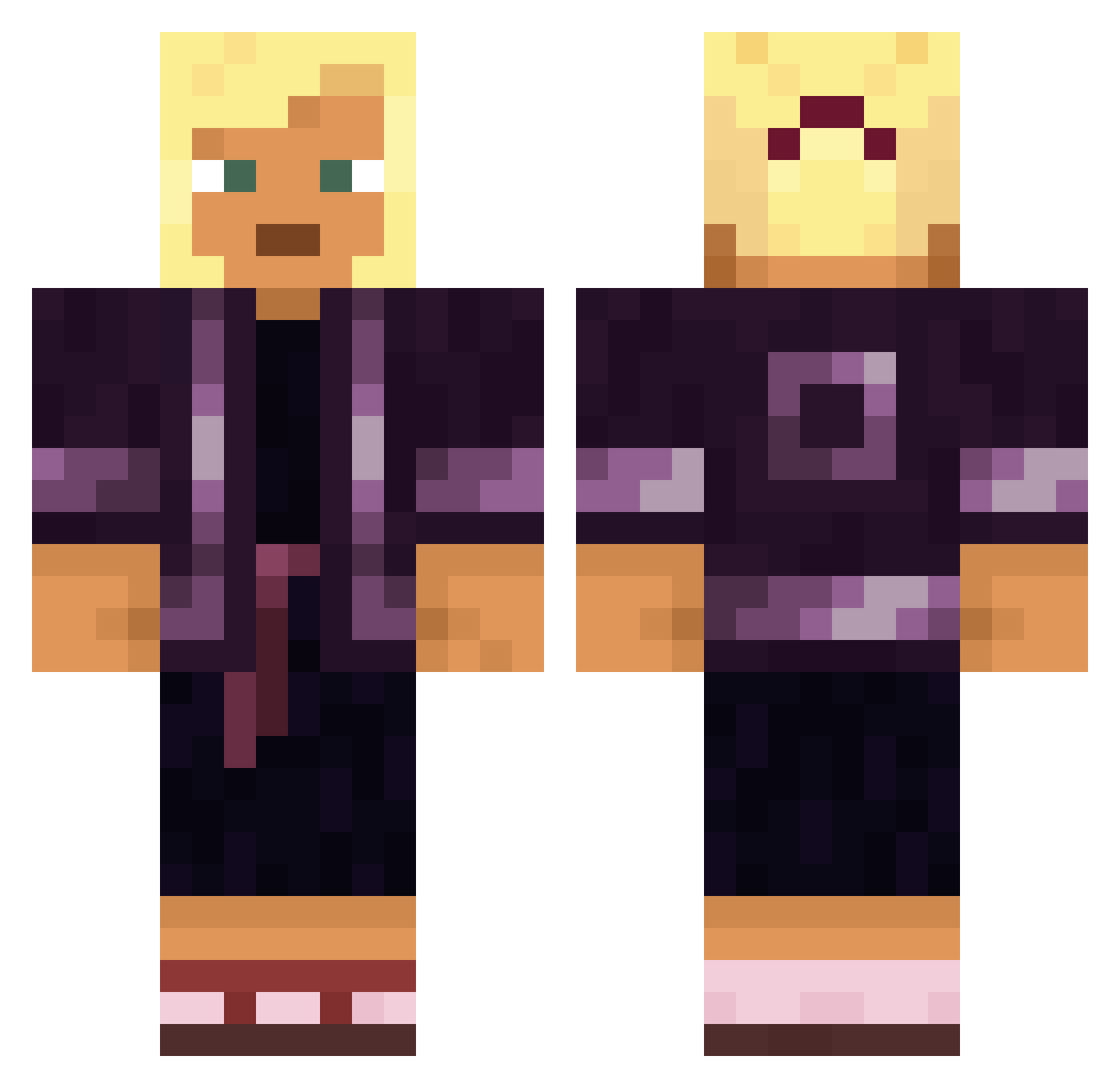
Current Minecraft skin of the player TDog1313, loaded from the official Mojang API. Rotate the 3D model with your mouse or finger, then download the skin as a PNG file and use it in Minecraft: Bedrock Edition or Java Edition for free. When TDog1313 changes their skin, this page updates automatically and the old skin stays in the history below.
Other players with this skin (1283)
TDog1313 was the 295th player we have seen with this skin, first spotted on 14.08.2026. The same skin was seen on these players. Open a nickname to see their current skin and skin history.
 Yukkel Cyphonism NecronIsHigh Carrotguy8181 BOSS_USLUGI Filip_02 Gabrielos2 ben_0421 Unnamed_17372 danigay UnderDip algonquians Rylk cantguardkel Peripatetic NestorCake DrDragonax Scurfy Hungarian Daiann Brallum waggooo hidde_maaas Maylinch1 Atoke Sandalled TunaRash GodSpell__ Mimboglio Floodway Murros RuneOcean ElFato Nefandous scunderlick08 negrer sr6czek BotKermit
 ChatoDeGalocha69 Borgalicious Hebel20 demonizes DRAAK10000 GTABOY12 Nobis Ruthfulness 459903603 padraig Zanix unprompted CloseBooom Feihoa ChupitoDeJager_ LLezz lucashlz
 noahmtn7 teas Pimentrou OmarRos_ Centum
More Kimono Minecraft skins
How to install the TDog1313 skin
- Press the Download button above to save the skin as a PNG file.
- Minecraft: Bedrock Edition (PE): open the Dressing Room from the main menu (or tap your character → Edit Character), go to Classic Skins → Owned, press the + (new skin) button, choose the downloaded PNG and pick the Classic (Steve) model. Works on PC and mobile; consoles cannot import custom skins.
- Minecraft: Java Edition: open the Minecraft Launcher, go to the Skins tab, click New Skin, load the PNG, pick the Classic (Steve) model and press Save & Use. You can also upload it at minecraft.net → Profile → Change Skin.
The skin does not show up after import - what should I do?
Restart Minecraft and open the Dressing Room again - imported skins sometimes appear only after a restart. Also make sure you selected the imported skin and picked the Classic (Steve) model.
Which model should I choose, Classic or Slim?
This skin is designed for the Classic (Steve) model. If you pick the wrong model, the arms of the skin will look stretched or squeezed.
Is the skin of TDog1313 free to download?
Yes. Press Download, save the PNG file and use it in Minecraft: Bedrock Edition or Java Edition - no payment or registration needed. The skin also works on multiplayer servers and Realms.
More skins
Looking for more? Go back to all Minecraft skins and check the top skins of the week, month and all time, or find any player's skin by nickname.