
T1M0T3 - Minecraft Skins & Skin History
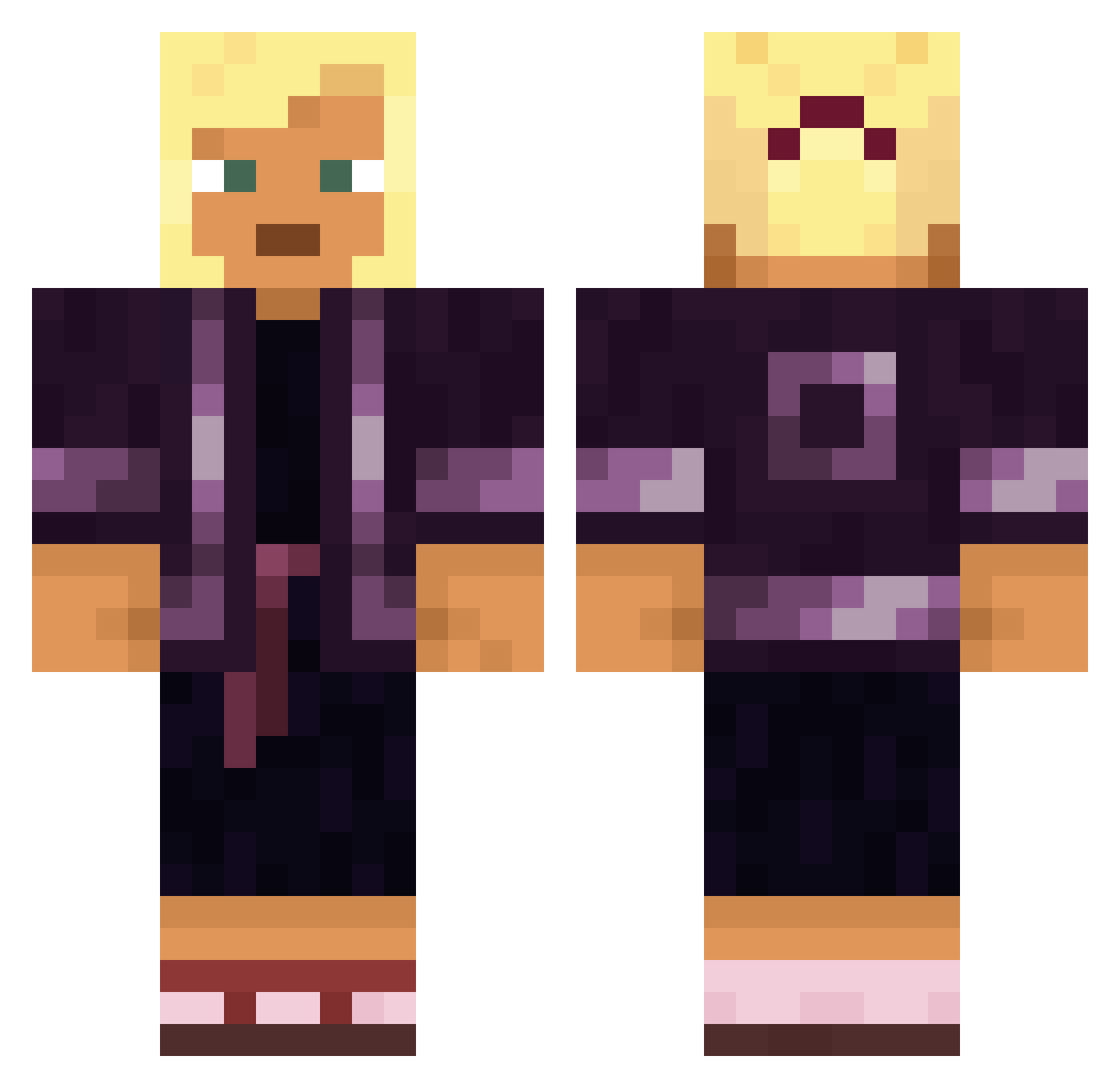
Current Minecraft skin of the player T1M0T3, loaded from the official Mojang API. Rotate the 3D model with your mouse or finger, then download the skin as a PNG file and use it in Minecraft: Bedrock Edition or Java Edition for free. When T1M0T3 changes their skin, this page updates automatically and the old skin stays in the history below.
Other players with this skin (1569)
T1M0T3 was the 1128th player we have seen with this skin, first spotted on 10.10.2026. The same skin was seen on these players. Open a nickname to see their current skin and skin history.
 SmokeyNeverLose r6_k4m1l Heartsick BadGameDeveloper Cp___Philips SarayRosl Little_pouya Cantoon BadImaginati0n ThenotoriusMc Natsu_Dragnir_57 DioMio discrowned WhiteTea233 Hassing shota Baloney_Phoney malia324 Firstelpro222 oblast Savvy goldgnoll Belth_Allusis Charioted Poraholix CaRoTiD TotalLegoMaster krymin4lna Camille148 Garners cheecha DubzMisty shmindrie Thypenguin Wildlings chambold97 Fameful Adriot Androphonomania Roufaly Lacto Bagnoludek ProHardKiller ElysiumXI KZD_ RedCaps Riptide_mc Hydroplanes nuuwayy winemaster GrapeYs TheShamalam ARTTIST Reeper Akinna__ Anime_Toy_Bonnie mctynes Billette JohnnyBr4vo Killerzwerg37
More Kimono Minecraft skins
How to install the T1M0T3 skin
- Press the Download button above to save the skin as a PNG file.
- Minecraft: Bedrock Edition (PE): open the Dressing Room from the main menu (or tap your character → Edit Character), go to Classic Skins → Owned, press the + (new skin) button, choose the downloaded PNG and pick the Classic (Steve) model. Works on PC and mobile; consoles cannot import custom skins.
- Minecraft: Java Edition: open the Minecraft Launcher, go to the Skins tab, click New Skin, load the PNG, pick the Classic (Steve) model and press Save & Use. You can also upload it at minecraft.net → Profile → Change Skin.
The skin does not show up after import - what should I do?
Restart Minecraft and open the Dressing Room again - imported skins sometimes appear only after a restart. Also make sure you selected the imported skin and picked the Classic (Steve) model.
Which model should I choose, Classic or Slim?
This skin is designed for the Classic (Steve) model. If you pick the wrong model, the arms of the skin will look stretched or squeezed.
Is the skin of T1M0T3 free to download?
Yes. Press Download, save the PNG file and use it in Minecraft: Bedrock Edition or Java Edition - no payment or registration needed. The skin also works on multiplayer servers and Realms.
More skins
Looking for more? Go back to all Minecraft skins and check the top skins of the week, month and all time, or find any player's skin by nickname.