
Szokolyi - Minecraft Skins & Skin History
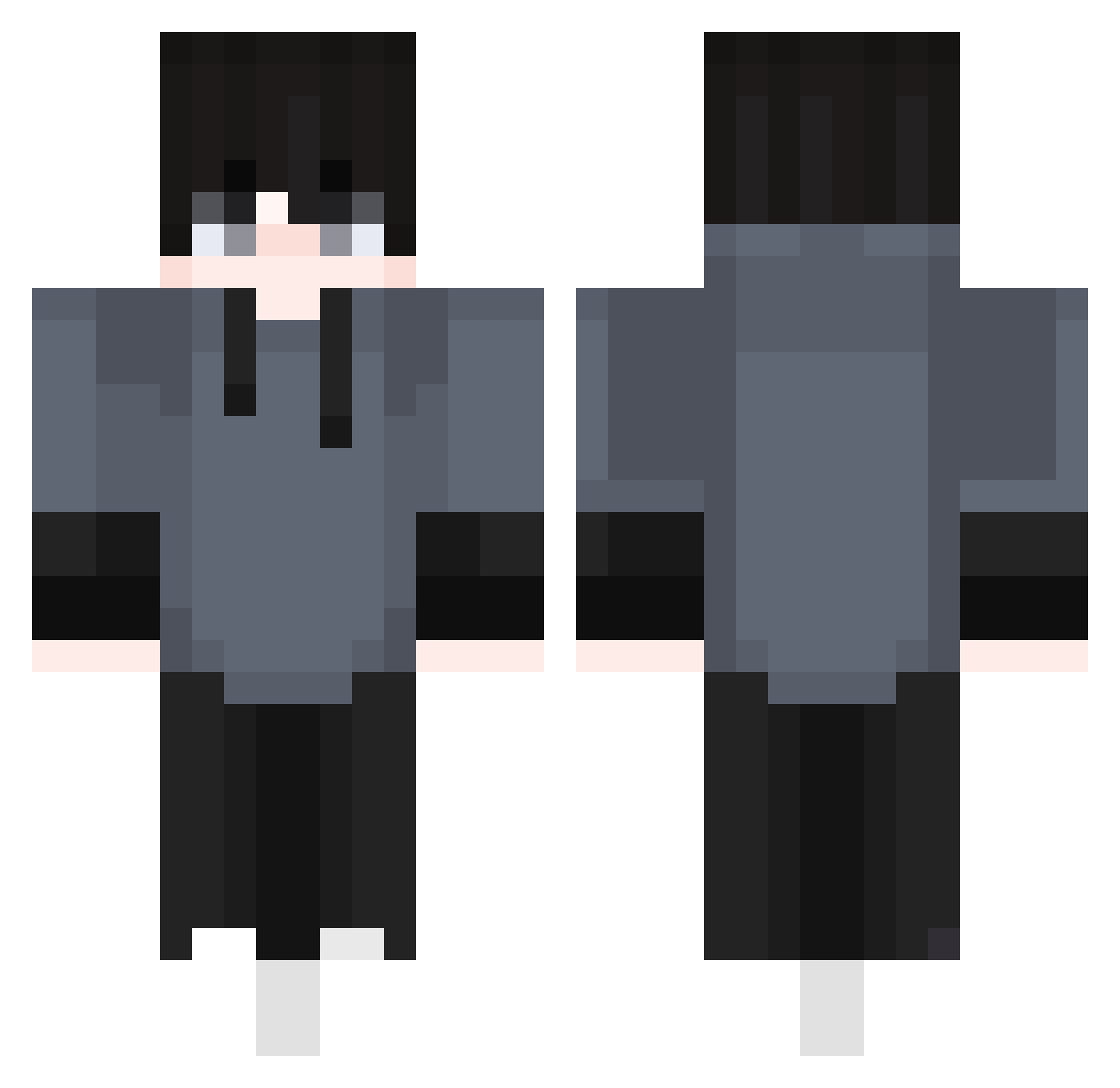
Current Minecraft skin of the player Szokolyi, loaded from the official Mojang API. Rotate the 3D model with your mouse or finger, then download the skin as a PNG file and use it in Minecraft: Bedrock Edition or Java Edition for free. When Szokolyi changes their skin, this page updates automatically and the old skin stays in the history below.
Other players with this skin (410)
Szokolyi was the 350th player we have seen with this skin, first spotted on 20.10.2026. The same skin was seen on these players. Open a nickname to see their current skin and skin history.
 EGESTEEL1717 Borussia369 Al3x0ff AJoRo TheRealSecurity Arya138612 LegasovZ Tetentan ghettoinsect Isaquin10 ValiZon WhiteCat75 Juk_Chang _XARB Actanos HydraLegend69 changee_ itssalva95 dylan00072 L3uAraNT84 LuffyPlay shelper1 WpG_Goofy kaitunbest 9_1tv makkinas Jaudrie favorit1eenviab _bakkajai sergiogamer15 FraMa0410 HTRDDF KorineZ Szarkedzik Kiwiiiiiii KenKE1205 IBasI TylerRake_ 5iQY iJazB_ percey_ Karluten201 Noobxww Borointerolo profilt Finn1516 Jlucais jimmykui Iamcaveve HynJun2 Drachenauge7 km_0115 Drigg0 mf_lol KazioKlb amogus12346 Sakamoto_Ryouma Userless1 ezster15 mesapewpew
How to install the Szokolyi skin
- Press the Download button above to save the skin as a PNG file.
- Minecraft: Bedrock Edition (PE): open the Dressing Room from the main menu (or tap your character → Edit Character), go to Classic Skins → Owned, press the + (new skin) button, choose the downloaded PNG and pick the Classic (Steve) model. Works on PC and mobile; consoles cannot import custom skins.
- Minecraft: Java Edition: open the Minecraft Launcher, go to the Skins tab, click New Skin, load the PNG, pick the Classic (Steve) model and press Save & Use. You can also upload it at minecraft.net → Profile → Change Skin.
The skin does not show up after import - what should I do?
Restart Minecraft and open the Dressing Room again - imported skins sometimes appear only after a restart. Also make sure you selected the imported skin and picked the Classic (Steve) model.
Which model should I choose, Classic or Slim?
This skin is designed for the Classic (Steve) model. If you pick the wrong model, the arms of the skin will look stretched or squeezed.
Is the skin of Szokolyi free to download?
Yes. Press Download, save the PNG file and use it in Minecraft: Bedrock Edition or Java Edition - no payment or registration needed. The skin also works on multiplayer servers and Realms.
More skins
Looking for more? Go back to all Minecraft skins and check the top skins of the week, month and all time, or find any player's skin by nickname.