
Szczupak77 - Minecraft Skins & Skin History
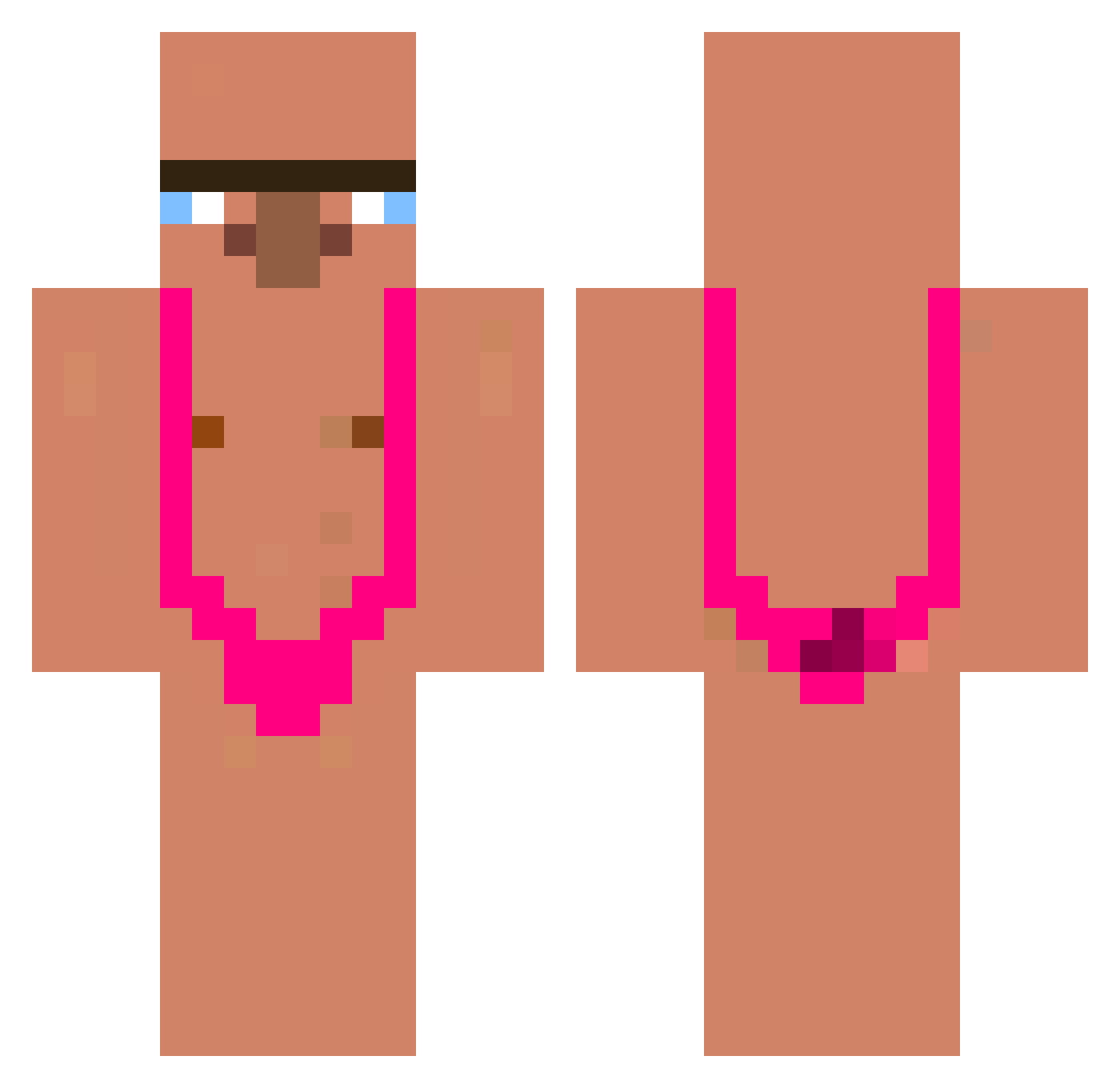
Current Minecraft skin of the player Szczupak77, loaded from the official Mojang API. Rotate the 3D model with your mouse or finger, then download the skin as a PNG file and use it in Minecraft: Bedrock Edition or Java Edition for free. When Szczupak77 changes their skin, this page updates automatically and the old skin stays in the history below.
Other players with this skin (340)
Szczupak77 was the 88th player we have seen with this skin, first spotted on 22.08.2026. The same skin was seen on these players. Open a nickname to see their current skin and skin history.
 zolux77220 Viramikas Dynamotion Kindercokoska goja2 igi124 Immense_Hat wzinff Raizzyyy Aliscores Lilpeto PiliaPeluda1 bilugo goldzennn AR_Gabo coronabw xxNohixx TupacYupanki Stigmou_ You_Can_AltF4 Bruhann JoeV2005 Tika075 janghoon1025 SUPEROHYO Pixon12 j0kerNot bigcyc05 D4rkflzy Jrunkz SlinkyToast wooyoung00mom hotgirl6974 Dzi3ck0r0lk4 azir707 Carlos1602 Syncsxxl catulipan agussyul Pireszinhoxd_05 _Yeori Dennisistcool SPREEN_GOOOOOOOD dydol2137 jzp111 zD0ki skele_bones TheMarkonade dmdrk7828 KAT4R LiebeAusHass JellyCrazy C4z0rla Felann2010 PietroZanardi Akerist Maayan16 Brett12018 SloppyToppy726 teoperinz
More Mankini Minecraft skins
How to install the Szczupak77 skin
- Press the Download button above to save the skin as a PNG file.
- Minecraft: Bedrock Edition (PE): open the Dressing Room from the main menu (or tap your character → Edit Character), go to Classic Skins → Owned, press the + (new skin) button, choose the downloaded PNG and pick the Classic (Steve) model. Works on PC and mobile; consoles cannot import custom skins.
- Minecraft: Java Edition: open the Minecraft Launcher, go to the Skins tab, click New Skin, load the PNG, pick the Classic (Steve) model and press Save & Use. You can also upload it at minecraft.net → Profile → Change Skin.
The skin does not show up after import - what should I do?
Restart Minecraft and open the Dressing Room again - imported skins sometimes appear only after a restart. Also make sure you selected the imported skin and picked the Classic (Steve) model.
Which model should I choose, Classic or Slim?
This skin is designed for the Classic (Steve) model. If you pick the wrong model, the arms of the skin will look stretched or squeezed.
Is the skin of Szczupak77 free to download?
Yes. Press Download, save the PNG file and use it in Minecraft: Bedrock Edition or Java Edition - no payment or registration needed. The skin also works on multiplayer servers and Realms.
More skins
Looking for more? Go back to all Minecraft skins and check the top skins of the week, month and all time, or find any player's skin by nickname.