
Syrofire - Minecraft Skins & Skin History
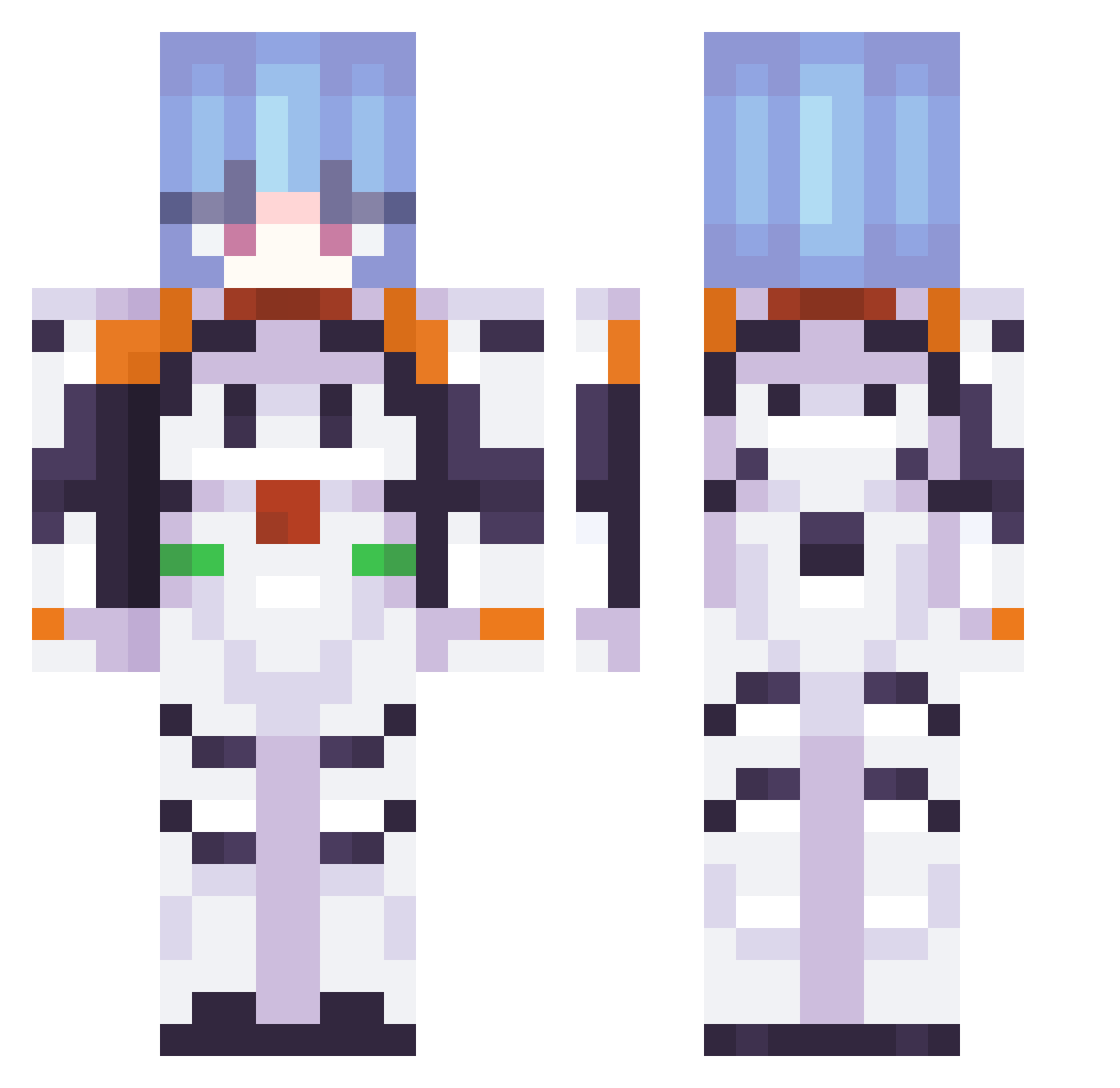
Current Minecraft skin of the player Syrofire, loaded from the official Mojang API. Rotate the 3D model with your mouse or finger, then download the skin as a PNG file and use it in Minecraft: Bedrock Edition or Java Edition for free. When Syrofire changes their skin, this page updates automatically and the old skin stays in the history below.
Other players with this skin (376)
Syrofire was the 168th player we have seen with this skin, first spotted on 12.09.2026. The same skin was seen on these players. Open a nickname to see their current skin and skin history.
 ona777 marcepixe290 TheSantoxd24 yaangmaster alberk71 CassCR intrecciato MAT0GAMER abllity Jeremito1 Valx18 Gdilli MojoWasTaken LoLoVencido moosterbeaster Hashimi MachLegend JUPHiroya ReI_Ayanaml GOD_kimmchi kerinowo HonmaGottuio meinnameisjafet Exist_Alt Arose831 Reitsuukii Demsengo imslitting CH1P1CHAPA CamLoli_VN 972salang vpbonekill ReV_Ss elDulkien danisauriscool RElZER0 GermanLIBERAXA22 SporkTheSeal briantt0923
 penpalpigeon
 ChemizRoz ohzia Kuru113 seraflare wittk Alexxx07 josias_42 amsever onlinoon mxrxsxv floppydiazz guv_norr shedied Knuten_ amelkaaaq Eggr0 _Sp4rd4_ 002_T MIHIC1578 LTysonsonson0212
More Plugsuit Minecraft skins
How to install the Syrofire skin
- Press the Download button above to save the skin as a PNG file.
- Minecraft: Bedrock Edition (PE): open the Dressing Room from the main menu (or tap your character → Edit Character), go to Classic Skins → Owned, press the + (new skin) button, choose the downloaded PNG and pick the Classic (Steve) model. Works on PC and mobile; consoles cannot import custom skins.
- Minecraft: Java Edition: open the Minecraft Launcher, go to the Skins tab, click New Skin, load the PNG, pick the Classic (Steve) model and press Save & Use. You can also upload it at minecraft.net → Profile → Change Skin.
The skin does not show up after import - what should I do?
Restart Minecraft and open the Dressing Room again - imported skins sometimes appear only after a restart. Also make sure you selected the imported skin and picked the Classic (Steve) model.
Which model should I choose, Classic or Slim?
This skin is designed for the Classic (Steve) model. If you pick the wrong model, the arms of the skin will look stretched or squeezed.
Is the skin of Syrofire free to download?
Yes. Press Download, save the PNG file and use it in Minecraft: Bedrock Edition or Java Edition - no payment or registration needed. The skin also works on multiplayer servers and Realms.
More skins
Looking for more? Go back to all Minecraft skins and check the top skins of the week, month and all time, or find any player's skin by nickname.