
SyndicateZoom05 - Minecraft Skins & Skin History
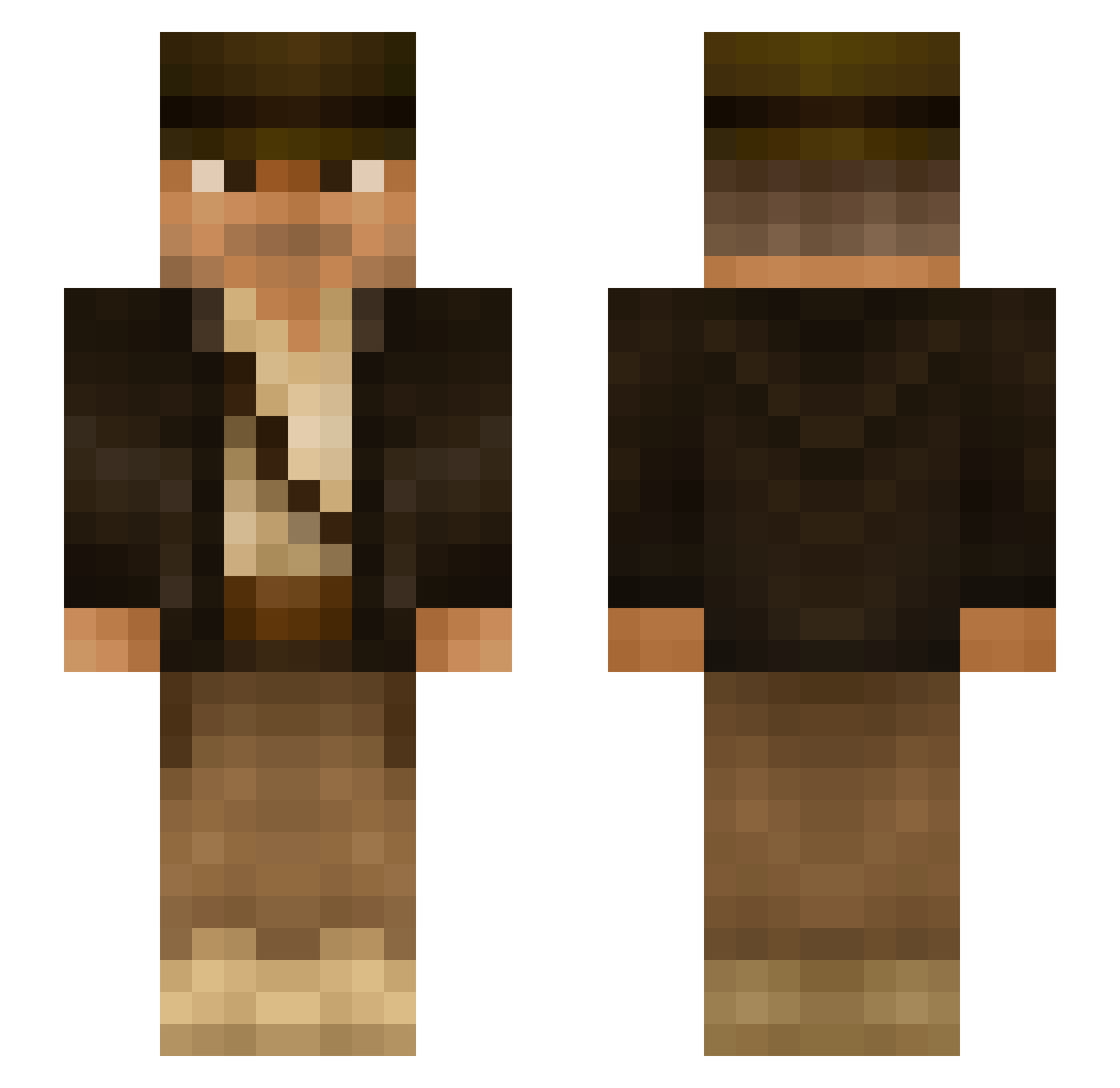
Current Minecraft skin of the player SyndicateZoom05, loaded from the official Mojang API. Rotate the 3D model with your mouse or finger, then download the skin as a PNG file and use it in Minecraft: Bedrock Edition or Java Edition for free. When SyndicateZoom05 changes their skin, this page updates automatically and the old skin stays in the history below.
Other players with this skin (291)
SyndicateZoom05 was the 274th player we have seen with this skin, first spotted on 25.10.2026. The same skin was seen on these players. Open a nickname to see their current skin and skin history.
 Frank_The_Tank_1 FoxY973 Dakade BvdL79 J4twenty itskenito Txebu TaiPan21 AJDubb Jorgethebird RafterJ24 IANANAJONES Swiftace1 eliskanelis Flakey1997 DrTropau xix155 SubuGatai15 _Louison_Bobet_ Burntpickle02 Benishiwa OrionRaycraft Hsu5497 Hesj Markkus351 AlbinoBenito redbull425wu b4gu4l supernurders eddiecraft111 Strudel_Pagnotta MorganDbeast06 NiblaBoy uncompiled _WadoVice_ CoachCoach Mark_Nutt_7 WTM007 irof SiPi05 Procs0 GdeGabo Vyzriel DelayLamer R1CKY96 chestont IntelXeon01 NIhzzz NightCrafterHD llanowarelf77 Exorious tcoco1 lemwalker Wilko1025 Charlyee mattfromeurope CoChief kingfeds yolooskar Sirius92
More Indiana Jones Minecraft skins
See all 80 Indiana Jones skins
How to install the SyndicateZoom05 skin
- Press the Download button above to save the skin as a PNG file.
- Minecraft: Bedrock Edition (PE): open the Dressing Room from the main menu (or tap your character → Edit Character), go to Classic Skins → Owned, press the + (new skin) button, choose the downloaded PNG and pick the Slim (Alex) model. Works on PC and mobile; consoles cannot import custom skins.
- Minecraft: Java Edition: open the Minecraft Launcher, go to the Skins tab, click New Skin, load the PNG, pick the Slim (Alex) model and press Save & Use. You can also upload it at minecraft.net → Profile → Change Skin.
The skin does not show up after import - what should I do?
Restart Minecraft and open the Dressing Room again - imported skins sometimes appear only after a restart. Also make sure you selected the imported skin and picked the Slim (Alex) model.
Which model should I choose, Classic or Slim?
This skin is designed for the Slim (Alex) model. If you pick the wrong model, the arms of the skin will look stretched or squeezed.
Is the skin of SyndicateZoom05 free to download?
Yes. Press Download, save the PNG file and use it in Minecraft: Bedrock Edition or Java Edition - no payment or registration needed. The skin also works on multiplayer servers and Realms.
More skins
Looking for more? Go back to all Minecraft skins and check the top skins of the week, month and all time, or find any player's skin by nickname.