
SwimChamp534 - Minecraft Skins & Skin History
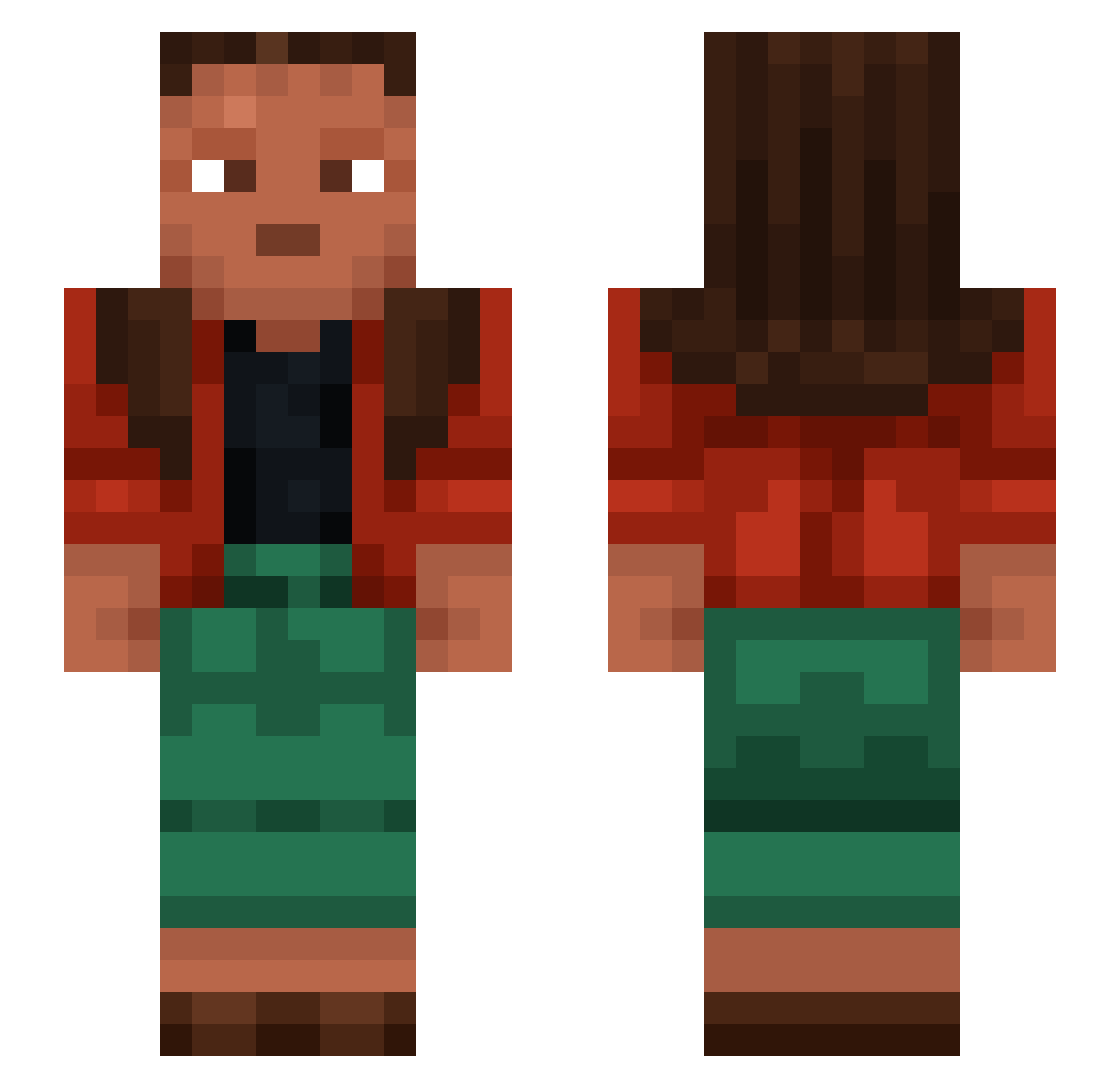
Current Minecraft skin of the player SwimChamp534, loaded from the official Mojang API. Rotate the 3D model with your mouse or finger, then download the skin as a PNG file and use it in Minecraft: Bedrock Edition or Java Edition for free. When SwimChamp534 changes their skin, this page updates automatically and the old skin stays in the history below.
Other players with this skin (1188)
SwimChamp534 was the 1081st player we have seen with this skin, first spotted on 23.10.2026. The same skin was seen on these players. Open a nickname to see their current skin and skin history.
 S_Thong AntiEgg HISZPAN321 Black_Giants Diegofreitas1 Plasmodiophora Imperviousness Reamy peba UngaBunga____ Armadeyus Barwing Sorryish molic HTS SoulSleepyFox RamadanPVP Polynices __PPoPPi Cuve 143W PISAN 2009david Upbuilding carouser pickelhaube Skeptics Bevzy ZeysauBTW lxloonx polishbuilder21 ElFlacoSchiavi PoonGee v3ncar0 Tycho_Brohe El_Fokas paul11988 Curro Darkbob12 daniel338645 sbourboulle Okapi camigavi TheBigAK krateNist Tokyogirl1994 eljoystick gendarmes TND123456789 JanekBalwanek69 ashuiddd Marley110 Paiks Deiv27 Aztecan DerFeind14 Multithreaded OGREEKID Aadhav201_ Veilleuse
How to install the SwimChamp534 skin
- Press the Download button above to save the skin as a PNG file.
- Minecraft: Bedrock Edition (PE): open the Dressing Room from the main menu (or tap your character → Edit Character), go to Classic Skins → Owned, press the + (new skin) button, choose the downloaded PNG and pick the Slim (Alex) model. Works on PC and mobile; consoles cannot import custom skins.
- Minecraft: Java Edition: open the Minecraft Launcher, go to the Skins tab, click New Skin, load the PNG, pick the Slim (Alex) model and press Save & Use. You can also upload it at minecraft.net → Profile → Change Skin.
The skin does not show up after import - what should I do?
Restart Minecraft and open the Dressing Room again - imported skins sometimes appear only after a restart. Also make sure you selected the imported skin and picked the Slim (Alex) model.
Which model should I choose, Classic or Slim?
This skin is designed for the Slim (Alex) model. If you pick the wrong model, the arms of the skin will look stretched or squeezed.
Is the skin of SwimChamp534 free to download?
Yes. Press Download, save the PNG file and use it in Minecraft: Bedrock Edition or Java Edition - no payment or registration needed. The skin also works on multiplayer servers and Realms.
More skins
Looking for more? Go back to all Minecraft skins and check the top skins of the week, month and all time, or find any player's skin by nickname.