
Swifty_W - Minecraft Skins & Skin History
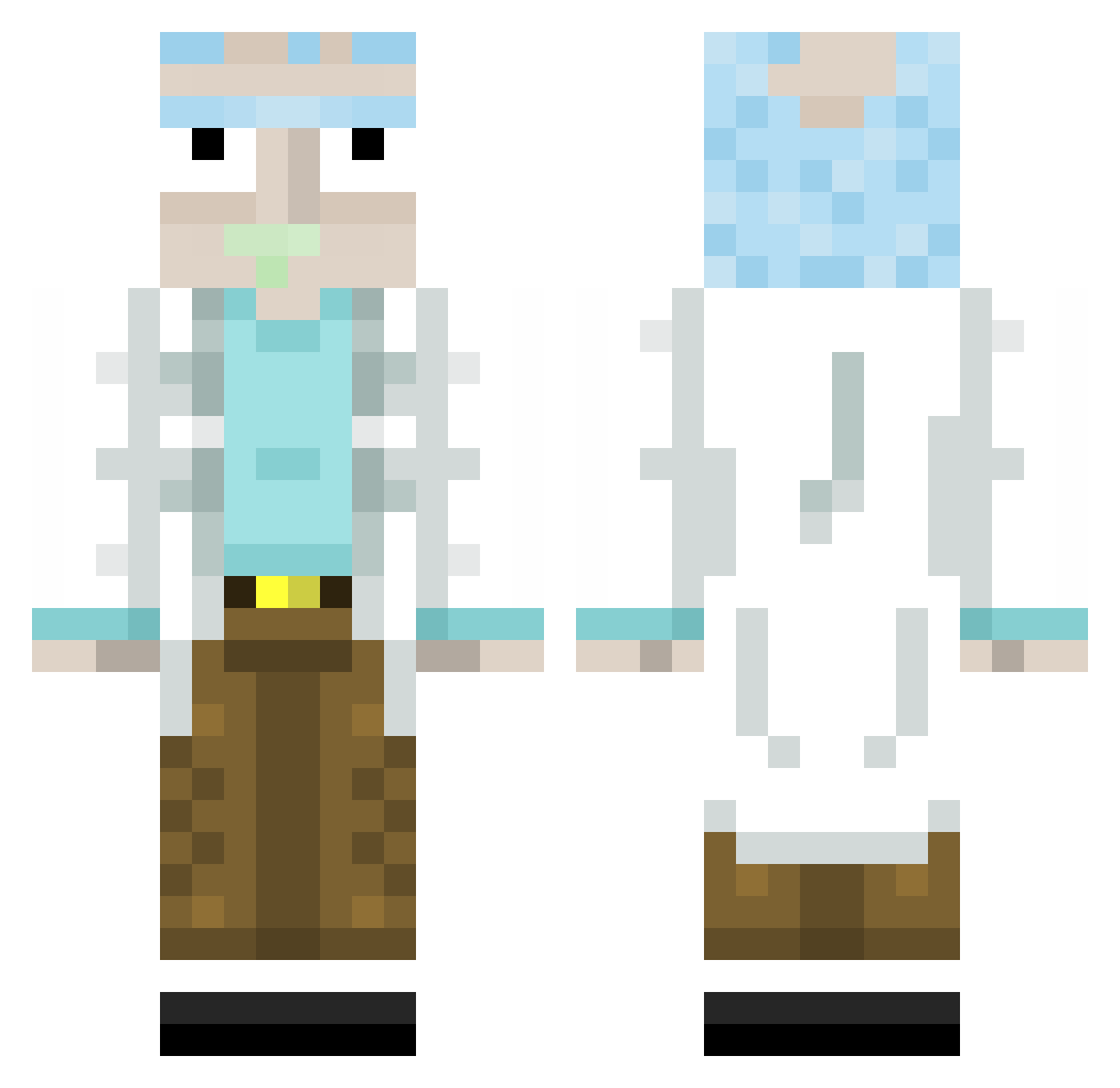
Current Minecraft skin of the player Swifty_W, loaded from the official Mojang API. Rotate the 3D model with your mouse or finger, then download the skin as a PNG file and use it in Minecraft: Bedrock Edition or Java Edition for free. When Swifty_W changes their skin, this page updates automatically and the old skin stays in the history below.
Other players with this skin (313)
Swifty_W was the 127th player we have seen with this skin, first spotted on 05.09.2026. The same skin was seen on these players. Open a nickname to see their current skin and skin history.
 Rob_042 Marcao06 Patrick__h1 jhbdgaming RICK67502 heikgiveshicks Cherryyy_Bomb DammitBradley Chapellex KristoFsb merky_bucket Lipa420 Kwoos Muggle_Gandalf jymxs EnBe15 LinkAzzone LeggitSebitas_ arkyay Tonni Universal9Gaming gangara McKinleyantley Archeaes Hydra1810 Sliper OldTacos Devwardo MrTurducken SuspectX710 BigBeefyMuffin noam3211 Popaye fireflamer0423 Krawutzi Gagatros NOXSI YordiBeelen popka13 MiineBoi Leptoss Tayman279 nienwoody2 noowtz7 elgipsy _Ephos_ DvNx ZakDggn MeatyKebab gonzaloandre666 Yankeejake2 MrBrideside ozzyG59 SJthepunisher Vinisal itsVitaliy Name9834 DingoAteMyGrann JaimBienTaCanada MRVIGAS
More Rick Sanchez Minecraft skins
See all 214 Rick Sanchez skins
How to install the Swifty_W skin
- Press the Download button above to save the skin as a PNG file.
- Minecraft: Bedrock Edition (PE): open the Dressing Room from the main menu (or tap your character → Edit Character), go to Classic Skins → Owned, press the + (new skin) button, choose the downloaded PNG and pick the Classic (Steve) model. Works on PC and mobile; consoles cannot import custom skins.
- Minecraft: Java Edition: open the Minecraft Launcher, go to the Skins tab, click New Skin, load the PNG, pick the Classic (Steve) model and press Save & Use. You can also upload it at minecraft.net → Profile → Change Skin.
The skin does not show up after import - what should I do?
Restart Minecraft and open the Dressing Room again - imported skins sometimes appear only after a restart. Also make sure you selected the imported skin and picked the Classic (Steve) model.
Which model should I choose, Classic or Slim?
This skin is designed for the Classic (Steve) model. If you pick the wrong model, the arms of the skin will look stretched or squeezed.
Is the skin of Swifty_W free to download?
Yes. Press Download, save the PNG file and use it in Minecraft: Bedrock Edition or Java Edition - no payment or registration needed. The skin also works on multiplayer servers and Realms.
More skins
Looking for more? Go back to all Minecraft skins and check the top skins of the week, month and all time, or find any player's skin by nickname.