
Sv2_Storm_2mp - Minecraft Skins & Skin History
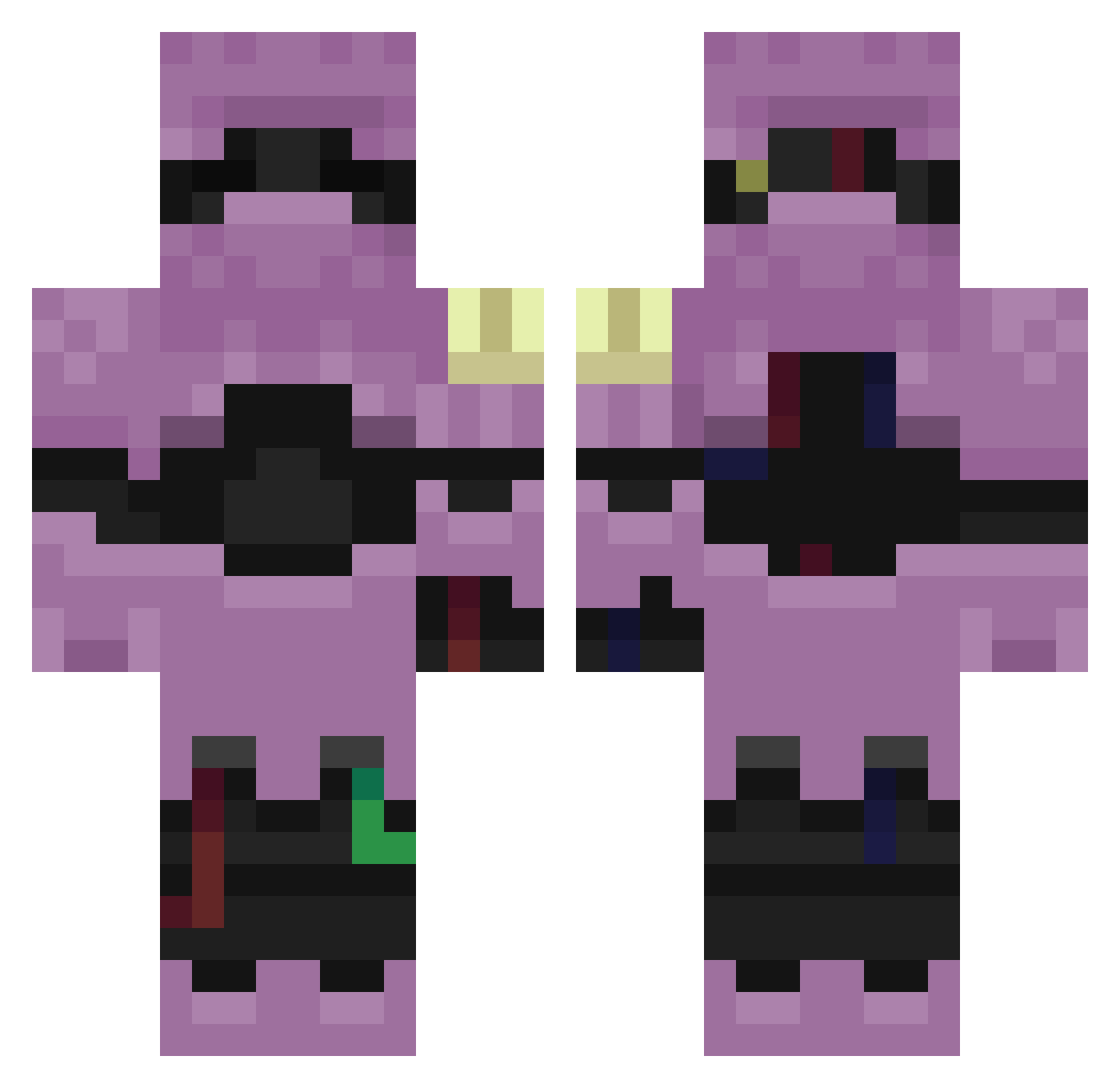
Current Minecraft skin of the player Sv2_Storm_2mp, loaded from the official Mojang API. Rotate the 3D model with your mouse or finger, then download the skin as a PNG file and use it in Minecraft: Bedrock Edition or Java Edition for free. When Sv2_Storm_2mp changes their skin, this page updates automatically and the old skin stays in the history below.
Other players with this skin (230)
Sv2_Storm_2mp was the 155th player we have seen with this skin, first spotted on 24.09.2026. The same skin was seen on these players. Open a nickname to see their current skin and skin history.
 balma3n Flexik01 L0w0ng_Neon_qf4 PASIRcaxju1heaex LinhGrit7wlUwU Skycron_Wild_dl3 kek1ch00 Sv2qbvMqnOmHYSv2 Sv22M9u93asBOSv2 ZANATOh45hacker KIKINVeilzl3 Sv2MPCsB98rqCSv2 Sv2Storm6a9 mogalts_77dsy NuSQGXT0505JK LinhBlaze1qpUwU nadCore34w iizmael_ g0lduO3uRj_0901 LinhBoltvngUwU L0w0ngTidemu2 L0w0ngGalecyz_ Liloishereap92 euwz LinhspUVa0203 I0nutzuNF0 LPeak5byUwU Entitilo_rhXri vreyla Mozertz TrigTideni9 Sv2Starkxz scumm1yUntagoni Sv2Shadeqax Sv2uq5nNuHe2xSv2 LinhVeilng8UwU PASIRcsoep7rxvz3 NuVeilm206JK PASIRpq71fbapoe5 i3boodeee_ PASIR358u4wco85e G0LD_ytIlP_02_01 editionbtn Sv2_Glow_7z6 Sv2Y7ucV4dHtCSv2 hbz Tonsquemami Sl1zoxFangp7q Sv2Fang9lm relapseGrimnbu Sv2btbsVVq8xKSv2 LdxTlQ0707 obsjo1 Entitilo_OBwKm G0LD_KBhEF_01_22 tastyluc7ky drachenlor Sv2Valeizx huc_s7gj7 LinhwAlkT0201
More Armored Minecraft skins
How to install the Sv2_Storm_2mp skin
- Press the Download button above to save the skin as a PNG file.
- Minecraft: Bedrock Edition (PE): open the Dressing Room from the main menu (or tap your character → Edit Character), go to Classic Skins → Owned, press the + (new skin) button, choose the downloaded PNG and pick the Classic (Steve) model. Works on PC and mobile; consoles cannot import custom skins.
- Minecraft: Java Edition: open the Minecraft Launcher, go to the Skins tab, click New Skin, load the PNG, pick the Classic (Steve) model and press Save & Use. You can also upload it at minecraft.net → Profile → Change Skin.
The skin does not show up after import - what should I do?
Restart Minecraft and open the Dressing Room again - imported skins sometimes appear only after a restart. Also make sure you selected the imported skin and picked the Classic (Steve) model.
Which model should I choose, Classic or Slim?
This skin is designed for the Classic (Steve) model. If you pick the wrong model, the arms of the skin will look stretched or squeezed.
Is the skin of Sv2_Storm_2mp free to download?
Yes. Press Download, save the PNG file and use it in Minecraft: Bedrock Edition or Java Edition - no payment or registration needed. The skin also works on multiplayer servers and Realms.
More skins
Looking for more? Go back to all Minecraft skins and check the top skins of the week, month and all time, or find any player's skin by nickname.