
Sv2Frosthyk - Minecraft Skins & Skin History
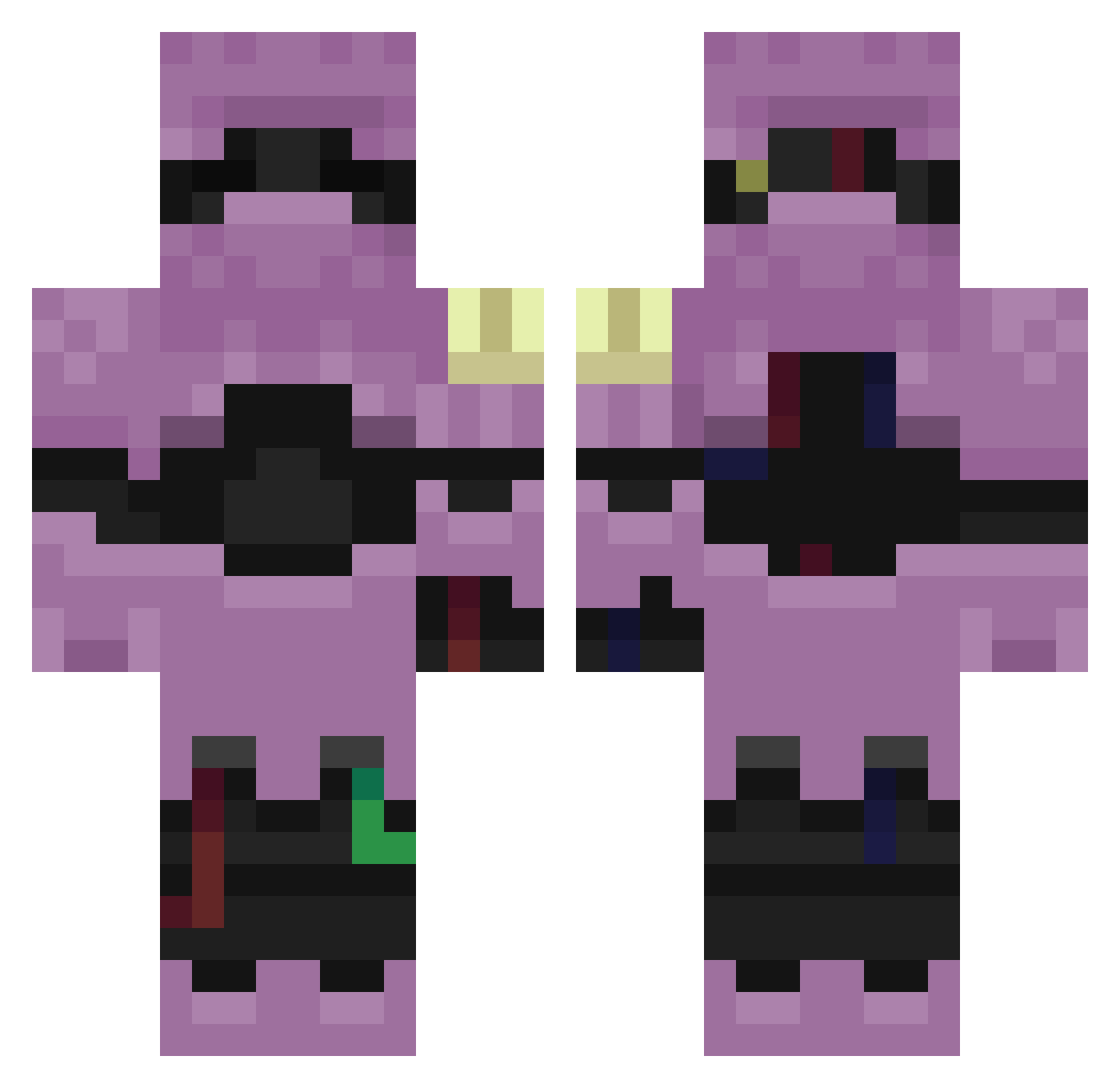
Current Minecraft skin of the player Sv2Frosthyk, loaded from the official Mojang API. Rotate the 3D model with your mouse or finger, then download the skin as a PNG file and use it in Minecraft: Bedrock Edition or Java Edition for free. When Sv2Frosthyk changes their skin, this page updates automatically and the old skin stays in the history below.
Other players with this skin (256)
Sv2Frosthyk was the 24th player we have seen with this skin, first spotted on 03.08.2026. The same skin was seen on these players. Open a nickname to see their current skin and skin history.
 948320750245
 IDAHQ199266 leg3itimateuncl AltVersez69AV L0w0ngDuskxp5_ LinhrOHxu0119 crw4x TMariaNT ZANATOs4lhacker L0w0ngCrest3o3_ Ivan_Bel4 Liloishere8g0e Sv2Driftwjp liloisherefvq huc_rjH3h Sv2k4AgbECa0TSv2 tzi_WgzaY_01_31 Scypon Sv2_Peak_wcp LinhPzcxy0307 turbo_tjalfe Sarracio LinhBoldztnUwU LinhPeak4m8UwU Dino8220 Sv26PIH1UHZ6aSv2 tzi_su8D3_01_23 ZANATOfnvhacker Sl1zoxSky2js Rev_Forge_u4s branleur6N290 AlexodnuR LinhuIZSL0121 LinhSBbRG0308 wwvz KIKINStormlaq Liloishere10i5 197g BbiagiiiOxXx93 SKBDNJPeakwhq Entitilo_CdcQA
 Liloisherev7p2 Pinagoras LinhTFbuS0625 LinhFrost066UwU SlavikMusic Sv2orsSiWLXWBSv2 OutjqaESeQg18Sv2 liloishere3qn VeinDrack Sv2Buml50VXW0Sv2 Sv2Lynxj8m aks_rGtpN_02_24 RUNNINGFROMSTARS AltVerse_06m_AV Auxyz
 LoWenI0718 Hhoarau7GG56 Nogekko Sv2ukXfyCQLosSv2
More Armored Minecraft skins
How to install the Sv2Frosthyk skin
- Press the Download button above to save the skin as a PNG file.
- Minecraft: Bedrock Edition (PE): open the Dressing Room from the main menu (or tap your character → Edit Character), go to Classic Skins → Owned, press the + (new skin) button, choose the downloaded PNG and pick the Classic (Steve) model. Works on PC and mobile; consoles cannot import custom skins.
- Minecraft: Java Edition: open the Minecraft Launcher, go to the Skins tab, click New Skin, load the PNG, pick the Classic (Steve) model and press Save & Use. You can also upload it at minecraft.net → Profile → Change Skin.
The skin does not show up after import - what should I do?
Restart Minecraft and open the Dressing Room again - imported skins sometimes appear only after a restart. Also make sure you selected the imported skin and picked the Classic (Steve) model.
Which model should I choose, Classic or Slim?
This skin is designed for the Classic (Steve) model. If you pick the wrong model, the arms of the skin will look stretched or squeezed.
Is the skin of Sv2Frosthyk free to download?
Yes. Press Download, save the PNG file and use it in Minecraft: Bedrock Edition or Java Edition - no payment or registration needed. The skin also works on multiplayer servers and Realms.
More skins
Looking for more? Go back to all Minecraft skins and check the top skins of the week, month and all time, or find any player's skin by nickname.