
Sv20Sl52UohIWSv2 - Minecraft Skins & Skin History
Current Minecraft skin of the player Sv20Sl52UohIWSv2, loaded from the official Mojang API. Rotate the 3D model with your mouse or finger, then download the skin as a PNG file and use it in Minecraft: Bedrock Edition or Java Edition for free. When Sv20Sl52UohIWSv2 changes their skin, this page updates automatically and the old skin stays in the history below.

Other players with this skin (11086)
Sv20Sl52UohIWSv2 was the 85th player we have seen with this skin, first spotted on 21.07.2026. The same skin was seen on these players. Open a nickname to see their current skin and skin history.
 Young_donut osurce Nudely
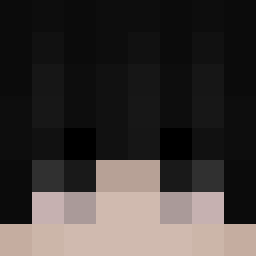 Darkelii Moplah SzaraMateria DiciestOrca3784 kesliik Nr80 k00chiman rainy_season0809
 Danyuu1 SleepyParalysis ByDss03 Russiian Basteer charmin_ destructor_24 minibersky JungleGhost InJong_1
 Woundxpme Evil_Bairox Everlasting95 scottm0606 userskin11 GOUOOYAP BiscoitinhoMamae chobineitor
 groggog1 SillyAkorn TheAntwonodon Vini_Paz DJ_Stonk NotMxchael yunadol StreamOfWater Zalesiony mao0123 Tiramisn noobshaunskiez I_am_RCA tartar SIN_Lorees ImDanyyyy
 uklocoss how___ a1030_ FellDiamond6999 Shrouded_narwhal ChimpPanzer Vinilla7 Guden_Juhsamaki LorySanta mirrtl
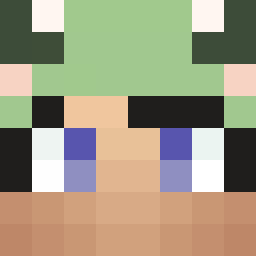 Markaay IGwharf
 GlacierFrosted
 kimjungkuk mrzu_
How to install the Sv20Sl52UohIWSv2 skin
- Press the Download button above to save the skin as a PNG file.
- Minecraft: Bedrock Edition (PE): open the Dressing Room from the main menu (or tap your character → Edit Character), go to Classic Skins → Owned, press the + (new skin) button, choose the downloaded PNG and pick the Classic (Steve) model. Works on PC and mobile; consoles cannot import custom skins.
- Minecraft: Java Edition: open the Minecraft Launcher, go to the Skins tab, click New Skin, load the PNG, pick the Classic (Steve) model and press Save & Use. You can also upload it at minecraft.net → Profile → Change Skin.
The skin does not show up after import - what should I do?
Restart Minecraft and open the Dressing Room again - imported skins sometimes appear only after a restart. Also make sure you selected the imported skin and picked the Classic (Steve) model.
Which model should I choose, Classic or Slim?
This skin is designed for the Classic (Steve) model. If you pick the wrong model, the arms of the skin will look stretched or squeezed.
Is the skin of Sv20Sl52UohIWSv2 free to download?
Yes. Press Download, save the PNG file and use it in Minecraft: Bedrock Edition or Java Edition - no payment or registration needed. The skin also works on multiplayer servers and Realms.
More skins
Looking for more? Go back to all Minecraft skins and check the top skins of the week, month and all time, or find any player's skin by nickname.