
SussyCyclone - Minecraft Skins & Skin History
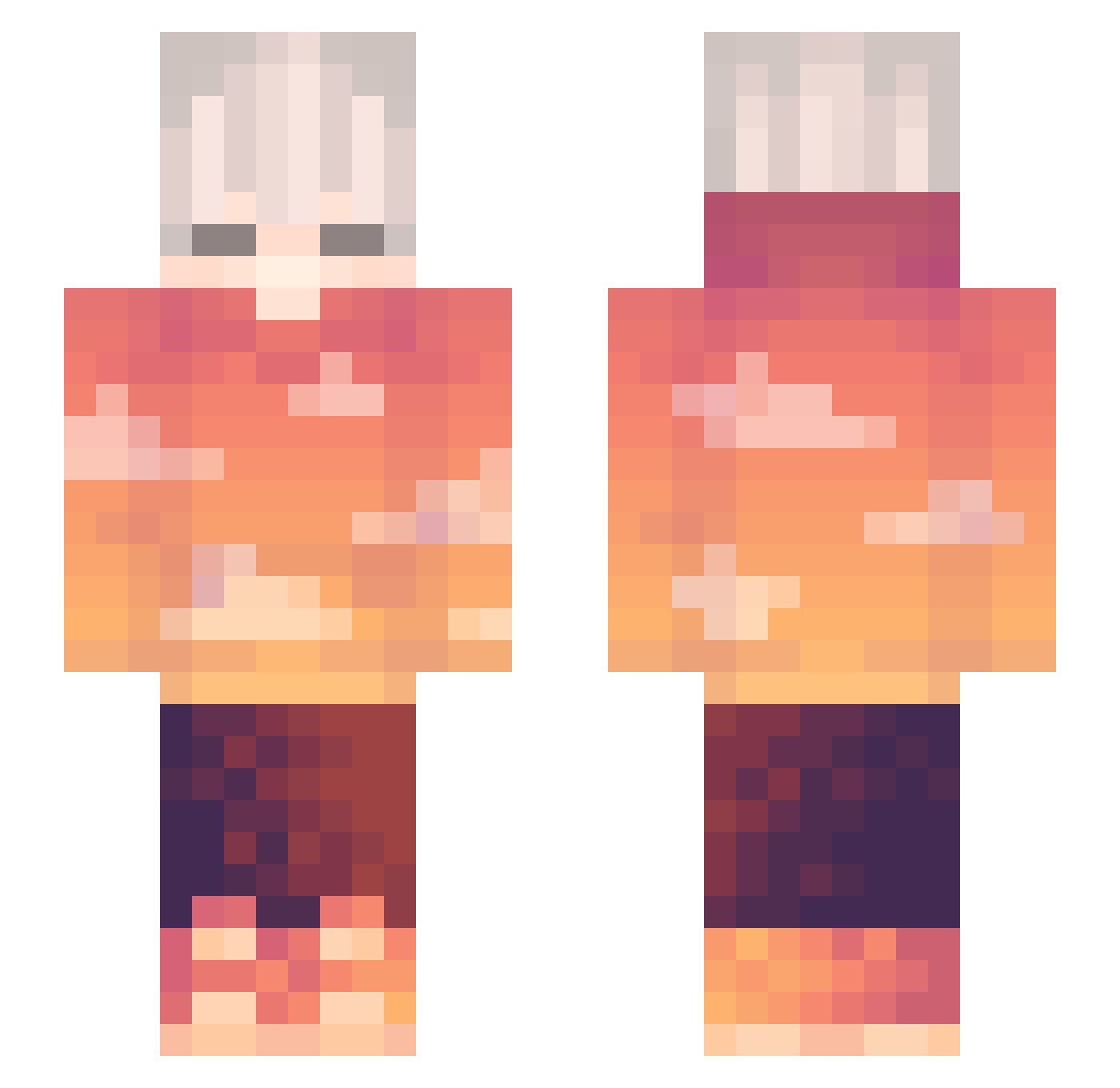
Current Minecraft skin of the player SussyCyclone, loaded from the official Mojang API. Rotate the 3D model with your mouse or finger, then download the skin as a PNG file and use it in Minecraft: Bedrock Edition or Java Edition for free. When SussyCyclone changes their skin, this page updates automatically and the old skin stays in the history below.
Other players with this skin (263)
SussyCyclone was the 237th player we have seen with this skin, first spotted on 14.10.2026. The same skin was seen on these players. Open a nickname to see their current skin and skin history.
 tulipain Bread_BAGET tuki_2323 foufischtroll Kaan_Selcuk EliasProGamer67 chrome_screen Lemon_Juice29 JaMiJi Fire_Phoenix18 Frenchi3 Debogado VexolSPA F3bro xDanyeon Hao_awa Arturo_04 Brr1ghter 6gn AvroNoir Yannik_lelele YeOldKaii ViperFishisafish game027 CloudyyyLive Focz leeple iisouhaib_ Birdseye cesium00 MANGO60 Ftitan 0LWAYS_ SwordEnjoyer1 Z_R_K DiGround XDeathTheKidxx Kyteran fallsend DeadHell Qronon Purseeeg GalacticCretic moodeezk1234 Leonida_ Kingseoseo2 _oIDardIo_ MokhtarTwelve itzzisy Zoliia53 zSweetx Dorlomer Bacick Valanfo Azaze1loRUS ArsonistsArchive 0kek0 blowk itsp7nda Odd_Slayer
More Sunset Minecraft skins
How to install the SussyCyclone skin
- Press the Download button above to save the skin as a PNG file.
- Minecraft: Bedrock Edition (PE): open the Dressing Room from the main menu (or tap your character → Edit Character), go to Classic Skins → Owned, press the + (new skin) button, choose the downloaded PNG and pick the Slim (Alex) model. Works on PC and mobile; consoles cannot import custom skins.
- Minecraft: Java Edition: open the Minecraft Launcher, go to the Skins tab, click New Skin, load the PNG, pick the Slim (Alex) model and press Save & Use. You can also upload it at minecraft.net → Profile → Change Skin.
The skin does not show up after import - what should I do?
Restart Minecraft and open the Dressing Room again - imported skins sometimes appear only after a restart. Also make sure you selected the imported skin and picked the Slim (Alex) model.
Which model should I choose, Classic or Slim?
This skin is designed for the Slim (Alex) model. If you pick the wrong model, the arms of the skin will look stretched or squeezed.
Is the skin of SussyCyclone free to download?
Yes. Press Download, save the PNG file and use it in Minecraft: Bedrock Edition or Java Edition - no payment or registration needed. The skin also works on multiplayer servers and Realms.
More skins
Looking for more? Go back to all Minecraft skins and check the top skins of the week, month and all time, or find any player's skin by nickname.