
SushiNakamori - Minecraft Skins & Skin History
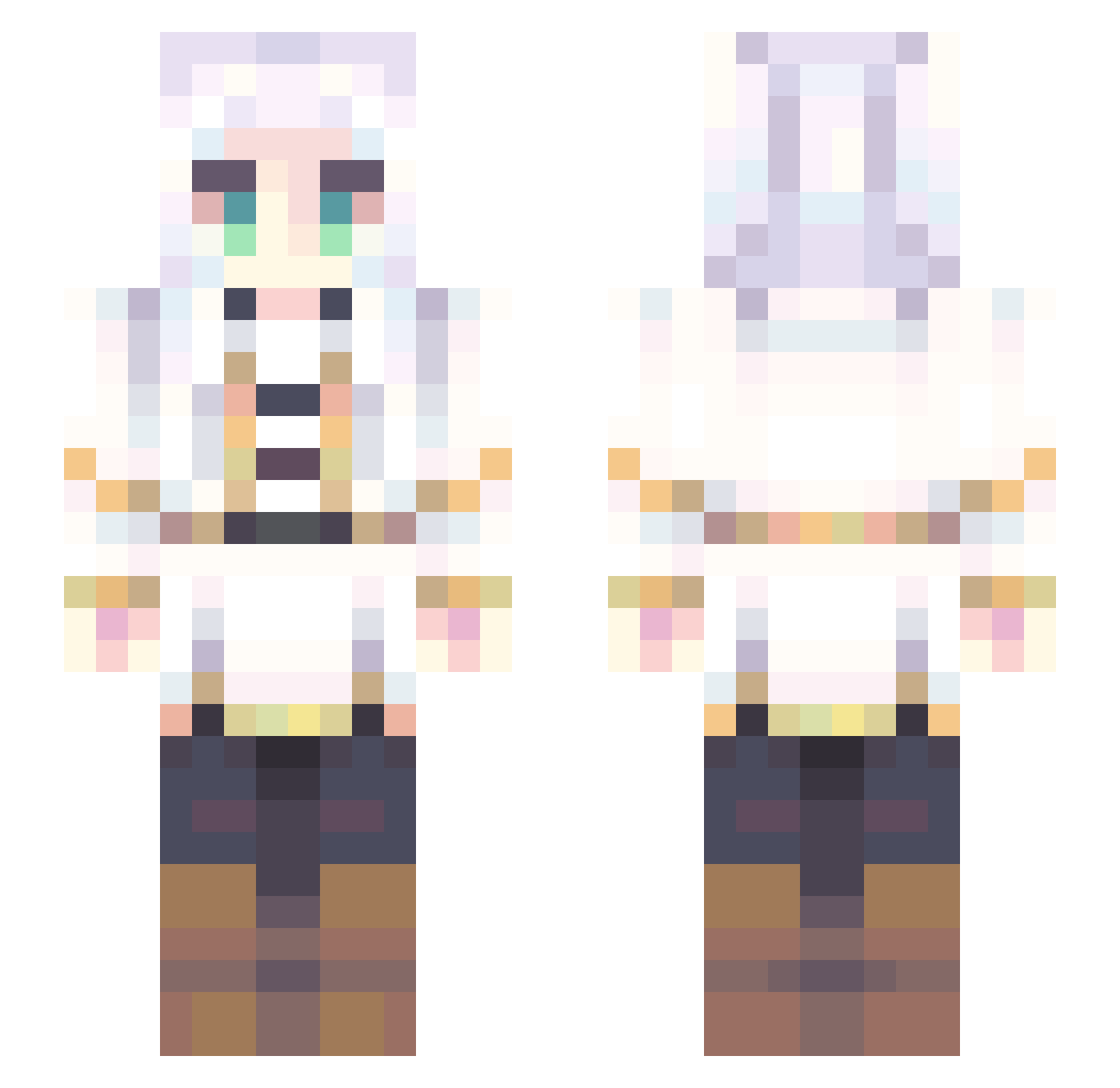
Current Minecraft skin of the player SushiNakamori, loaded from the official Mojang API. Rotate the 3D model with your mouse or finger, then download the skin as a PNG file and use it in Minecraft: Bedrock Edition or Java Edition for free. When SushiNakamori changes their skin, this page updates automatically and the old skin stays in the history below.
Other players with this skin (707)
SushiNakamori was the 311th player we have seen with this skin, first spotted on 10.09.2026. The same skin was seen on these players. Open a nickname to see their current skin and skin history.
 Nishiki000 Lynyyan Tell123 Kunieda_69 Nxm1y itsTrebla glucuu _Aur0ra RedMey Erebus37 blackcow1120 AquaAbysss HowTooGetBtier muren2839 Ayashuna Katsino saber_2004 Pray416 ssavik Netonix myakmyak sinhara0410 TXMedic10 Shorkson Queen_Raine420 NotMacztg PaRaPiM Arisuuuuuuu Enomio Berry_Soda268 24k_noopy swagdude6498 Skibidislasher sakusasu ugene50 tiredtrinh ItzUwU MiinNiim Ciaccona_ Sasya_0705 trafficlunar gulocardoso YoAmazing GgangG11 Poppy626 zokona Pres_Cupcake TheCatShiny Acostin_ GOOOOOVER FisherNate d3sIIII elociep kumonine BulochkaT sailormoon448 BrothFather HaBeeee Mathewscl vwvchan
More Fantasy Minecraft skins
How to install the SushiNakamori skin
- Press the Download button above to save the skin as a PNG file.
- Minecraft: Bedrock Edition (PE): open the Dressing Room from the main menu (or tap your character → Edit Character), go to Classic Skins → Owned, press the + (new skin) button, choose the downloaded PNG and pick the Slim (Alex) model. Works on PC and mobile; consoles cannot import custom skins.
- Minecraft: Java Edition: open the Minecraft Launcher, go to the Skins tab, click New Skin, load the PNG, pick the Slim (Alex) model and press Save & Use. You can also upload it at minecraft.net → Profile → Change Skin.
The skin does not show up after import - what should I do?
Restart Minecraft and open the Dressing Room again - imported skins sometimes appear only after a restart. Also make sure you selected the imported skin and picked the Slim (Alex) model.
Which model should I choose, Classic or Slim?
This skin is designed for the Slim (Alex) model. If you pick the wrong model, the arms of the skin will look stretched or squeezed.
Is the skin of SushiNakamori free to download?
Yes. Press Download, save the PNG file and use it in Minecraft: Bedrock Edition or Java Edition - no payment or registration needed. The skin also works on multiplayer servers and Realms.
More skins
Looking for more? Go back to all Minecraft skins and check the top skins of the week, month and all time, or find any player's skin by nickname.