
SuqMahteeets - Minecraft Skins & Skin History
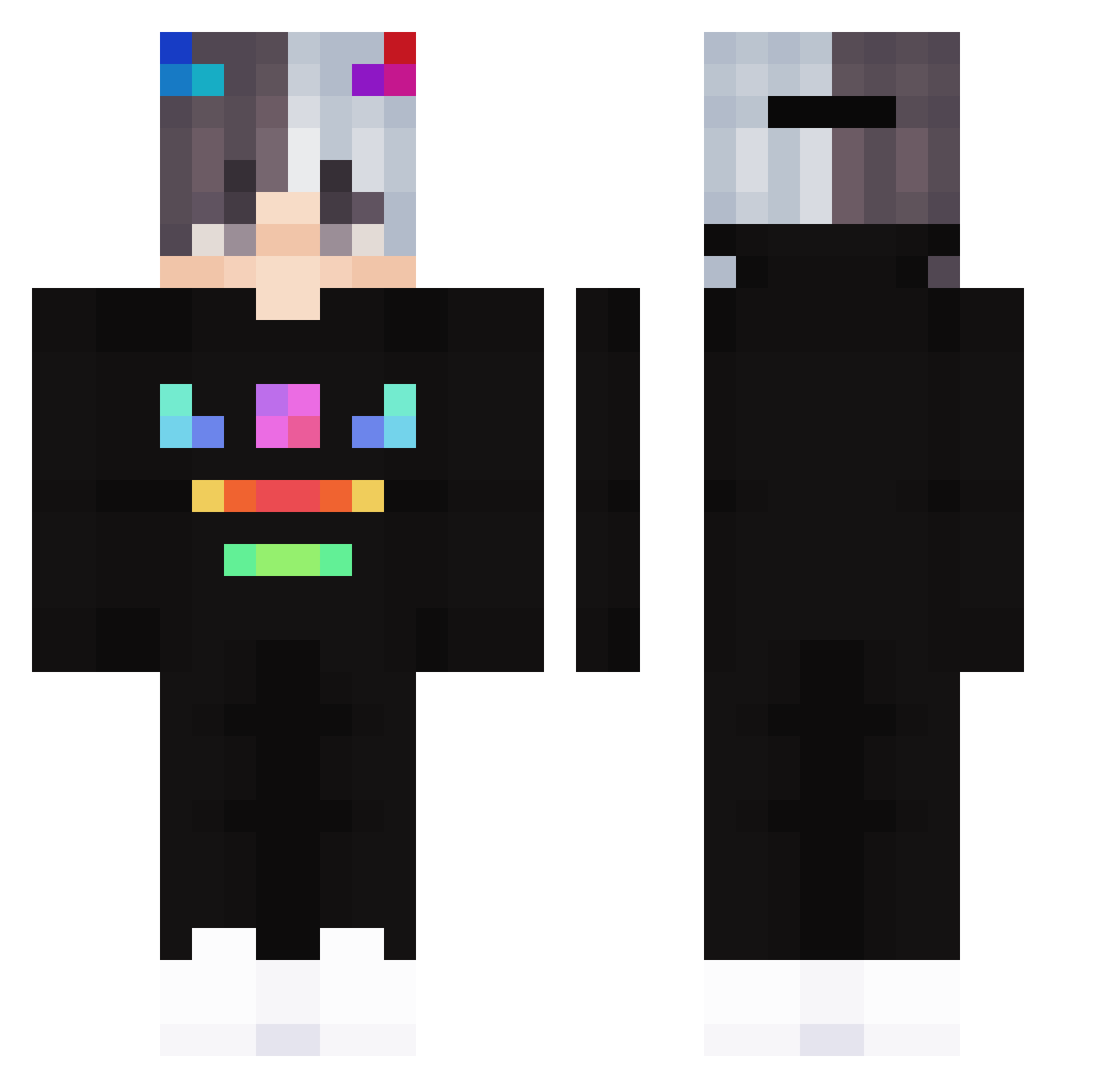
Current Minecraft skin of the player SuqMahteeets, loaded from the official Mojang API. Rotate the 3D model with your mouse or finger, then download the skin as a PNG file and use it in Minecraft: Bedrock Edition or Java Edition for free. When SuqMahteeets changes their skin, this page updates automatically and the old skin stays in the history below.
Other players with this skin (175)
SuqMahteeets was the 137th player we have seen with this skin, first spotted on 01.10.2026. The same skin was seen on these players. Open a nickname to see their current skin and skin history.
 AhmedMonster038 iDifferent_ zGxorg flowerbul Easti GhosTzTH IT_Zockt KaNiBaL1243 Afgevraagd Migas4144 CageyDimaond52 yoji909 okilero zsczf Valkreif mincraftpro475 NoelReindeeR Hamstersssss ChaosMaurice LawlietCx marcomantu Spooky_Sun ErMaXii crkburak Oul0uss KamteX Ask12345 Lin_Shao_a Jul1bus PandaMasters19 Digestt Pix_x Ziderr_VN SanicccccX zhuzeyao hawkonfire gc20099 Haibi limitedBOYY REFREiGN ks_pipi daemone Mark8596 FuzzyCraft20 TheAlphaaa creeper0216 BLACKSIT ETX_Snab fbgkswns xemand Llauma03 Feort bradleyisqueer minecrafter25000 Kosmicccccc triple080830 KerimPelinSides LenzaiWK Aquaries14 Sebastiano17
More Neon Minecraft skins
How to install the SuqMahteeets skin
- Press the Download button above to save the skin as a PNG file.
- Minecraft: Bedrock Edition (PE): open the Dressing Room from the main menu (or tap your character → Edit Character), go to Classic Skins → Owned, press the + (new skin) button, choose the downloaded PNG and pick the Classic (Steve) model. Works on PC and mobile; consoles cannot import custom skins.
- Minecraft: Java Edition: open the Minecraft Launcher, go to the Skins tab, click New Skin, load the PNG, pick the Classic (Steve) model and press Save & Use. You can also upload it at minecraft.net → Profile → Change Skin.
The skin does not show up after import - what should I do?
Restart Minecraft and open the Dressing Room again - imported skins sometimes appear only after a restart. Also make sure you selected the imported skin and picked the Classic (Steve) model.
Which model should I choose, Classic or Slim?
This skin is designed for the Classic (Steve) model. If you pick the wrong model, the arms of the skin will look stretched or squeezed.
Is the skin of SuqMahteeets free to download?
Yes. Press Download, save the PNG file and use it in Minecraft: Bedrock Edition or Java Edition - no payment or registration needed. The skin also works on multiplayer servers and Realms.
More skins
Looking for more? Go back to all Minecraft skins and check the top skins of the week, month and all time, or find any player's skin by nickname.