
SupremeIsCool99 - Minecraft Skins & Skin History
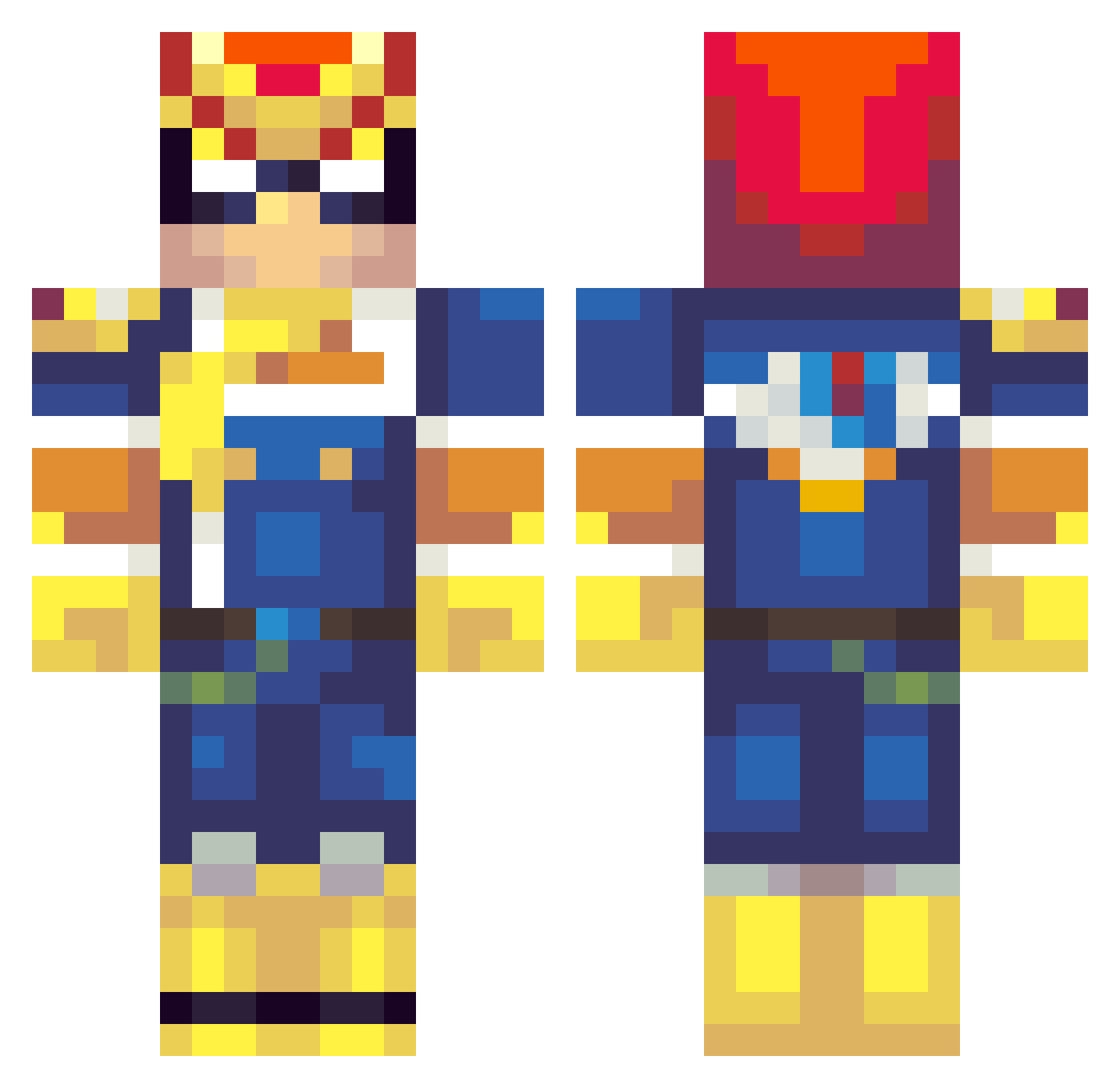
Current Minecraft skin of the player SupremeIsCool99, loaded from the official Mojang API. Rotate the 3D model with your mouse or finger, then download the skin as a PNG file and use it in Minecraft: Bedrock Edition or Java Edition for free. When SupremeIsCool99 changes their skin, this page updates automatically and the old skin stays in the history below.
Other players with this skin (321)
SupremeIsCool99 was the 284th player we have seen with this skin, first spotted on 06.11.2026. The same skin was seen on these players. Open a nickname to see their current skin and skin history.
 drgeenthumb SoulGuardian31 JuicyJuice967 epicJhon11 VLGappy daren_man balkind Franny_Sol SamuraiYou buddell2 BooKiing infectedego DadsPrincess Tostibro david_amazon Slam1000 Valaan122 thebman33 Jungy Sifeara lulshark Cant_find_whoask kisomus WithinWhite JDGipson StandyBro NurseJoysLover buckalt2 Steelbleeder Ojamasz MrCthulhu MxM_Prime Deoxic MehmetBey_ Wyntoo Xpdo50 Eli_King08 daneeyul_102 alice7124 zombiezw DiegoNCU Slamster80 18Duppi11 bpperry15 Dommy_Tsunami JonSnuuh jacoblukas Kilhar Mushu5276 one1punch1man elementllama GoldenSmith killer757626 TheBasedGod j4mmydodger fire_at_will Indaaay walker195 txyzzy Poon_XxXFazEcLaN
More F Zero Minecraft skins
How to install the SupremeIsCool99 skin
- Press the Download button above to save the skin as a PNG file.
- Minecraft: Bedrock Edition (PE): open the Dressing Room from the main menu (or tap your character → Edit Character), go to Classic Skins → Owned, press the + (new skin) button, choose the downloaded PNG and pick the Classic (Steve) model. Works on PC and mobile; consoles cannot import custom skins.
- Minecraft: Java Edition: open the Minecraft Launcher, go to the Skins tab, click New Skin, load the PNG, pick the Classic (Steve) model and press Save & Use. You can also upload it at minecraft.net → Profile → Change Skin.
The skin does not show up after import - what should I do?
Restart Minecraft and open the Dressing Room again - imported skins sometimes appear only after a restart. Also make sure you selected the imported skin and picked the Classic (Steve) model.
Which model should I choose, Classic or Slim?
This skin is designed for the Classic (Steve) model. If you pick the wrong model, the arms of the skin will look stretched or squeezed.
Is the skin of SupremeIsCool99 free to download?
Yes. Press Download, save the PNG file and use it in Minecraft: Bedrock Edition or Java Edition - no payment or registration needed. The skin also works on multiplayer servers and Realms.
More skins
Looking for more? Go back to all Minecraft skins and check the top skins of the week, month and all time, or find any player's skin by nickname.