
SuperSalty - Minecraft Skins & Skin History
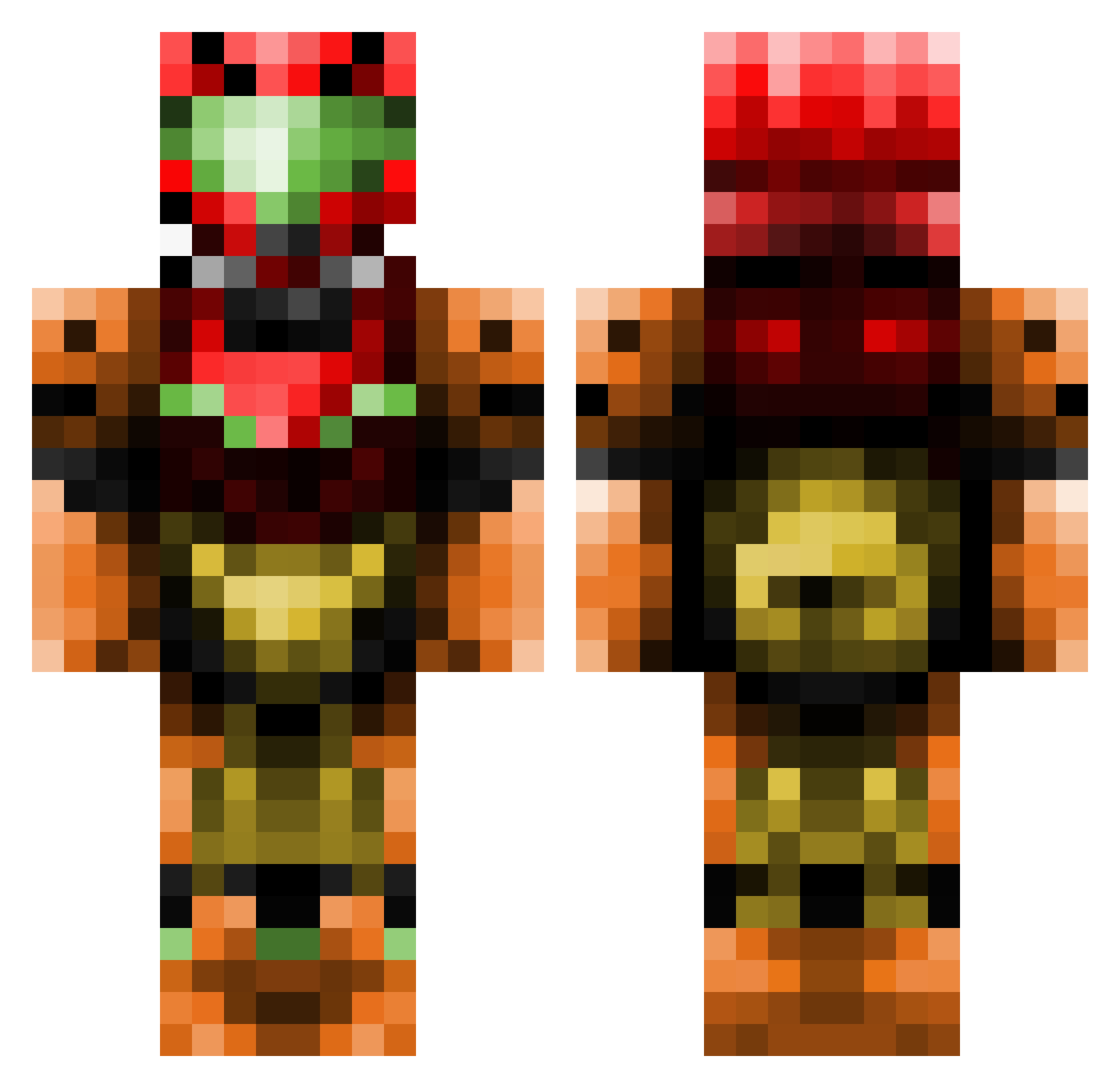
Current Minecraft skin of the player SuperSalty, loaded from the official Mojang API. Rotate the 3D model with your mouse or finger, then download the skin as a PNG file and use it in Minecraft: Bedrock Edition or Java Edition for free. When SuperSalty changes their skin, this page updates automatically and the old skin stays in the history below.
Other players with this skin (437)
SuperSalty was the 190th player we have seen with this skin, first spotted on 11.09.2026. The same skin was seen on these players. Open a nickname to see their current skin and skin history.
 Darrinml jailescrocs CrescentAndStar TheJoll MangoMengo pyroniko iReKa hamsterus Mormegil11100 nomis669 Antny1902 MonsieurKilla Skullvictim Axsul DyzzBrah HunterMateo MrDanielsCraft Thanystos theMystere100 Liskoker MrDARKJAK To1vo Cobb_saaalad RaveCraze Flyyoungman Drackmore CodenameEclipse plague888 xSnipers Exorior79 Cakeisfun15 DenaZX Liquid_Silver Dacvak Schulz_ pj_03 ICHDAASBROT KingEdmund worms1oo1 genji007 _JustJoe HadesPlysMC vampcorpse FireDoesStuff ArdentCobra Nervy_Legacy Noowl TheSponginator xxruxx mtlcrbn TrackxNano elizaguin Ghost_Chicken Omoroid Tonzki duckmany FlauschFrosch jayrock31 AFLYINGWII jhawk1998
More Samus Aran Minecraft skins
How to install the SuperSalty skin
- Press the Download button above to save the skin as a PNG file.
- Minecraft: Bedrock Edition (PE): open the Dressing Room from the main menu (or tap your character → Edit Character), go to Classic Skins → Owned, press the + (new skin) button, choose the downloaded PNG and pick the Classic (Steve) model. Works on PC and mobile; consoles cannot import custom skins.
- Minecraft: Java Edition: open the Minecraft Launcher, go to the Skins tab, click New Skin, load the PNG, pick the Classic (Steve) model and press Save & Use. You can also upload it at minecraft.net → Profile → Change Skin.
The skin does not show up after import - what should I do?
Restart Minecraft and open the Dressing Room again - imported skins sometimes appear only after a restart. Also make sure you selected the imported skin and picked the Classic (Steve) model.
Which model should I choose, Classic or Slim?
This skin is designed for the Classic (Steve) model. If you pick the wrong model, the arms of the skin will look stretched or squeezed.
Is the skin of SuperSalty free to download?
Yes. Press Download, save the PNG file and use it in Minecraft: Bedrock Edition or Java Edition - no payment or registration needed. The skin also works on multiplayer servers and Realms.
More skins
Looking for more? Go back to all Minecraft skins and check the top skins of the week, month and all time, or find any player's skin by nickname.