
SuperRion - Minecraft Skins & Skin History
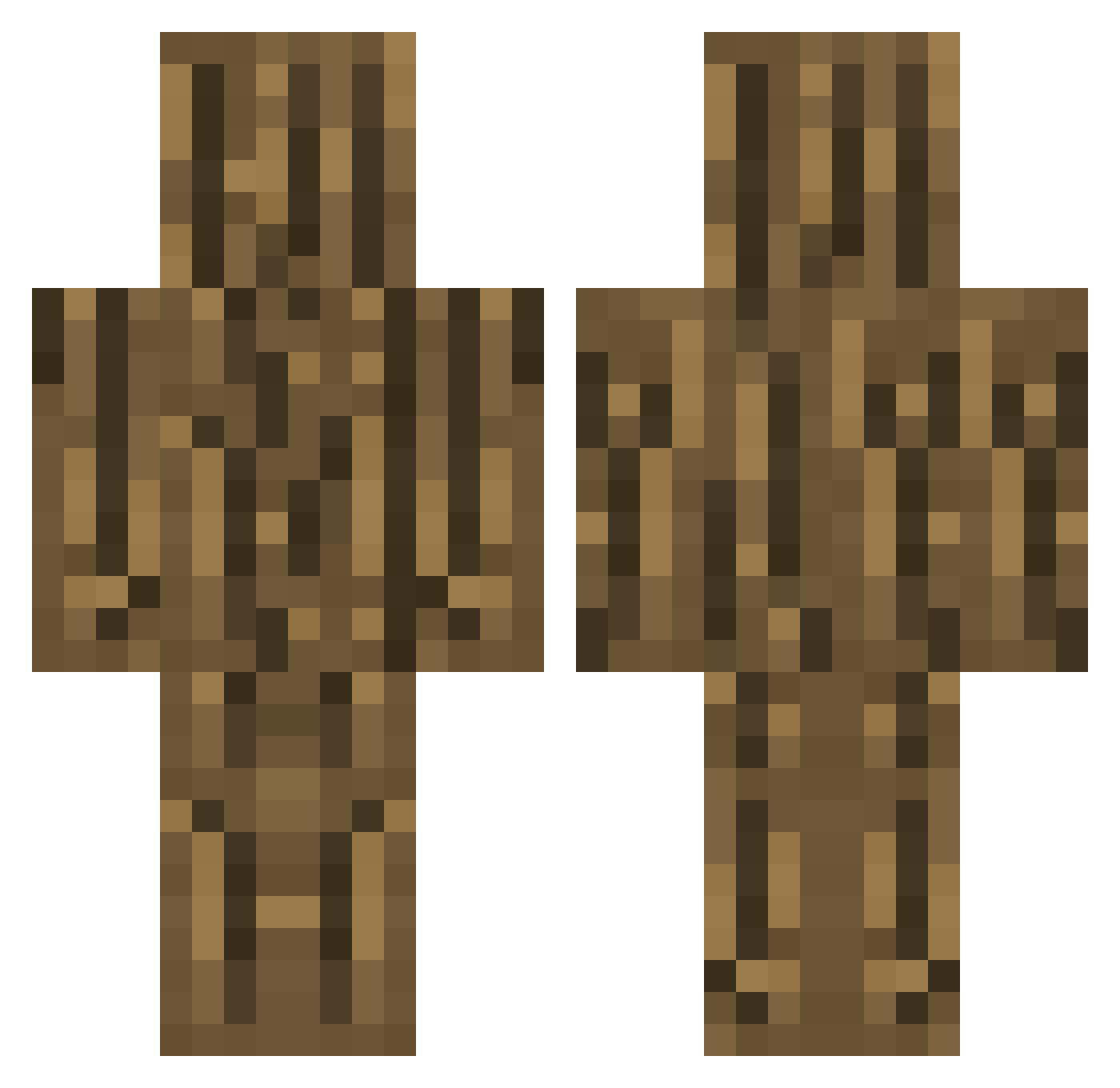
Current Minecraft skin of the player SuperRion, loaded from the official Mojang API. Rotate the 3D model with your mouse or finger, then download the skin as a PNG file and use it in Minecraft: Bedrock Edition or Java Edition for free. When SuperRion changes their skin, this page updates automatically and the old skin stays in the history below.
Other players with this skin (359)
SuperRion was the 337th player we have seen with this skin, first spotted on 12.11.2026. The same skin was seen on these players. Open a nickname to see their current skin and skin history.
 Le1ku ZaiLlo Su3sno Bonfire3769 morpho_log ohitashin Aurxz_mc Berend163 K4RAS yowennn sashimi_139 juicythinkerbell Foxe_08 Katzenhaus2024 Avexsafin_YT Haven265 liavini fexil_ RJSimo693 tatrit IbenVanluchene LifeGoodFine YeeeHawww1234 Bloodkit Yamadaelectrical VxAZZAMxV CebolaAlaranjada depe1 JOBS2010 ObosRU khai6061 YN80 Alexnatsu93 MrNobodyITA Coco_Bean101 WeeklyPompano97 Hamizon TTM540 qkrwlsgh1234 xXminer123Xx odun77 cqyh johanchoi FeetMeatSmacker imjc_05 Jeon59 TenuGames SHINGUNHU kaijie0212 LenAnkylosaurus finnparnell rhinowings Lfiee LuisCBG Aru444 xruvo Inge_A GamingDust_ yamato0909 KongSeo
More Oak Log Minecraft skins
How to install the SuperRion skin
- Press the Download button above to save the skin as a PNG file.
- Minecraft: Bedrock Edition (PE): open the Dressing Room from the main menu (or tap your character → Edit Character), go to Classic Skins → Owned, press the + (new skin) button, choose the downloaded PNG and pick the Classic (Steve) model. Works on PC and mobile; consoles cannot import custom skins.
- Minecraft: Java Edition: open the Minecraft Launcher, go to the Skins tab, click New Skin, load the PNG, pick the Classic (Steve) model and press Save & Use. You can also upload it at minecraft.net → Profile → Change Skin.
The skin does not show up after import - what should I do?
Restart Minecraft and open the Dressing Room again - imported skins sometimes appear only after a restart. Also make sure you selected the imported skin and picked the Classic (Steve) model.
Which model should I choose, Classic or Slim?
This skin is designed for the Classic (Steve) model. If you pick the wrong model, the arms of the skin will look stretched or squeezed.
Is the skin of SuperRion free to download?
Yes. Press Download, save the PNG file and use it in Minecraft: Bedrock Edition or Java Edition - no payment or registration needed. The skin also works on multiplayer servers and Realms.
More skins
Looking for more? Go back to all Minecraft skins and check the top skins of the week, month and all time, or find any player's skin by nickname.