
SuperHog100 - Minecraft Skins & Skin History
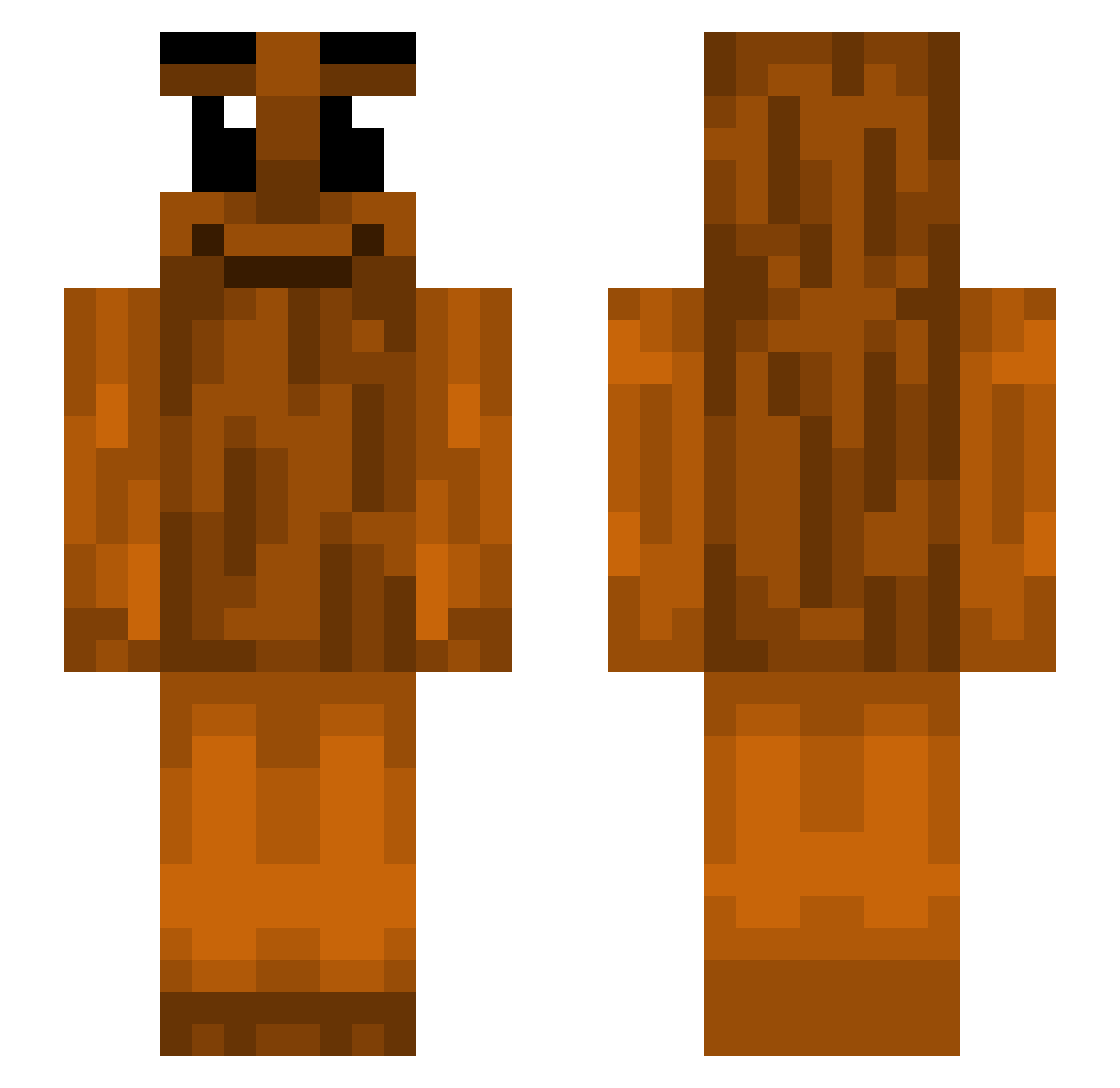
Current Minecraft skin of the player SuperHog100, loaded from the official Mojang API. Rotate the 3D model with your mouse or finger, then download the skin as a PNG file and use it in Minecraft: Bedrock Edition or Java Edition for free. When SuperHog100 changes their skin, this page updates automatically and the old skin stays in the history below.
Other players with this skin (534)
SuperHog100 was the 506th player we have seen with this skin, first spotted on 13.11.2026. The same skin was seen on these players. Open a nickname to see their current skin and skin history.
 ClumsyCaden CHICHI_99 Kriqzyy uswq fraroty Im_A_CRAB303 Moscowlito juice271k Krilla___ Kyle_AxD Basiboy76 PorkyPigy alicjjaaa ThinThinSahur xvyoongi Tungcpvp ArchieHamm 5h6n MelonTeddie Tomiacs FrankWithDaStank KowalskiToku Gvhr Bibuli Cubslife1 HugoBank migthewolf Hyrakunita Andrew1029 tungtungsahur74 BMX6685 Kiierby DusTown saging1115 Jamie24876 ISISTALIBAN2004 DriedJamal Jakubbekk cr5wn behmm djmoya09 Firewage SirHusson Cutecutell DoinkSniffer NathanPasDuTout Razoatier TTheodore_ intelligentium Ghostilla Noahr0507 _CHAIN_ Emir_2078 AuStri4_ Hyperr21 daniellrmg Aced_Lion the_music_note DucLe0n4rd smartopo
More Oak Log Minecraft skins
How to install the SuperHog100 skin
- Press the Download button above to save the skin as a PNG file.
- Minecraft: Bedrock Edition (PE): open the Dressing Room from the main menu (or tap your character → Edit Character), go to Classic Skins → Owned, press the + (new skin) button, choose the downloaded PNG and pick the Slim (Alex) model. Works on PC and mobile; consoles cannot import custom skins.
- Minecraft: Java Edition: open the Minecraft Launcher, go to the Skins tab, click New Skin, load the PNG, pick the Slim (Alex) model and press Save & Use. You can also upload it at minecraft.net → Profile → Change Skin.
The skin does not show up after import - what should I do?
Restart Minecraft and open the Dressing Room again - imported skins sometimes appear only after a restart. Also make sure you selected the imported skin and picked the Slim (Alex) model.
Which model should I choose, Classic or Slim?
This skin is designed for the Slim (Alex) model. If you pick the wrong model, the arms of the skin will look stretched or squeezed.
Is the skin of SuperHog100 free to download?
Yes. Press Download, save the PNG file and use it in Minecraft: Bedrock Edition or Java Edition - no payment or registration needed. The skin also works on multiplayer servers and Realms.
More skins
Looking for more? Go back to all Minecraft skins and check the top skins of the week, month and all time, or find any player's skin by nickname.