
SuperDeacon - Minecraft Skins & Skin History
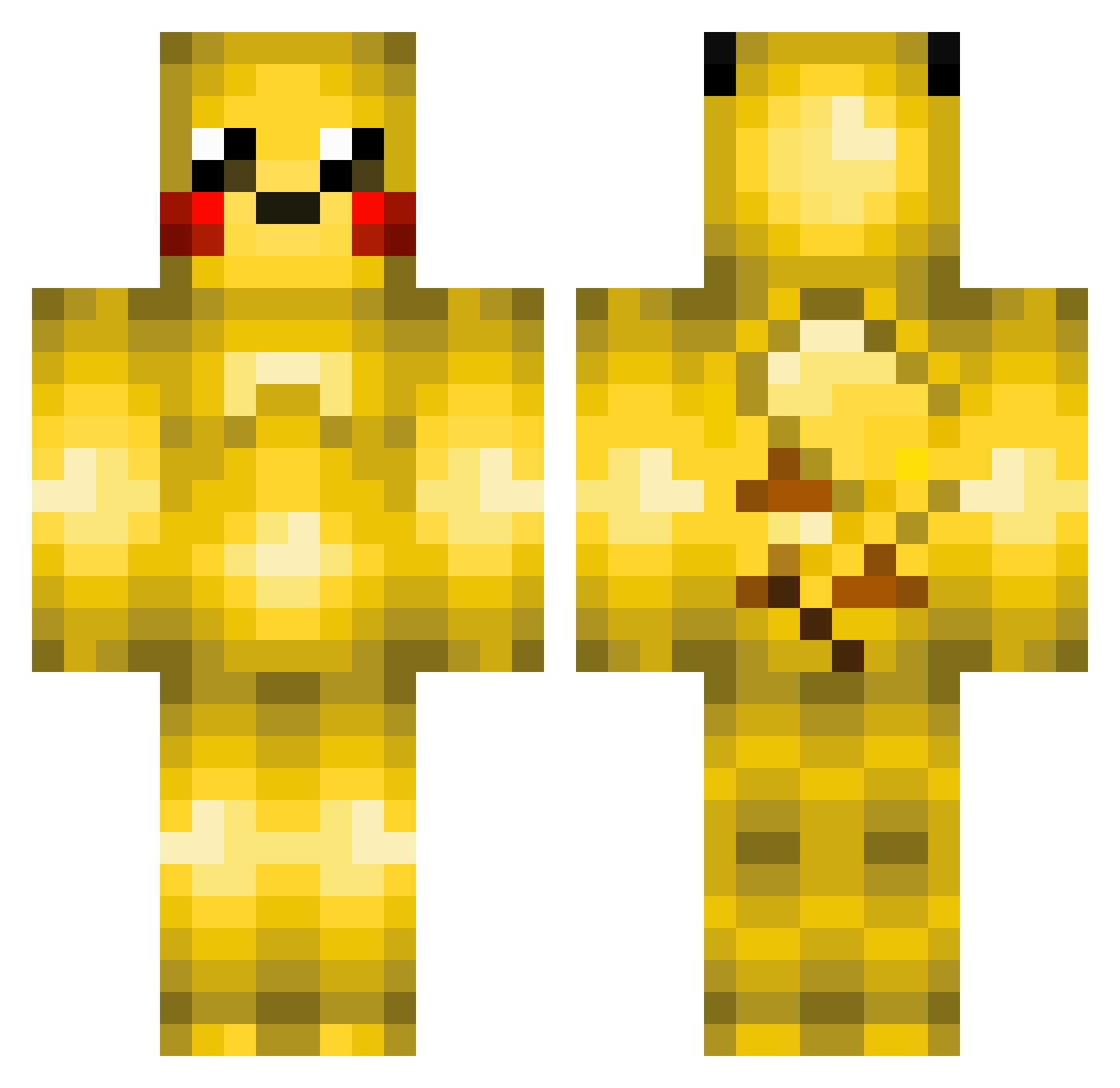
Current Minecraft skin of the player SuperDeacon, loaded from the official Mojang API. Rotate the 3D model with your mouse or finger, then download the skin as a PNG file and use it in Minecraft: Bedrock Edition or Java Edition for free. When SuperDeacon changes their skin, this page updates automatically and the old skin stays in the history below.
Other players with this skin (370)
SuperDeacon was the 133rd player we have seen with this skin, first spotted on 02.09.2026. The same skin was seen on these players. Open a nickname to see their current skin and skin history.
 Lucasp2015 koreyk probrocraft Ragusame SicGamerJosh mibidit Ojing kitfisto44 hartj xChadley orionexpresscl Flipske01 _Poggy_ hugolemdefer Bigteags Swantonboy03 Nathan0512 kreeper3006 gavigamer10 kittychester TehCrafted SuperSnake350 higglerr Vaatne alsals0207 Jtm340 Ventus1998 RuneGustav tristeelton140 netineti GlacyGlaceon BenVball sanderpling sofus2002 xMineGoon airpenguin74 SonHimSam Nicolas_Gameplay Satomon nopi51 Albert2001 Skappi _FuSionZz_ ProParadoxHD omitama gearooid IMBENBEN creeperwithalisp whod4m4n 101mikeman Coriaaa winaffi Havilion maxsvensson04 xGrUmPy_BuMpYx Garutzu LucasVieiraDos97 pikapika07 Pikachu0811 pushindive
More Pikachu Minecraft skins
How to install the SuperDeacon skin
- Press the Download button above to save the skin as a PNG file.
- Minecraft: Bedrock Edition (PE): open the Dressing Room from the main menu (or tap your character → Edit Character), go to Classic Skins → Owned, press the + (new skin) button, choose the downloaded PNG and pick the Classic (Steve) model. Works on PC and mobile; consoles cannot import custom skins.
- Minecraft: Java Edition: open the Minecraft Launcher, go to the Skins tab, click New Skin, load the PNG, pick the Classic (Steve) model and press Save & Use. You can also upload it at minecraft.net → Profile → Change Skin.
The skin does not show up after import - what should I do?
Restart Minecraft and open the Dressing Room again - imported skins sometimes appear only after a restart. Also make sure you selected the imported skin and picked the Classic (Steve) model.
Which model should I choose, Classic or Slim?
This skin is designed for the Classic (Steve) model. If you pick the wrong model, the arms of the skin will look stretched or squeezed.
Is the skin of SuperDeacon free to download?
Yes. Press Download, save the PNG file and use it in Minecraft: Bedrock Edition or Java Edition - no payment or registration needed. The skin also works on multiplayer servers and Realms.
More skins
Looking for more? Go back to all Minecraft skins and check the top skins of the week, month and all time, or find any player's skin by nickname.