
SuperColin2003 - Minecraft Skins & Skin History
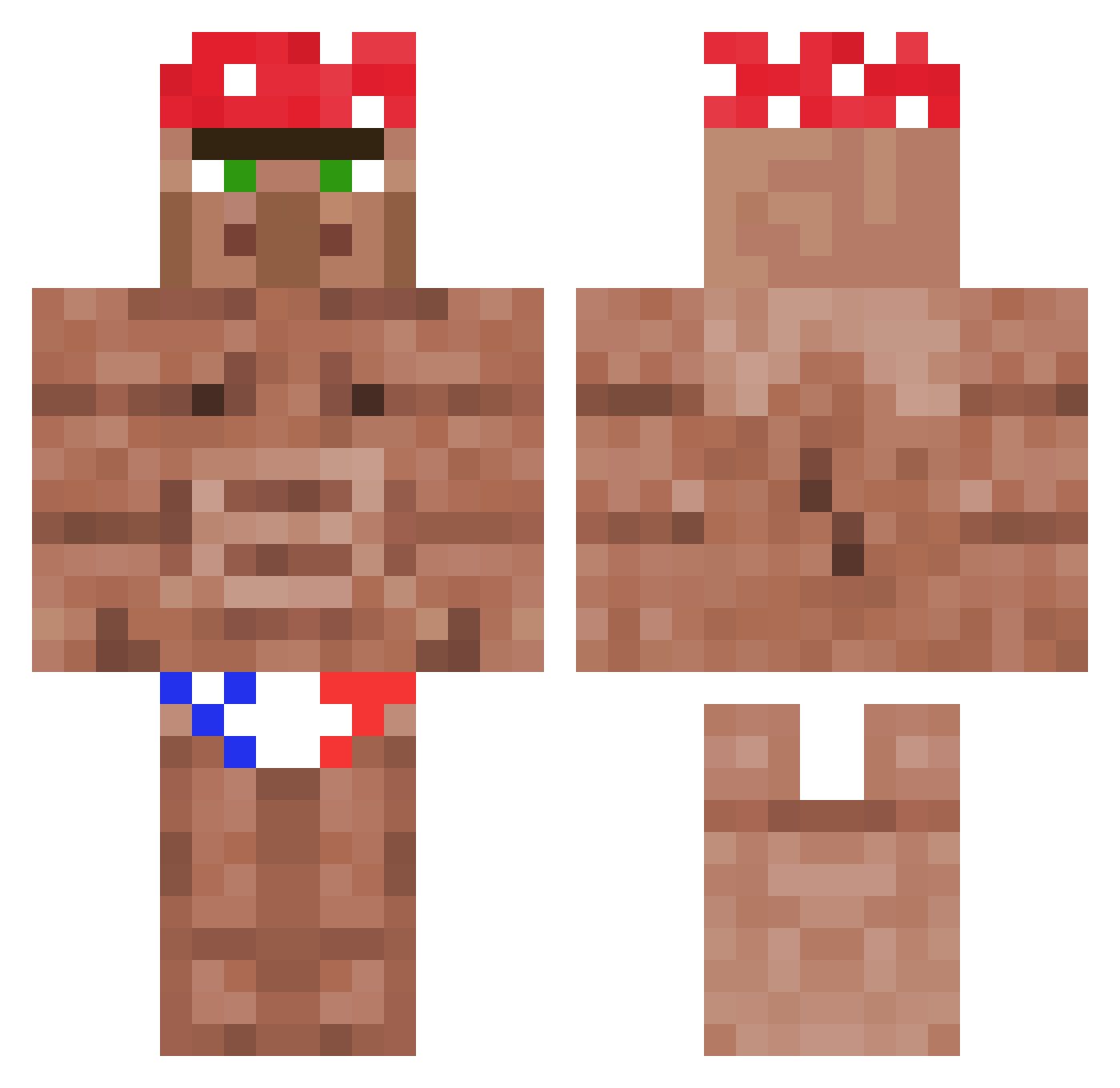
Current Minecraft skin of the player SuperColin2003, loaded from the official Mojang API. Rotate the 3D model with your mouse or finger, then download the skin as a PNG file and use it in Minecraft: Bedrock Edition or Java Edition for free. When SuperColin2003 changes their skin, this page updates automatically and the old skin stays in the history below.
Other players with this skin (1361)
SuperColin2003 was the 1179th player we have seen with this skin, first spotted on 05.11.2026. The same skin was seen on these players. Open a nickname to see their current skin and skin history.
 ExTrM_VolKaZ mhebert350 Niland_ ev_m Burgs69 wowiamapickle Nikl1245 Serdecina MaksOnchik79 Mr_Banana29 ToddCarson4420 Gary__Coleman MicroMolekula sono20 Jaegermeister_15 TouringEye marvin083 Shpleeblee ILAVADAPIE TheGlizzyGulper scoutwit PichaelThompson TheFajlet Froos3 loopsloops Nderoj dan4z lamp00cera EBOLOLIK vRowland AleGZander13 _Jack_Attack_ JackPot___ carterleo ConTommy xxFIRSTCHIEFxx bwv1 Egoravd2006 WhiteClawsNoLaws roodriigoo bucketmaster420 Surcotee Doink8373 TeaForSupper LXIX69 DDT0091 Craudin_ Miffyminty Rodrigm54 Wh4tEv3r2Win EvolSivart misteribn Swampjangles Sayebali LordUrkelTheGr8 DIPOLO Krudo takr1x iamthicky UGRTech
More Ricardo Milos Minecraft skins
See all 113 Ricardo Milos skins
How to install the SuperColin2003 skin
- Press the Download button above to save the skin as a PNG file.
- Minecraft: Bedrock Edition (PE): open the Dressing Room from the main menu (or tap your character → Edit Character), go to Classic Skins → Owned, press the + (new skin) button, choose the downloaded PNG and pick the Classic (Steve) model. Works on PC and mobile; consoles cannot import custom skins.
- Minecraft: Java Edition: open the Minecraft Launcher, go to the Skins tab, click New Skin, load the PNG, pick the Classic (Steve) model and press Save & Use. You can also upload it at minecraft.net → Profile → Change Skin.
The skin does not show up after import - what should I do?
Restart Minecraft and open the Dressing Room again - imported skins sometimes appear only after a restart. Also make sure you selected the imported skin and picked the Classic (Steve) model.
Which model should I choose, Classic or Slim?
This skin is designed for the Classic (Steve) model. If you pick the wrong model, the arms of the skin will look stretched or squeezed.
Is the skin of SuperColin2003 free to download?
Yes. Press Download, save the PNG file and use it in Minecraft: Bedrock Edition or Java Edition - no payment or registration needed. The skin also works on multiplayer servers and Realms.
More skins
Looking for more? Go back to all Minecraft skins and check the top skins of the week, month and all time, or find any player's skin by nickname.