
Sunnyboyy - Minecraft Skins & Skin History
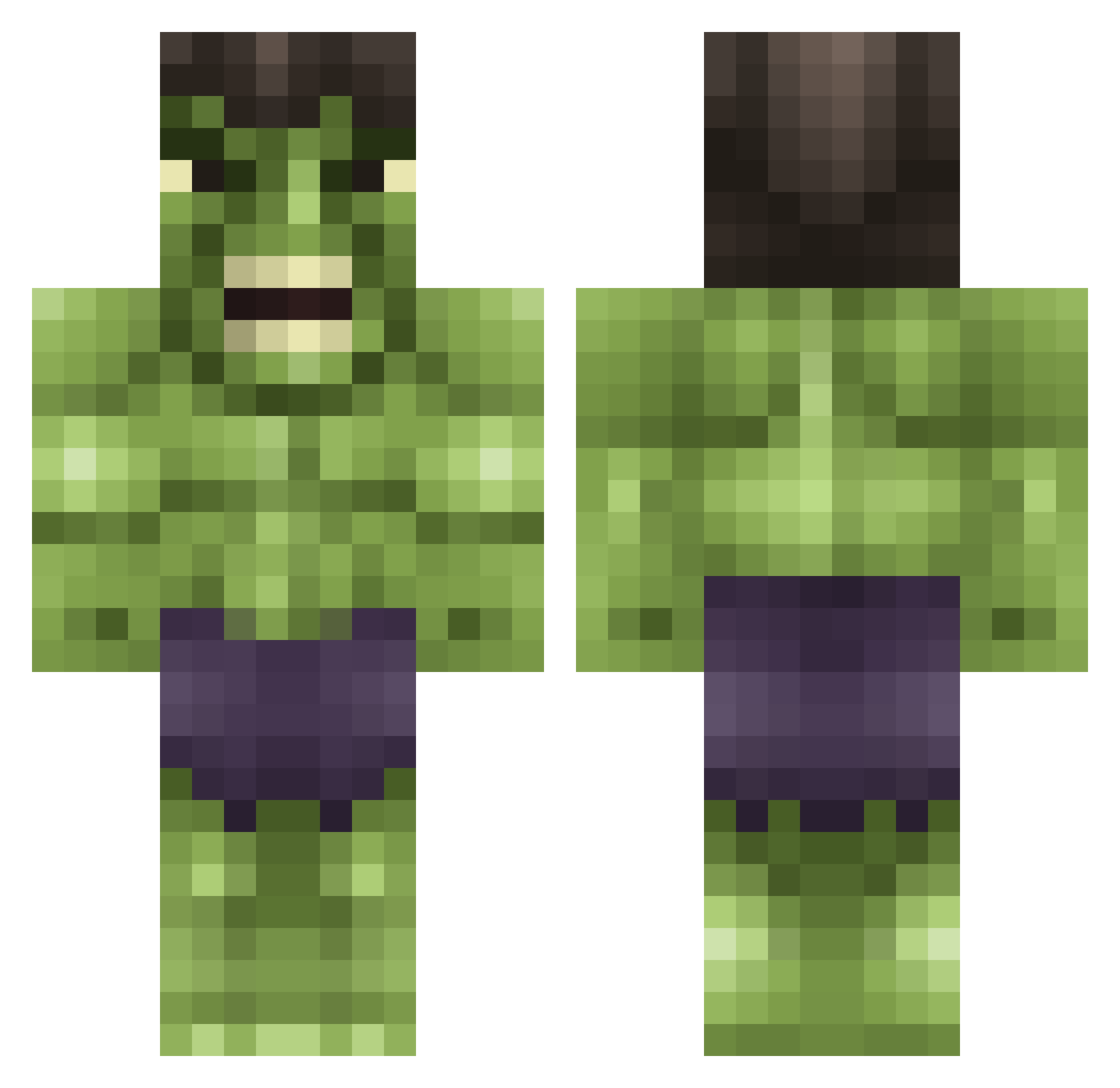
Current Minecraft skin of the player Sunnyboyy, loaded from the official Mojang API. Rotate the 3D model with your mouse or finger, then download the skin as a PNG file and use it in Minecraft: Bedrock Edition or Java Edition for free. When Sunnyboyy changes their skin, this page updates automatically and the old skin stays in the history below.
Other players with this skin (615)
Sunnyboyy was the 423rd player we have seen with this skin, first spotted on 03.10.2026. The same skin was seen on these players. Open a nickname to see their current skin and skin history.
 jdmikehunt khaosrisen KevinVenta kazee113 sheazo102 clutch42002 Johnhenry008 xxli0nPvPxx ChuckNasty36 Art0fplanking jonte99888 Isbellindustries Gronag xXiAlanXx MoLo_DoGs SvevendeFrosk AmazingJuul Tmk20 christo14 boostkid TheGreedyBro lordraiden12 tylerp0114 Jlolley65 gkh27 bnorton110 ravenforLife SOLOJR_818 antooo37 Lamte Crick3t Dartius mrswedish13 Barty ibermand1000 camronbubba Bamboula14 evakoch aldolazo lVl0lVST3R GikxasLT SwaggyMcMuffinz SweatyHulk360 vMogz PrinceVin HulkyBulky20 JumpMan93 pinchecito craftman_03 ankan1 xFTJx Catcher46 katie59123 Mraaronmarshall HungryGamingFB Sykes61 ThorsCat Kagarix maddy61603 nWoolven
More Hulk Minecraft skins
How to install the Sunnyboyy skin
- Press the Download button above to save the skin as a PNG file.
- Minecraft: Bedrock Edition (PE): open the Dressing Room from the main menu (or tap your character → Edit Character), go to Classic Skins → Owned, press the + (new skin) button, choose the downloaded PNG and pick the Classic (Steve) model. Works on PC and mobile; consoles cannot import custom skins.
- Minecraft: Java Edition: open the Minecraft Launcher, go to the Skins tab, click New Skin, load the PNG, pick the Classic (Steve) model and press Save & Use. You can also upload it at minecraft.net → Profile → Change Skin.
The skin does not show up after import - what should I do?
Restart Minecraft and open the Dressing Room again - imported skins sometimes appear only after a restart. Also make sure you selected the imported skin and picked the Classic (Steve) model.
Which model should I choose, Classic or Slim?
This skin is designed for the Classic (Steve) model. If you pick the wrong model, the arms of the skin will look stretched or squeezed.
Is the skin of Sunnyboyy free to download?
Yes. Press Download, save the PNG file and use it in Minecraft: Bedrock Edition or Java Edition - no payment or registration needed. The skin also works on multiplayer servers and Realms.
More skins
Looking for more? Go back to all Minecraft skins and check the top skins of the week, month and all time, or find any player's skin by nickname.