
Sunfisshh - Minecraft Skins & Skin History
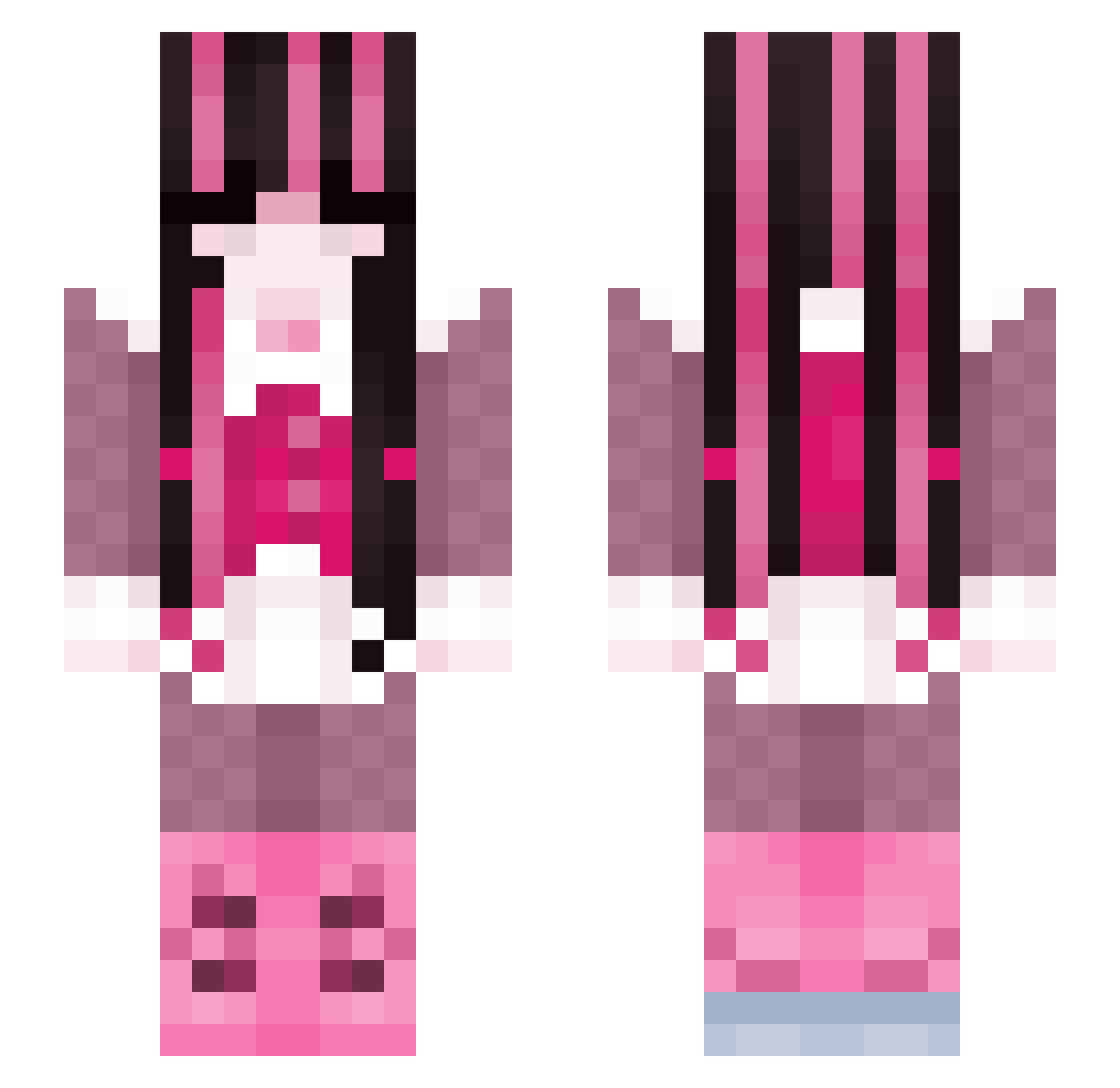
Current Minecraft skin of the player Sunfisshh, loaded from the official Mojang API. Rotate the 3D model with your mouse or finger, then download the skin as a PNG file and use it in Minecraft: Bedrock Edition or Java Edition for free. When Sunfisshh changes their skin, this page updates automatically and the old skin stays in the history below.
Other players with this skin (230)
Sunfisshh was the 158th player we have seen with this skin, first spotted on 28.09.2026. The same skin was seen on these players. Open a nickname to see their current skin and skin history.
 SkyLili __Draculaura__ Koaavii owntheday alicjas13 eddiesgazeboss candyfart kiimkim JustBandit0 danirawrrr paulamana kuniiho lizardyaa cloover666 Byah31 swtemi PXLBITE Plutosedge vonhammett wikisiki_xd bl0mst3r ranyece04 bangocool svyeto V_x1 nessie333 kittynacre franzi_leo Katherine101 b_mackxy localgaymom alimoon hundredmeg jkostly lizcutiebaby cemetarydriver avabell420 REALChoiSoobin Miku2672 pinkdelusions yeetdapotato plun0t Izzax Mimi271004 babybadseed Lazzilo Highfairy Madmadi180 Kagamiczep AraJenn fairyscape IntenStellar RogerRoo realkanyee Waffles_05 gellyroll Kyttiii gamerbruv40 KotaBear831 vikssa
More Draculaura Minecraft skins
How to install the Sunfisshh skin
- Press the Download button above to save the skin as a PNG file.
- Minecraft: Bedrock Edition (PE): open the Dressing Room from the main menu (or tap your character → Edit Character), go to Classic Skins → Owned, press the + (new skin) button, choose the downloaded PNG and pick the Slim (Alex) model. Works on PC and mobile; consoles cannot import custom skins.
- Minecraft: Java Edition: open the Minecraft Launcher, go to the Skins tab, click New Skin, load the PNG, pick the Slim (Alex) model and press Save & Use. You can also upload it at minecraft.net → Profile → Change Skin.
The skin does not show up after import - what should I do?
Restart Minecraft and open the Dressing Room again - imported skins sometimes appear only after a restart. Also make sure you selected the imported skin and picked the Slim (Alex) model.
Which model should I choose, Classic or Slim?
This skin is designed for the Slim (Alex) model. If you pick the wrong model, the arms of the skin will look stretched or squeezed.
Is the skin of Sunfisshh free to download?
Yes. Press Download, save the PNG file and use it in Minecraft: Bedrock Edition or Java Edition - no payment or registration needed. The skin also works on multiplayer servers and Realms.
More skins
Looking for more? Go back to all Minecraft skins and check the top skins of the week, month and all time, or find any player's skin by nickname.