
Suburto - Minecraft Skins & Skin History
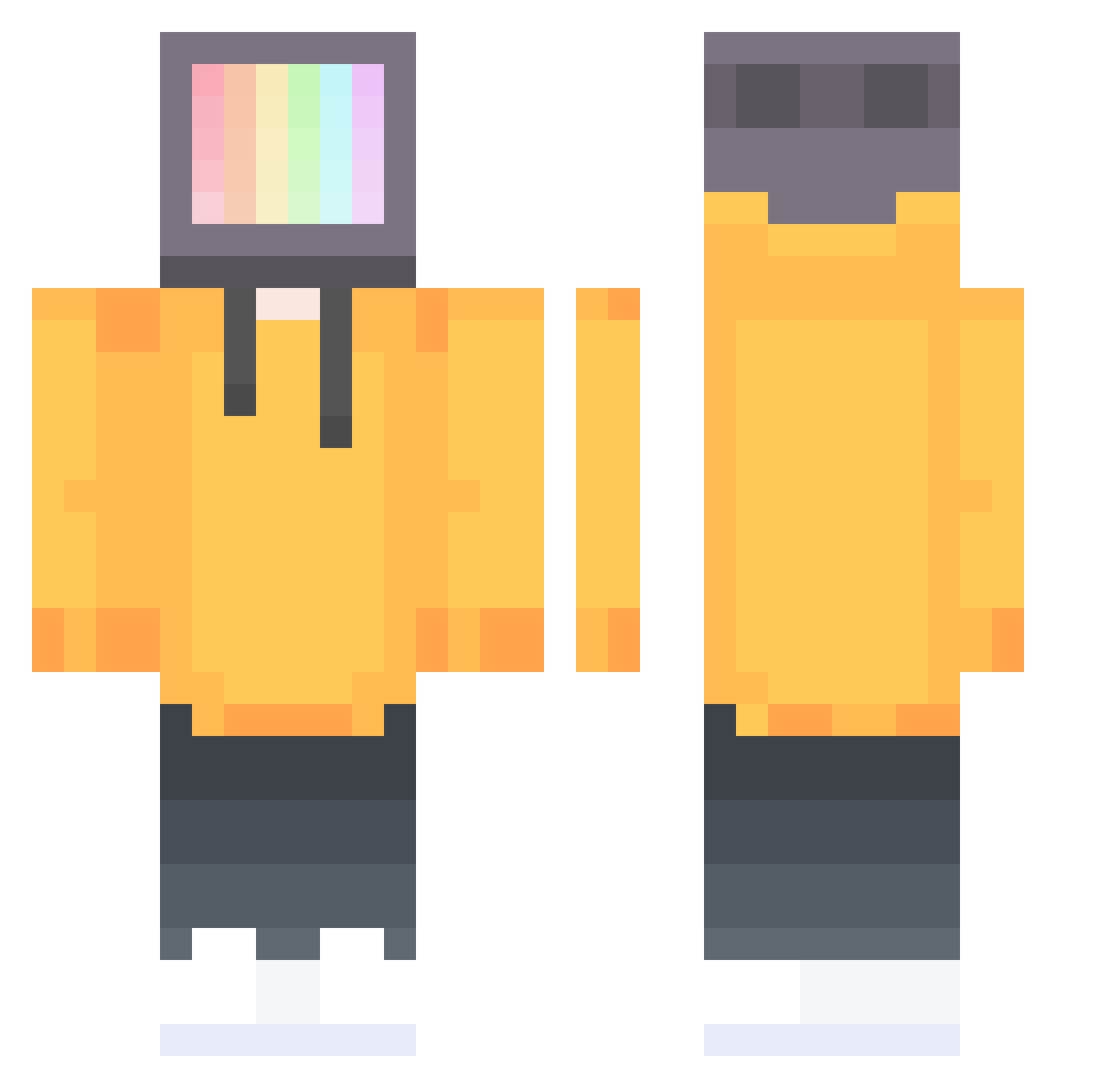
Current Minecraft skin of the player Suburto, loaded from the official Mojang API. Rotate the 3D model with your mouse or finger, then download the skin as a PNG file and use it in Minecraft: Bedrock Edition or Java Edition for free. When Suburto changes their skin, this page updates automatically and the old skin stays in the history below.
Other players with this skin (251)
Suburto was the 226th player we have seen with this skin, first spotted on 24.10.2026. The same skin was seen on these players. Open a nickname to see their current skin and skin history.
 jitterghost Albonez7070 ByTheWayPaul KaptanSami dustlove CrumbedPanfish Cementmixerr M_Slender Toya0524 sosleepytho tsukkibae Balcodizz Stevie_PvP twinkgaming Ghostbuster__156 Dean_Yeh sam7495 HonYunawa _Inside6Galaxy_ Mutig90 lolsworthy Cirithor Robilol2411 N0CKTURN4L FireByteHD SN7386 BigFatty5487 AliBurak22 Devin217 M_Natanael pao_1234 guizacoatl Fiw_S Moppar Ink_Theory hakka02 DiggingMonster HellaFlowers Fawzen_ Zzec TheTreezer Hydroponic_ pedroegidiomata2 otter_otter41 gaihuang KuCheng777 GiraffeQuake RageQuit3412 FireDragon29 jolate8800 Youreks kungtortan1 ilydanny KrystalPog Aph1dity Glitchyy1 kkkozy R_adish Thorcass Johanpaz
More TV Head Minecraft skins
How to install the Suburto skin
- Press the Download button above to save the skin as a PNG file.
- Minecraft: Bedrock Edition (PE): open the Dressing Room from the main menu (or tap your character → Edit Character), go to Classic Skins → Owned, press the + (new skin) button, choose the downloaded PNG and pick the Classic (Steve) model. Works on PC and mobile; consoles cannot import custom skins.
- Minecraft: Java Edition: open the Minecraft Launcher, go to the Skins tab, click New Skin, load the PNG, pick the Classic (Steve) model and press Save & Use. You can also upload it at minecraft.net → Profile → Change Skin.
The skin does not show up after import - what should I do?
Restart Minecraft and open the Dressing Room again - imported skins sometimes appear only after a restart. Also make sure you selected the imported skin and picked the Classic (Steve) model.
Which model should I choose, Classic or Slim?
This skin is designed for the Classic (Steve) model. If you pick the wrong model, the arms of the skin will look stretched or squeezed.
Is the skin of Suburto free to download?
Yes. Press Download, save the PNG file and use it in Minecraft: Bedrock Edition or Java Edition - no payment or registration needed. The skin also works on multiplayer servers and Realms.
More skins
Looking for more? Go back to all Minecraft skins and check the top skins of the week, month and all time, or find any player's skin by nickname.