
Strulox - Minecraft Skins & Skin History
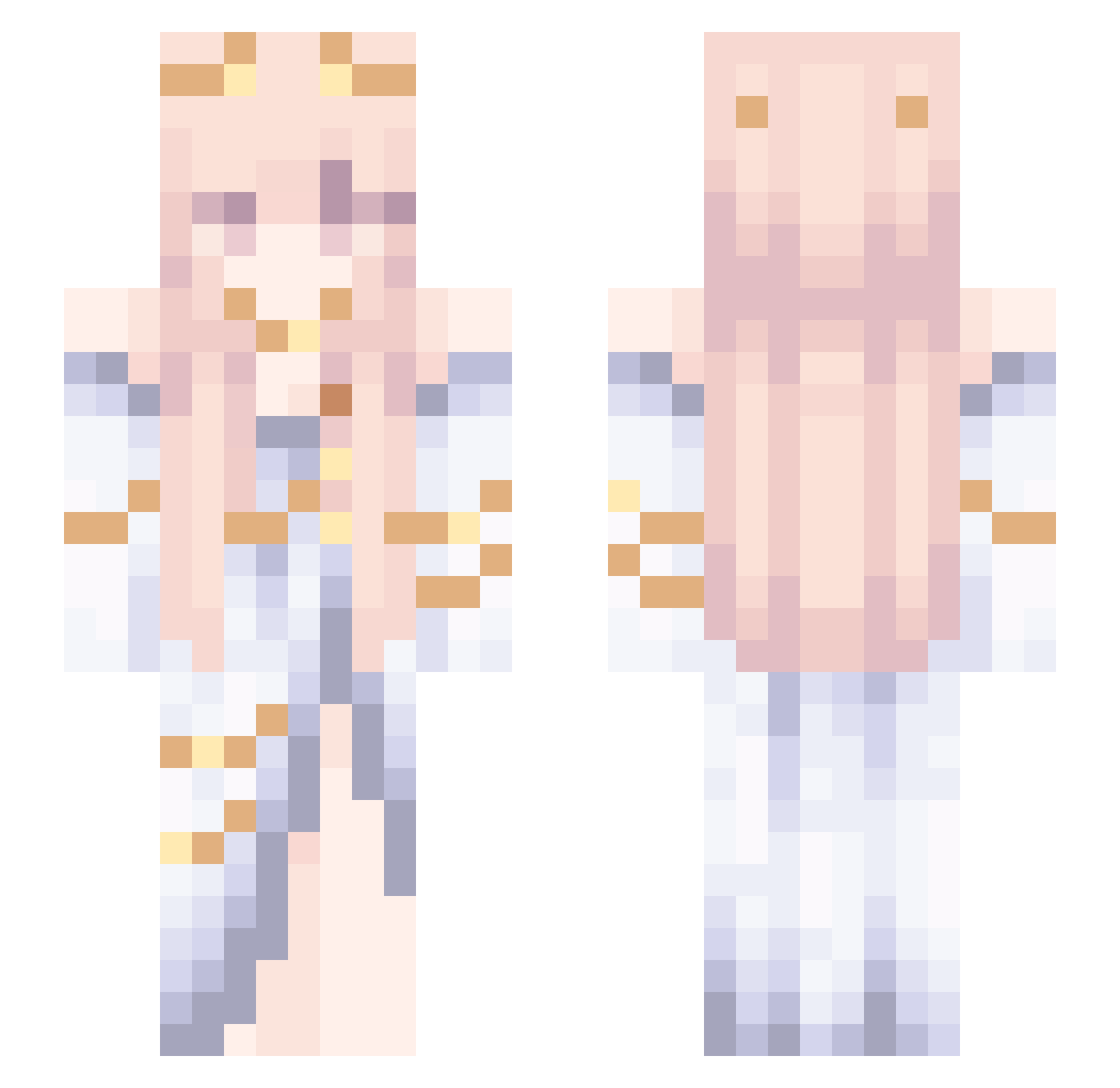
Current Minecraft skin of the player Strulox, loaded from the official Mojang API. Rotate the 3D model with your mouse or finger, then download the skin as a PNG file and use it in Minecraft: Bedrock Edition or Java Edition for free. When Strulox changes their skin, this page updates automatically and the old skin stays in the history below.
Other players with this skin (36)
Strulox was the 35th player we have seen with this skin, first spotted on 17.10.2026. The same skin was seen on these players. Open a nickname to see their current skin and skin history.
 ReinaUwU69 Sakura1949 DamiGaunt nnnnnnnya ThePainening madtsi JiNi39 Destiny_Lin Justalil_Psycho mxdz1a Volkary Nomi0v0 Japonkaa mxngo_shake LunarKong qwiinnx Vigorousar 789321Lucifer Athena_Pallada Axzelotl Kookitolove DarkAngelFC Shura_28_ FogSleeping YYYasang BOrosso Ch1erry hinuani
 Eduardo_bilada Kamcaii benzenelover azariiaa 999962 Onflame1 TEIREI
 iwabi
iwabiMore Goddess Minecraft skins
How to install the Strulox skin
- Press the Download button above to save the skin as a PNG file.
- Minecraft: Bedrock Edition (PE): open the Dressing Room from the main menu (or tap your character → Edit Character), go to Classic Skins → Owned, press the + (new skin) button, choose the downloaded PNG and pick the Slim (Alex) model. Works on PC and mobile; consoles cannot import custom skins.
- Minecraft: Java Edition: open the Minecraft Launcher, go to the Skins tab, click New Skin, load the PNG, pick the Slim (Alex) model and press Save & Use. You can also upload it at minecraft.net → Profile → Change Skin.
The skin does not show up after import - what should I do?
Restart Minecraft and open the Dressing Room again - imported skins sometimes appear only after a restart. Also make sure you selected the imported skin and picked the Slim (Alex) model.
Which model should I choose, Classic or Slim?
This skin is designed for the Slim (Alex) model. If you pick the wrong model, the arms of the skin will look stretched or squeezed.
Is the skin of Strulox free to download?
Yes. Press Download, save the PNG file and use it in Minecraft: Bedrock Edition or Java Edition - no payment or registration needed. The skin also works on multiplayer servers and Realms.
More skins
Looking for more? Go back to all Minecraft skins and check the top skins of the week, month and all time, or find any player's skin by nickname.