
StritePT - Minecraft Skins & Skin History
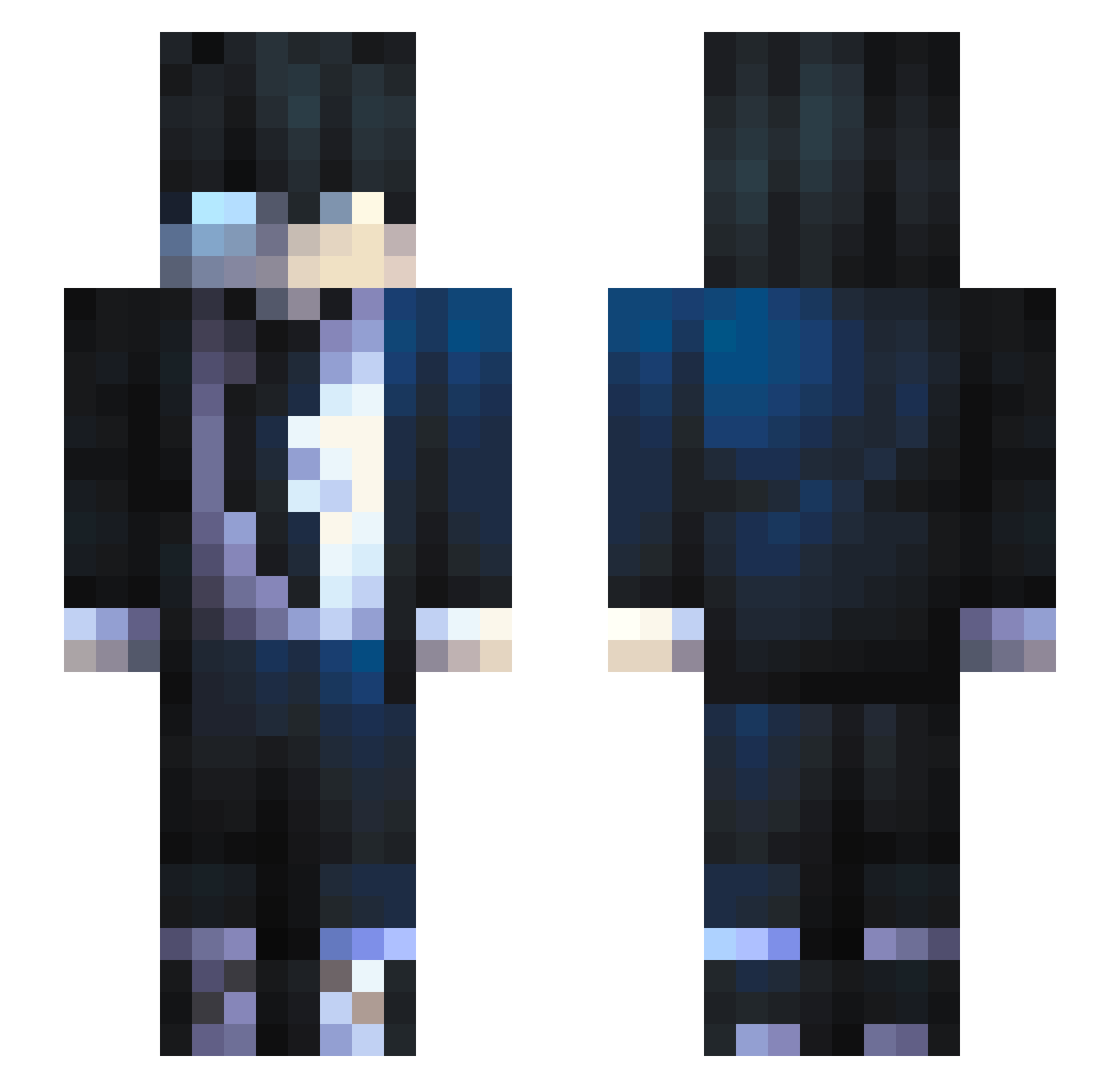
Current Minecraft skin of the player StritePT, loaded from the official Mojang API. Rotate the 3D model with your mouse or finger, then download the skin as a PNG file and use it in Minecraft: Bedrock Edition or Java Edition for free. When StritePT changes their skin, this page updates automatically and the old skin stays in the history below.
Other players with this skin (684)
StritePT was the 527th player we have seen with this skin, first spotted on 14.10.2026. The same skin was seen on these players. Open a nickname to see their current skin and skin history.
 Pinios Ahusik ElMensito Frost152 BeaastRyan wuyuhh sadness67 KingDJuliian AyzuzuS R1senT0Ruls DrSuxx _Asuke_ Haubert_ Saber_XYZ flashray2006 Gollaruk Clardude fluxxghost LawrenceUchiha cAllMeZard HighMax_18 StryDer__ Darkex28 ryudo28 IoTavio iKBSv Sung_jin_Woo67 Malaombra mcnoberson147 Lukehandsomeasf L9S Zetsuno59 Mixen Sikar0 ArawynSeregor xVeldora Stefanozzzz MattFireOF EnverMoon Mizhaaa NewClassic Mathewki nomudir DeathFight0 Ewanax Tur8an V3SU 4vershrined Julrl CJU_ Poke85 benitoXmax Peka04 DiaboRuivo LiDoz kobe296 LEEJHHHH akashiish KorryK Anonyme531
How to install the StritePT skin
- Press the Download button above to save the skin as a PNG file.
- Minecraft: Bedrock Edition (PE): open the Dressing Room from the main menu (or tap your character → Edit Character), go to Classic Skins → Owned, press the + (new skin) button, choose the downloaded PNG and pick the Slim (Alex) model. Works on PC and mobile; consoles cannot import custom skins.
- Minecraft: Java Edition: open the Minecraft Launcher, go to the Skins tab, click New Skin, load the PNG, pick the Slim (Alex) model and press Save & Use. You can also upload it at minecraft.net → Profile → Change Skin.
The skin does not show up after import - what should I do?
Restart Minecraft and open the Dressing Room again - imported skins sometimes appear only after a restart. Also make sure you selected the imported skin and picked the Slim (Alex) model.
Which model should I choose, Classic or Slim?
This skin is designed for the Slim (Alex) model. If you pick the wrong model, the arms of the skin will look stretched or squeezed.
Is the skin of StritePT free to download?
Yes. Press Download, save the PNG file and use it in Minecraft: Bedrock Edition or Java Edition - no payment or registration needed. The skin also works on multiplayer servers and Realms.
More skins
Looking for more? Go back to all Minecraft skins and check the top skins of the week, month and all time, or find any player's skin by nickname.