
StrawberryD0nut - Minecraft Skins & Skin History
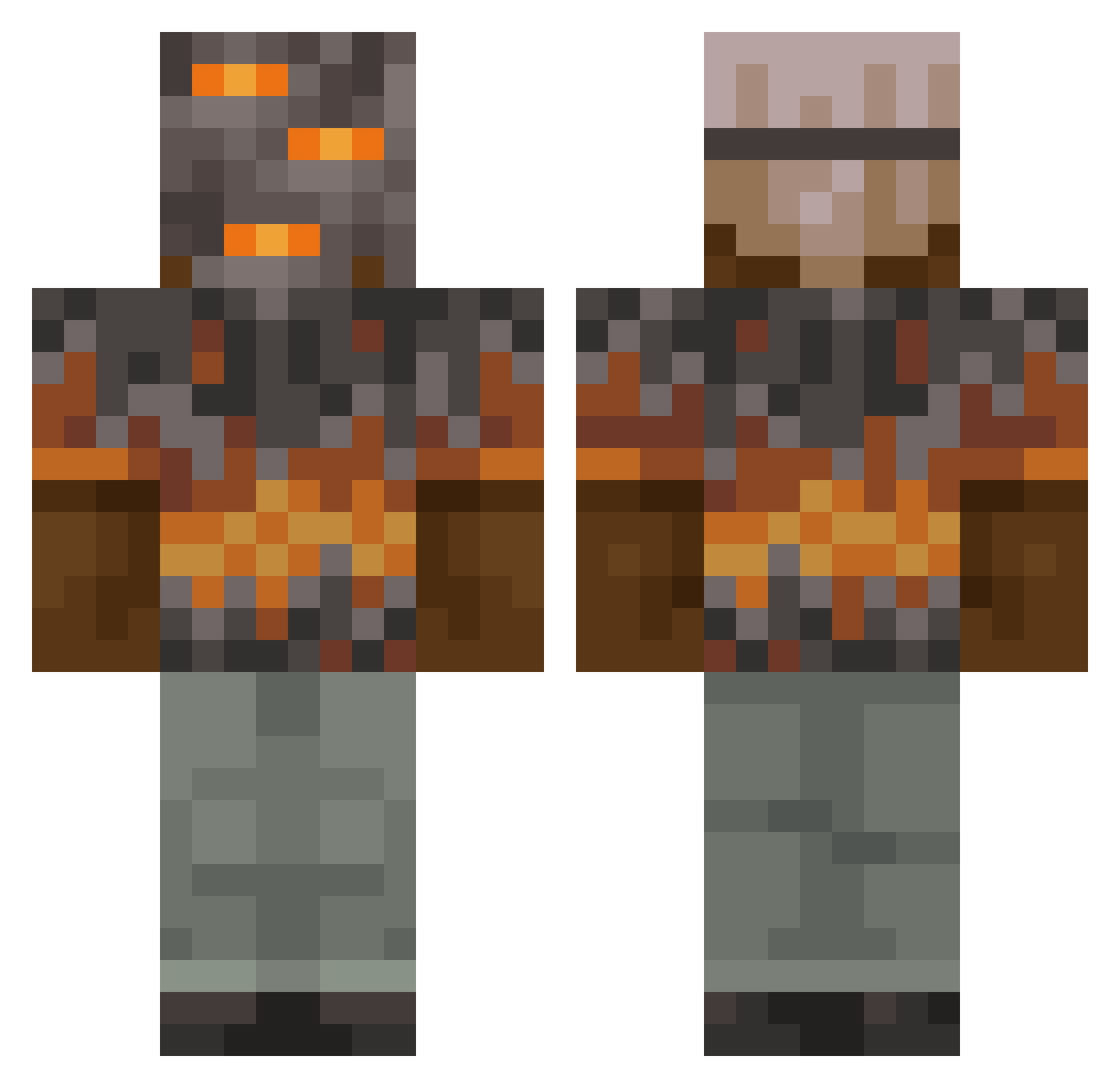
Current Minecraft skin of the player StrawberryD0nut, loaded from the official Mojang API. Rotate the 3D model with your mouse or finger, then download the skin as a PNG file and use it in Minecraft: Bedrock Edition or Java Edition for free. When StrawberryD0nut changes their skin, this page updates automatically and the old skin stays in the history below.
Other players with this skin (1088)
StrawberryD0nut was the 1056th player we have seen with this skin, first spotted on 07.11.2026. The same skin was seen on these players. Open a nickname to see their current skin and skin history.
 Asylsalami ForkV2 ThePresent Sonichu24 SpeedySlug8088 slowdyinghuman Kikazaru420 Nahrimeino Draku012 meilodasdone Maroonship Gejmrop1 munimoney DFE123 themrtechguy Peasel91 SleekVitaminD A_Gliese yamama78 JuicieMane CursedPsyop Basic_Sense ForteTre _BorisBritva_ keven_lol kokos400 Mrpeppermint123 zzDJChris Renepo66 AlmightyTonk Shania3011 Univeer S1gmaLigma IxEcryb LionardR LestatA EnderSlayerKid jonah1108 RadiToSigmaXD_ Nitsua135 1V1OG Eman0666 lukasgb BobsDonuts111 theturtleman109 Dragon444 lxcoz CaptainCook24 Soyandreu01 adolfo67 FerdinatorBoy LeoGHGamer09 Crumbleshot lomionbelios a8pc SPll38 Alphapro101 YII114 thatboibeet treeeeeeeeeeeeea
More Rock Minecraft skins
How to install the StrawberryD0nut skin
- Press the Download button above to save the skin as a PNG file.
- Minecraft: Bedrock Edition (PE): open the Dressing Room from the main menu (or tap your character → Edit Character), go to Classic Skins → Owned, press the + (new skin) button, choose the downloaded PNG and pick the Classic (Steve) model. Works on PC and mobile; consoles cannot import custom skins.
- Minecraft: Java Edition: open the Minecraft Launcher, go to the Skins tab, click New Skin, load the PNG, pick the Classic (Steve) model and press Save & Use. You can also upload it at minecraft.net → Profile → Change Skin.
The skin does not show up after import - what should I do?
Restart Minecraft and open the Dressing Room again - imported skins sometimes appear only after a restart. Also make sure you selected the imported skin and picked the Classic (Steve) model.
Which model should I choose, Classic or Slim?
This skin is designed for the Classic (Steve) model. If you pick the wrong model, the arms of the skin will look stretched or squeezed.
Is the skin of StrawberryD0nut free to download?
Yes. Press Download, save the PNG file and use it in Minecraft: Bedrock Edition or Java Edition - no payment or registration needed. The skin also works on multiplayer servers and Realms.
More skins
Looking for more? Go back to all Minecraft skins and check the top skins of the week, month and all time, or find any player's skin by nickname.