
StormZ_RifTz - Minecraft Skins & Skin History
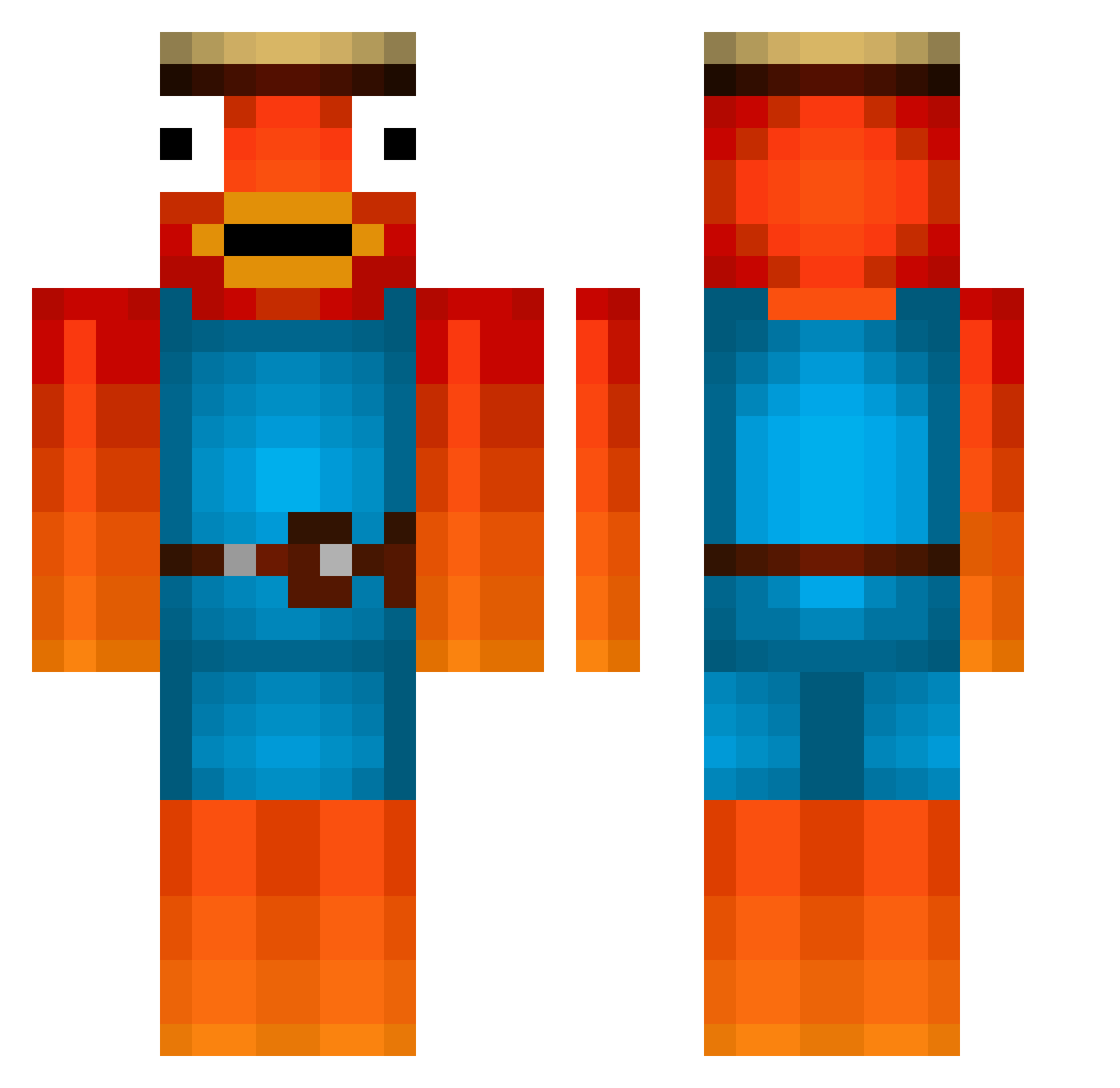
Current Minecraft skin of the player StormZ_RifTz, loaded from the official Mojang API. Rotate the 3D model with your mouse or finger, then download the skin as a PNG file and use it in Minecraft: Bedrock Edition or Java Edition for free. When StormZ_RifTz changes their skin, this page updates automatically and the old skin stays in the history below.
Other players with this skin (477)
StormZ_RifTz was the 103rd player we have seen with this skin, first spotted on 17.08.2026. The same skin was seen on these players. Open a nickname to see their current skin and skin history.
 Lopesca Tim_TaTa DrippyBlase Dritox_hd2 oceitram WrydStepBro Aqatyc Wosow bjarnein Lauchlol Komm_Discord yeeylo Sigma_Micma Busslu Beni12891 ture56 Dragontablet Lars8670 TelekomKunde princesskyka desk022 Kultii Baguetteabouti1 The_Garfield1302 xxfirestOrmxx d4rk1z3nho branjon BarnyNoob Timberman007 RhymswthOrng PrismCobra The_real_gongolo MS_Creator Fishyummy albertmagzuege SchlafsackDylan Neolex DragonReaper_ adw9 Osssi128 pAzU002 dark_kalash Supergamecreeper derWAHREfisch123 EL_ALEC Physcosloth SownClient Arvid9009 AliBabaTheReal9 Maximal15Zeiche Kakashiiii Laurits0 Ole0301 BarcelonaAhOk itzikwix Tannpirkeren pigfacegrace Griffin_Gui _Nerly Jeiigirio11
More Fishstick Minecraft skins
How to install the StormZ_RifTz skin
- Press the Download button above to save the skin as a PNG file.
- Minecraft: Bedrock Edition (PE): open the Dressing Room from the main menu (or tap your character → Edit Character), go to Classic Skins → Owned, press the + (new skin) button, choose the downloaded PNG and pick the Classic (Steve) model. Works on PC and mobile; consoles cannot import custom skins.
- Minecraft: Java Edition: open the Minecraft Launcher, go to the Skins tab, click New Skin, load the PNG, pick the Classic (Steve) model and press Save & Use. You can also upload it at minecraft.net → Profile → Change Skin.
The skin does not show up after import - what should I do?
Restart Minecraft and open the Dressing Room again - imported skins sometimes appear only after a restart. Also make sure you selected the imported skin and picked the Classic (Steve) model.
Which model should I choose, Classic or Slim?
This skin is designed for the Classic (Steve) model. If you pick the wrong model, the arms of the skin will look stretched or squeezed.
Is the skin of StormZ_RifTz free to download?
Yes. Press Download, save the PNG file and use it in Minecraft: Bedrock Edition or Java Edition - no payment or registration needed. The skin also works on multiplayer servers and Realms.
More skins
Looking for more? Go back to all Minecraft skins and check the top skins of the week, month and all time, or find any player's skin by nickname.