
Store_Traktor - Minecraft Skins & Skin History
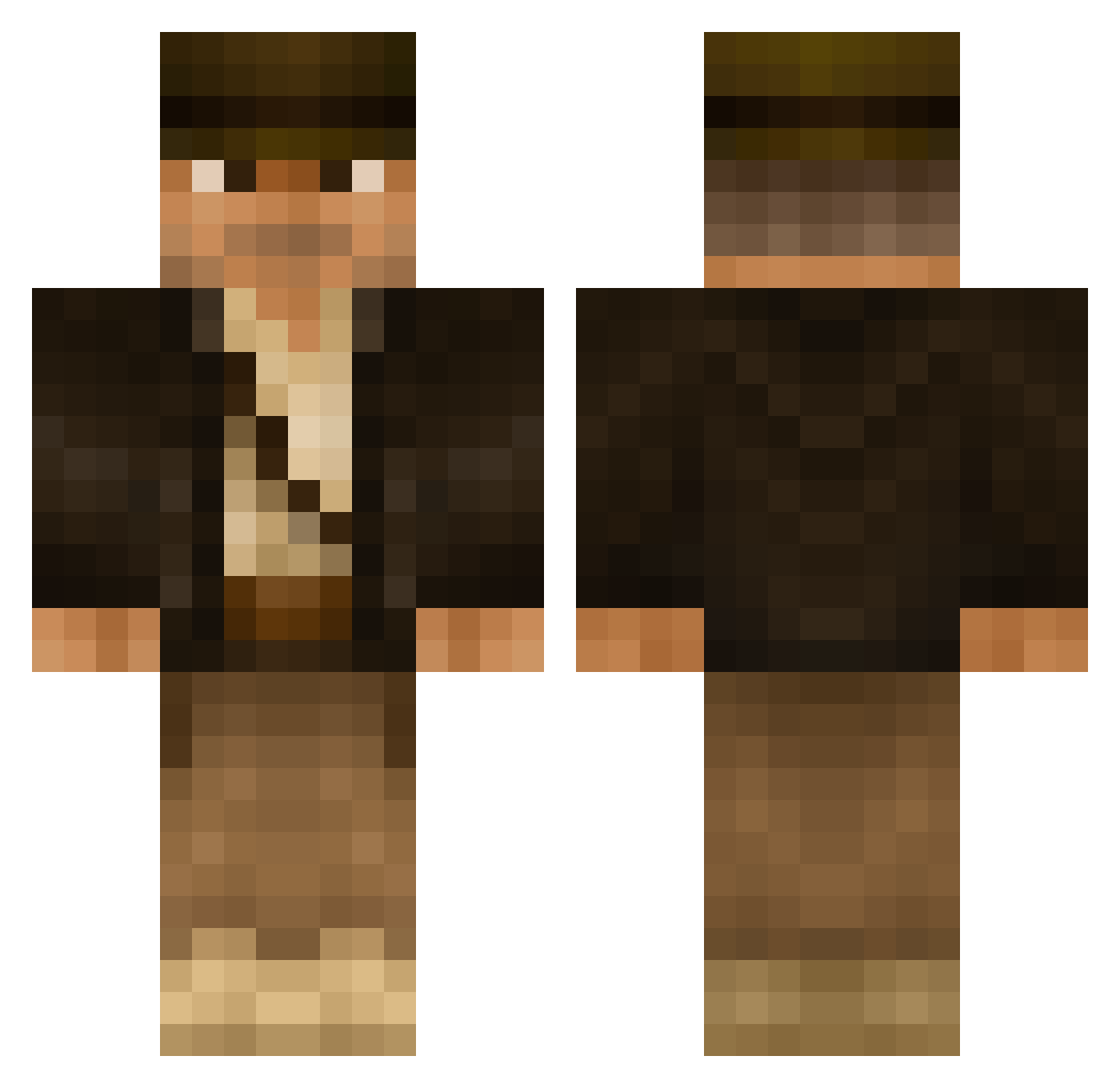
Current Minecraft skin of the player Store_Traktor, loaded from the official Mojang API. Rotate the 3D model with your mouse or finger, then download the skin as a PNG file and use it in Minecraft: Bedrock Edition or Java Edition for free. When Store_Traktor changes their skin, this page updates automatically and the old skin stays in the history below.
Other players with this skin (612)
Store_Traktor was the 547th player we have seen with this skin, first spotted on 09.11.2026. The same skin was seen on these players. Open a nickname to see their current skin and skin history.
 Eldridge KaiSellgren Roronoah Mece94 TheGoodKingWill LVLUP1 Oldcheeman altjo monkeydanceplay Vextum Indiana_Prats siro312111 Massire SoGapi OGTimen MrDaFishman HungTheDestroyer FinRaven linwig Docker79 dangercody Kiff leguanen10 acehigh420360 grats99 Ogam3 MR_ZERO1988 Mattman_7 Duradan Cell0 Mr_Lionheart_23 MrBellboy im_a_plant_ Askman SpoonyBard jbronkema Luvarian my_cool black_yeti McMortimer Rosco1971 lawcen Henke188 marcovinz WelshyChris Khyrradas Tina4765 AyoRayJay JeroenJ97 Nathnicko grim3 Seakangaroo _CruZz_ Kingofthe7realms dbldown emayir Wagananee OnlineHitz THUNDERBLOG jakeyd33
More Indiana Jones Minecraft skins
See all 92 Indiana Jones skins
How to install the Store_Traktor skin
- Press the Download button above to save the skin as a PNG file.
- Minecraft: Bedrock Edition (PE): open the Dressing Room from the main menu (or tap your character → Edit Character), go to Classic Skins → Owned, press the + (new skin) button, choose the downloaded PNG and pick the Classic (Steve) model. Works on PC and mobile; consoles cannot import custom skins.
- Minecraft: Java Edition: open the Minecraft Launcher, go to the Skins tab, click New Skin, load the PNG, pick the Classic (Steve) model and press Save & Use. You can also upload it at minecraft.net → Profile → Change Skin.
The skin does not show up after import - what should I do?
Restart Minecraft and open the Dressing Room again - imported skins sometimes appear only after a restart. Also make sure you selected the imported skin and picked the Classic (Steve) model.
Which model should I choose, Classic or Slim?
This skin is designed for the Classic (Steve) model. If you pick the wrong model, the arms of the skin will look stretched or squeezed.
Is the skin of Store_Traktor free to download?
Yes. Press Download, save the PNG file and use it in Minecraft: Bedrock Edition or Java Edition - no payment or registration needed. The skin also works on multiplayer servers and Realms.
More skins
Looking for more? Go back to all Minecraft skins and check the top skins of the week, month and all time, or find any player's skin by nickname.