
Stopas - Minecraft Skins & Skin History
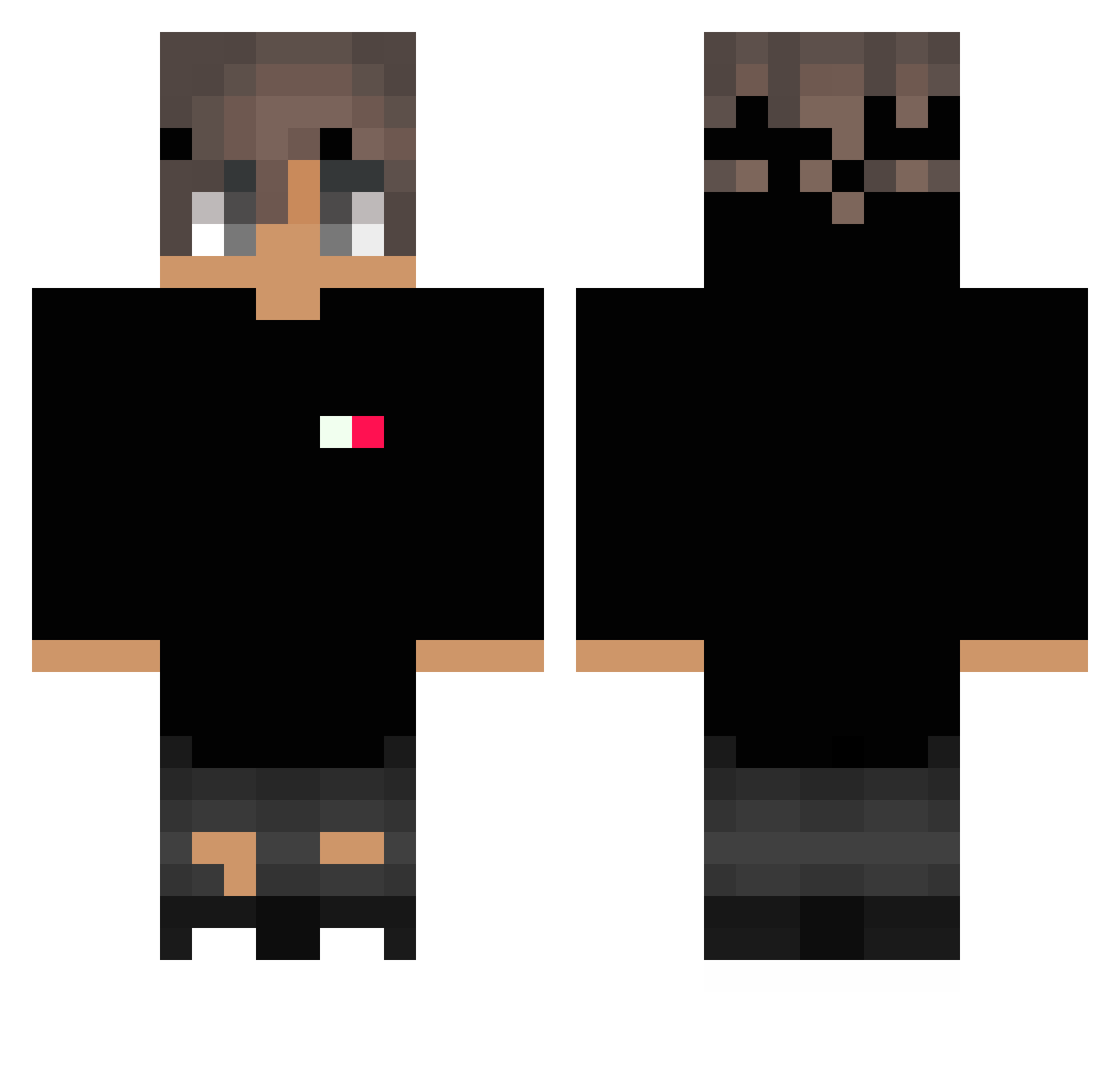
Current Minecraft skin of the player Stopas, loaded from the official Mojang API. Rotate the 3D model with your mouse or finger, then download the skin as a PNG file and use it in Minecraft: Bedrock Edition or Java Edition for free. When Stopas changes their skin, this page updates automatically and the old skin stays in the history below.
Other players with this skin (242)
Stopas was the 69th player we have seen with this skin, first spotted on 17.08.2026. The same skin was seen on these players. Open a nickname to see their current skin and skin history.
 Alec2209 rozbikk ThaRoCCat MiloMuncher_ LeRetxy reconfigurations Nomography RENEgETTO_derHU ManoTT7 jinu173 Usseles_35iq max29065 Sajmonis Vika_Akyl AndrobaL_ MamFajnegoBicka NxxdIe deathwing455 Maceyboy12 Artorias_970 StealthyCobraR1 Nathaniel494 Thodoris_ BravesRS profWavy BrugLione its_Cubik SrGil_Br oBezerraBr _IgorBr_ DeadShot4184661 Jaraffe_97 space_fire Sh00t_t0_kill10 Bassanzin EwOnions WyrwijSie Ka200 jonieCum CrazyHD_TV Gaaaammmmmmm mrduffduff Hubkin_ Stylda Dominik_PL RoYaL_LePoP dreezlee AdiKoxx vAesthetic_ HaRzeN8 sanyasa miner122003 bbiden tiago2103 Maroooo_ chris0112yy Si4ra xurtem donghyunpower Zeden_
How to install the Stopas skin
- Press the Download button above to save the skin as a PNG file.
- Minecraft: Bedrock Edition (PE): open the Dressing Room from the main menu (or tap your character → Edit Character), go to Classic Skins → Owned, press the + (new skin) button, choose the downloaded PNG and pick the Classic (Steve) model. Works on PC and mobile; consoles cannot import custom skins.
- Minecraft: Java Edition: open the Minecraft Launcher, go to the Skins tab, click New Skin, load the PNG, pick the Classic (Steve) model and press Save & Use. You can also upload it at minecraft.net → Profile → Change Skin.
The skin does not show up after import - what should I do?
Restart Minecraft and open the Dressing Room again - imported skins sometimes appear only after a restart. Also make sure you selected the imported skin and picked the Classic (Steve) model.
Which model should I choose, Classic or Slim?
This skin is designed for the Classic (Steve) model. If you pick the wrong model, the arms of the skin will look stretched or squeezed.
Is the skin of Stopas free to download?
Yes. Press Download, save the PNG file and use it in Minecraft: Bedrock Edition or Java Edition - no payment or registration needed. The skin also works on multiplayer servers and Realms.
More skins
Looking for more? Go back to all Minecraft skins and check the top skins of the week, month and all time, or find any player's skin by nickname.