
Stive1233 - Minecraft Skins & Skin History
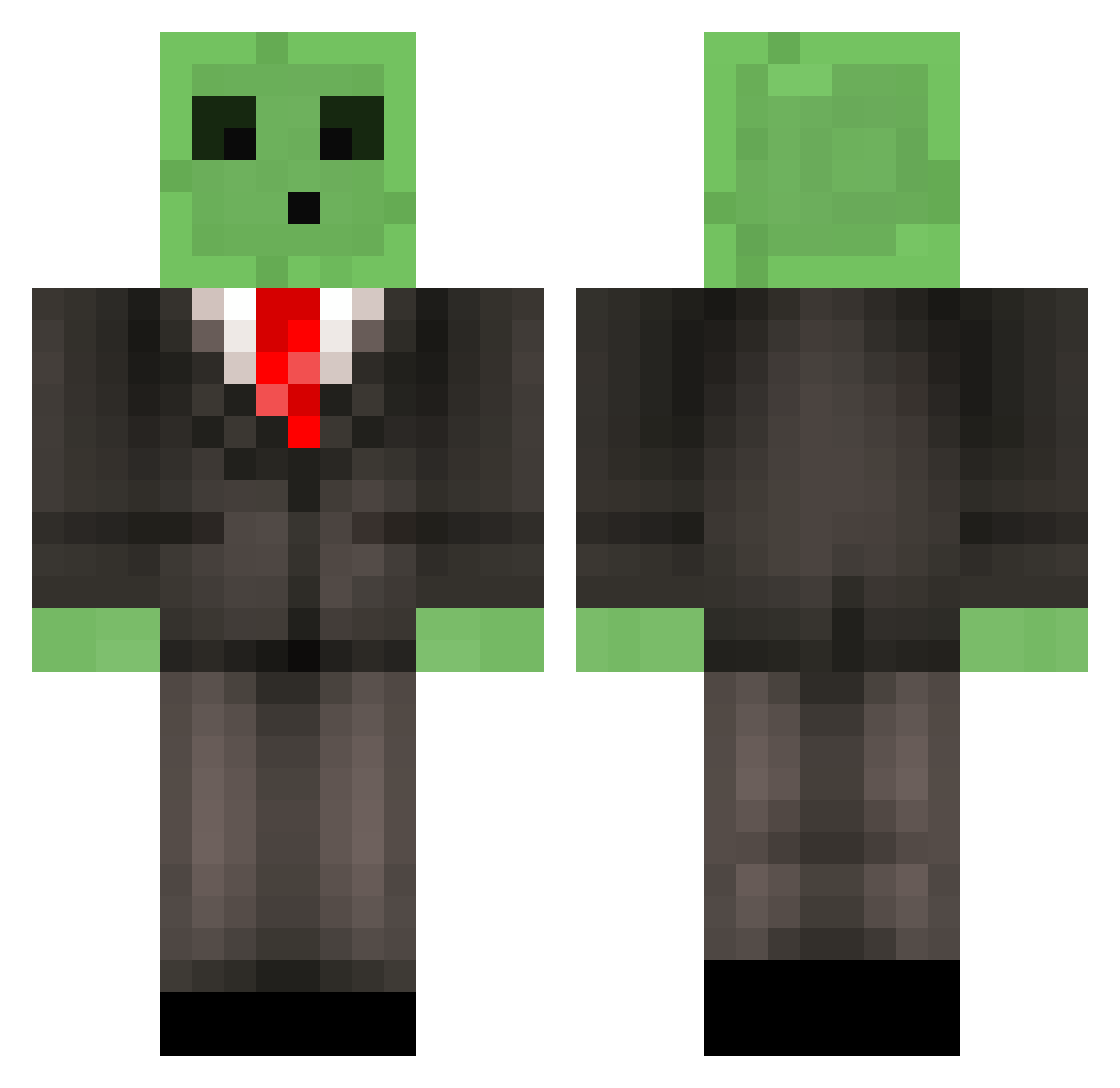
Current Minecraft skin of the player Stive1233, loaded from the official Mojang API. Rotate the 3D model with your mouse or finger, then download the skin as a PNG file and use it in Minecraft: Bedrock Edition or Java Edition for free. When Stive1233 changes their skin, this page updates automatically and the old skin stays in the history below.
Other players with this skin (513)
Stive1233 was the 322nd player we have seen with this skin, first spotted on 23.09.2026. The same skin was seen on these players. Open a nickname to see their current skin and skin history.
 Sodapop99 digtina SlimyMeowzers SharpMetal awesomealex2 LittleGuyGaming Maxiking1357 MehoyMinoy228 xBadMeetsEvilx Skalagrim117 Toxiszify Artheedius RobertMatthews Topazz MattyB_123 Priinceswag Minecraft0430 AJ_The_Viking Adapt1 SLIMEGAMER11 Br4dys David_0400 Butsniffer790 EddY0_o JoRo14 1PvpTurtle1 ddanggree mufc_1991 FlicFlac Philthebluesheep irondan9 Camaro823 XBEASTMODZX Made_To_Live99 Choooode BonesRooster WackyTabacky99 Re4p3zHD KnirkeDK toushi CoReTuBe CorndogSteve ToXiiC_AdDeR cerealkillr CameronJacob KiwiDurian cheesepanda76 maxhantke The_Qix dulait ImBenCarson Liam_White Ignitos BACCAJr HotshotSnow3 Imapsychonaught xeest mr_ari Rionaru jesseisaxe
More Slime Minecraft skins
How to install the Stive1233 skin
- Press the Download button above to save the skin as a PNG file.
- Minecraft: Bedrock Edition (PE): open the Dressing Room from the main menu (or tap your character → Edit Character), go to Classic Skins → Owned, press the + (new skin) button, choose the downloaded PNG and pick the Classic (Steve) model. Works on PC and mobile; consoles cannot import custom skins.
- Minecraft: Java Edition: open the Minecraft Launcher, go to the Skins tab, click New Skin, load the PNG, pick the Classic (Steve) model and press Save & Use. You can also upload it at minecraft.net → Profile → Change Skin.
The skin does not show up after import - what should I do?
Restart Minecraft and open the Dressing Room again - imported skins sometimes appear only after a restart. Also make sure you selected the imported skin and picked the Classic (Steve) model.
Which model should I choose, Classic or Slim?
This skin is designed for the Classic (Steve) model. If you pick the wrong model, the arms of the skin will look stretched or squeezed.
Is the skin of Stive1233 free to download?
Yes. Press Download, save the PNG file and use it in Minecraft: Bedrock Edition or Java Edition - no payment or registration needed. The skin also works on multiplayer servers and Realms.
More skins
Looking for more? Go back to all Minecraft skins and check the top skins of the week, month and all time, or find any player's skin by nickname.