
Stewpedaso21 - Minecraft Skins & Skin History
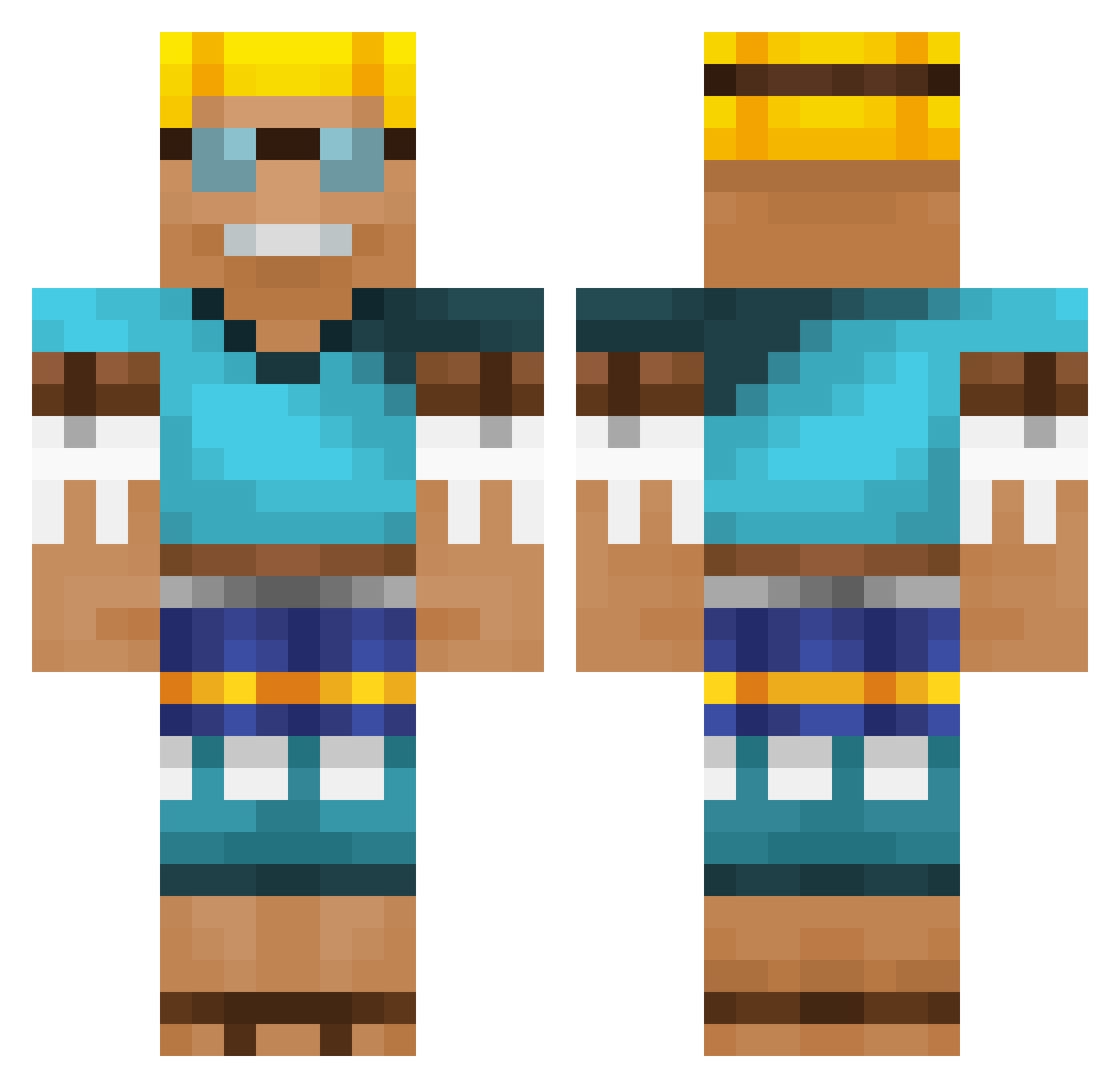
Current Minecraft skin of the player Stewpedaso21, loaded from the official Mojang API. Rotate the 3D model with your mouse or finger, then download the skin as a PNG file and use it in Minecraft: Bedrock Edition or Java Edition for free. When Stewpedaso21 changes their skin, this page updates automatically and the old skin stays in the history below.
Other players with this skin (535)
Stewpedaso21 was the 448th player we have seen with this skin, first spotted on 08.10.2026. The same skin was seen on these players. Open a nickname to see their current skin and skin history.
 KCMMichi kroettle D0vAk1N DigAllDay Revil0us lucaspvpper Dawido02 Ant0n2105 HoffMyster Jancior thlnkd hykiu HolyNoli void163 MrGunFire lando9810 Jedi_Survivor Tigremanir Sosinsky VAMLT H3NKMX6 L0udxy willetrade Sekner96 Bonapape Bruno3434 MARVL4 Yrti Ferero74 Bockholt chris_2Exclusive KubilayTas SpyKingBlue1224 salitos_ MeidanT Daking81 FLOjumper99 JamitoPlays AdmiralArthur Calvin2k G0r0shek Alpenkevim Trollize ErikTazte KANTAMA2000 Jason127636 StronzoGigante FickfresseF kak1__ MudCola NoLuvvChina yaaarrrrrrrrrr mcp_184 Shika_HRTMT Verox9 Dirtmuncher5 xlEndrounDlx XtraRobson23 dysseldorf Gresgo7
More Adventurer Minecraft skins
How to install the Stewpedaso21 skin
- Press the Download button above to save the skin as a PNG file.
- Minecraft: Bedrock Edition (PE): open the Dressing Room from the main menu (or tap your character → Edit Character), go to Classic Skins → Owned, press the + (new skin) button, choose the downloaded PNG and pick the Classic (Steve) model. Works on PC and mobile; consoles cannot import custom skins.
- Minecraft: Java Edition: open the Minecraft Launcher, go to the Skins tab, click New Skin, load the PNG, pick the Classic (Steve) model and press Save & Use. You can also upload it at minecraft.net → Profile → Change Skin.
The skin does not show up after import - what should I do?
Restart Minecraft and open the Dressing Room again - imported skins sometimes appear only after a restart. Also make sure you selected the imported skin and picked the Classic (Steve) model.
Which model should I choose, Classic or Slim?
This skin is designed for the Classic (Steve) model. If you pick the wrong model, the arms of the skin will look stretched or squeezed.
Is the skin of Stewpedaso21 free to download?
Yes. Press Download, save the PNG file and use it in Minecraft: Bedrock Edition or Java Edition - no payment or registration needed. The skin also works on multiplayer servers and Realms.
More skins
Looking for more? Go back to all Minecraft skins and check the top skins of the week, month and all time, or find any player's skin by nickname.