
StepHost - Minecraft Skins & Skin History
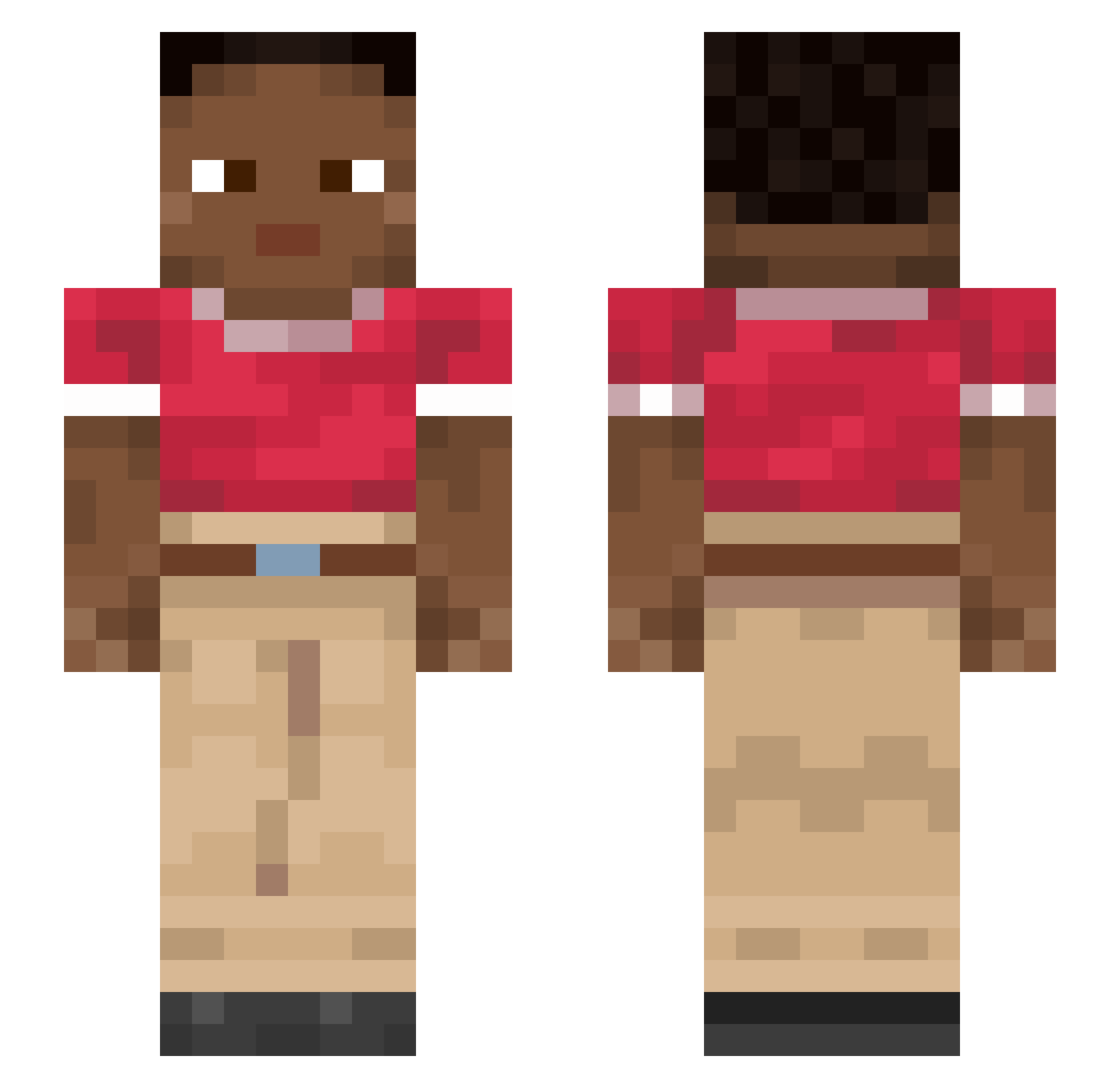
Current Minecraft skin of the player StepHost, loaded from the official Mojang API. Rotate the 3D model with your mouse or finger, then download the skin as a PNG file and use it in Minecraft: Bedrock Edition or Java Edition for free. When StepHost changes their skin, this page updates automatically and the old skin stays in the history below.
Other players with this skin (915)
StepHost was the 638th player we have seen with this skin, first spotted on 07.10.2026. The same skin was seen on these players. Open a nickname to see their current skin and skin history.
 ALIANK gtx_kani imvia Hyphema Lachsomat laparotomy anonymous6996 akalin2011 blafbeest backshift megatron575yt LEGIONMC IAmRubberBand19 ticklefartmaster Bear0599 metatheria EunshuN_7389 Orsa foursquare cultivative photographical MayoMp4 CoffeeWeed NielsGames01 squirty HashThug Epistrophe Varren23 Dyzerk IndianaJohnson PoLL763 Nazzen Mishiman ladyloves Wilfao_TRZ Conventional PoopDude_5 TuzluKola pkowski0squeaky0 FlipperOrcas Mangom25 AndrewLatee Denigrator Captaincrip garycientista sadmybutt1234 Pentatonic ISL Jackie___ TntMaster_553 Unrestriction yyxiinn Encroachment andriejek GodShuneY SanFriziano Zsanix Fraughts Jayjacksonnn Litfer
How to install the StepHost skin
- Press the Download button above to save the skin as a PNG file.
- Minecraft: Bedrock Edition (PE): open the Dressing Room from the main menu (or tap your character → Edit Character), go to Classic Skins → Owned, press the + (new skin) button, choose the downloaded PNG and pick the Slim (Alex) model. Works on PC and mobile; consoles cannot import custom skins.
- Minecraft: Java Edition: open the Minecraft Launcher, go to the Skins tab, click New Skin, load the PNG, pick the Slim (Alex) model and press Save & Use. You can also upload it at minecraft.net → Profile → Change Skin.
The skin does not show up after import - what should I do?
Restart Minecraft and open the Dressing Room again - imported skins sometimes appear only after a restart. Also make sure you selected the imported skin and picked the Slim (Alex) model.
Which model should I choose, Classic or Slim?
This skin is designed for the Slim (Alex) model. If you pick the wrong model, the arms of the skin will look stretched or squeezed.
Is the skin of StepHost free to download?
Yes. Press Download, save the PNG file and use it in Minecraft: Bedrock Edition or Java Edition - no payment or registration needed. The skin also works on multiplayer servers and Realms.
More skins
Looking for more? Go back to all Minecraft skins and check the top skins of the week, month and all time, or find any player's skin by nickname.