
StellaBrightstar - Minecraft Skins & Skin History
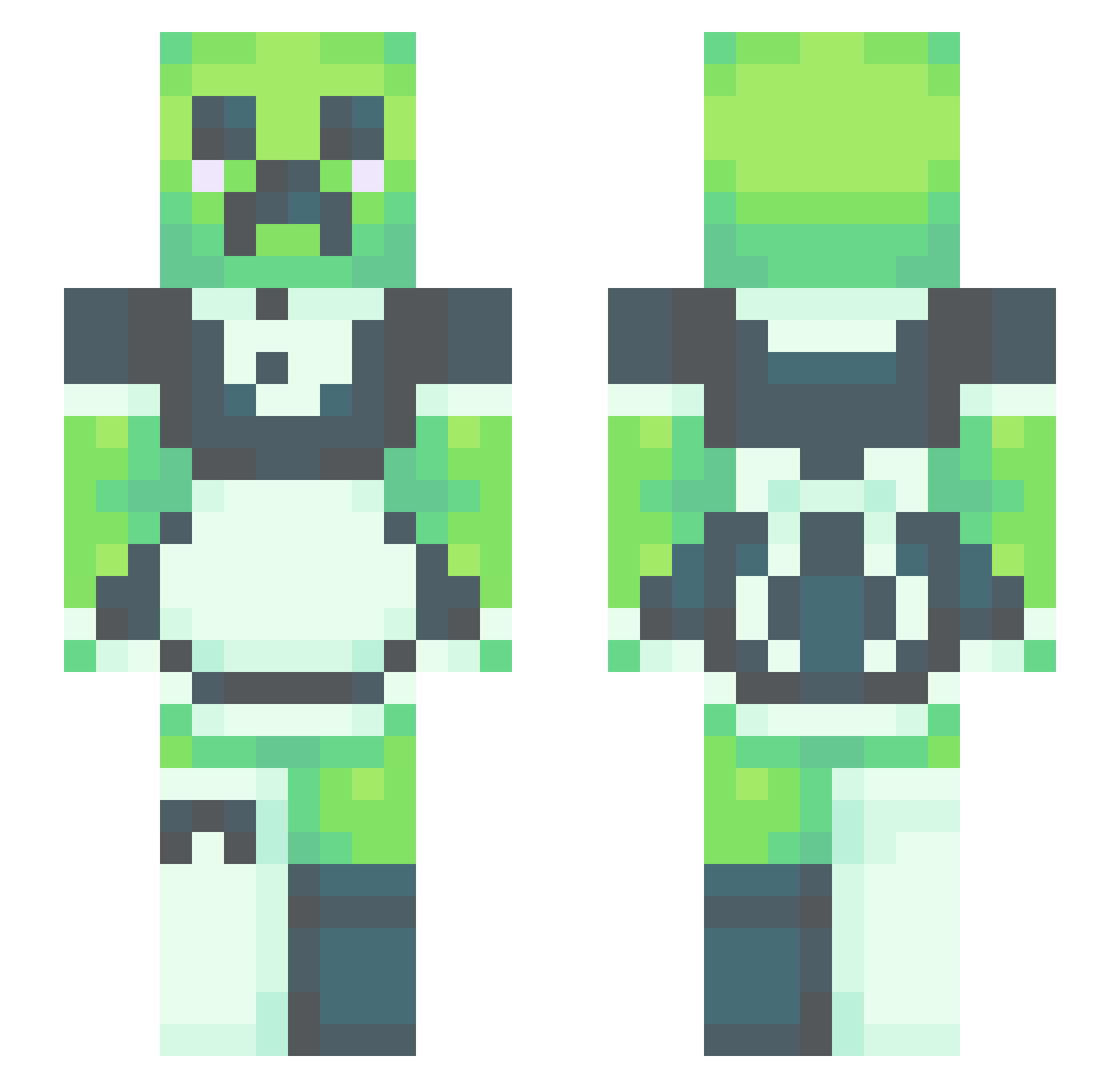
Current Minecraft skin of the player StellaBrightstar, loaded from the official Mojang API. Rotate the 3D model with your mouse or finger, then download the skin as a PNG file and use it in Minecraft: Bedrock Edition or Java Edition for free. When StellaBrightstar changes their skin, this page updates automatically and the old skin stays in the history below.
Other players with this skin (490)
StellaBrightstar was the 455th player we have seen with this skin, first spotted on 25.10.2026. The same skin was seen on these players. Open a nickname to see their current skin and skin history.
 Calinda96 disgorgefortnite Mrofa togezu lachsss69 mint_tea2 Wallrecker RaiderShocker965 zmrcow758 Vvintra ChesstomHUN natothee YMZzzz HamCrackle BigHomieG notablanket Love_Emotion1Xx XYZ5795 MadsWrobs jim56 Henpie lunchables_TM M1nt39 bappo3306 Dabking15151 sepiida57 Dry_lips Daddy09 paperbrakechan SaddestAward Zoaxx torcher123 the_iron_range7 JaysALoser FelixDeFox Nathando27 PinkPvppies shrekswaifu Arokaboka BBr1_ Venevici TheRealCorn Meglmao Zyklon95 Gleerup1000 RapidNoodles45 miniminiminidk nogfrax Stavner32 Toggithedog Ortana8 lillxy NatGlin cowyPHD Toasties_707 JuustKilla jdog1223 kiri_cookie nledevil LuckyBombs
More Maid Minecraft skins
How to install the StellaBrightstar skin
- Press the Download button above to save the skin as a PNG file.
- Minecraft: Bedrock Edition (PE): open the Dressing Room from the main menu (or tap your character → Edit Character), go to Classic Skins → Owned, press the + (new skin) button, choose the downloaded PNG and pick the Slim (Alex) model. Works on PC and mobile; consoles cannot import custom skins.
- Minecraft: Java Edition: open the Minecraft Launcher, go to the Skins tab, click New Skin, load the PNG, pick the Slim (Alex) model and press Save & Use. You can also upload it at minecraft.net → Profile → Change Skin.
The skin does not show up after import - what should I do?
Restart Minecraft and open the Dressing Room again - imported skins sometimes appear only after a restart. Also make sure you selected the imported skin and picked the Slim (Alex) model.
Which model should I choose, Classic or Slim?
This skin is designed for the Slim (Alex) model. If you pick the wrong model, the arms of the skin will look stretched or squeezed.
Is the skin of StellaBrightstar free to download?
Yes. Press Download, save the PNG file and use it in Minecraft: Bedrock Edition or Java Edition - no payment or registration needed. The skin also works on multiplayer servers and Realms.
More skins
Looking for more? Go back to all Minecraft skins and check the top skins of the week, month and all time, or find any player's skin by nickname.