
SteDent - Minecraft Skins & Skin History
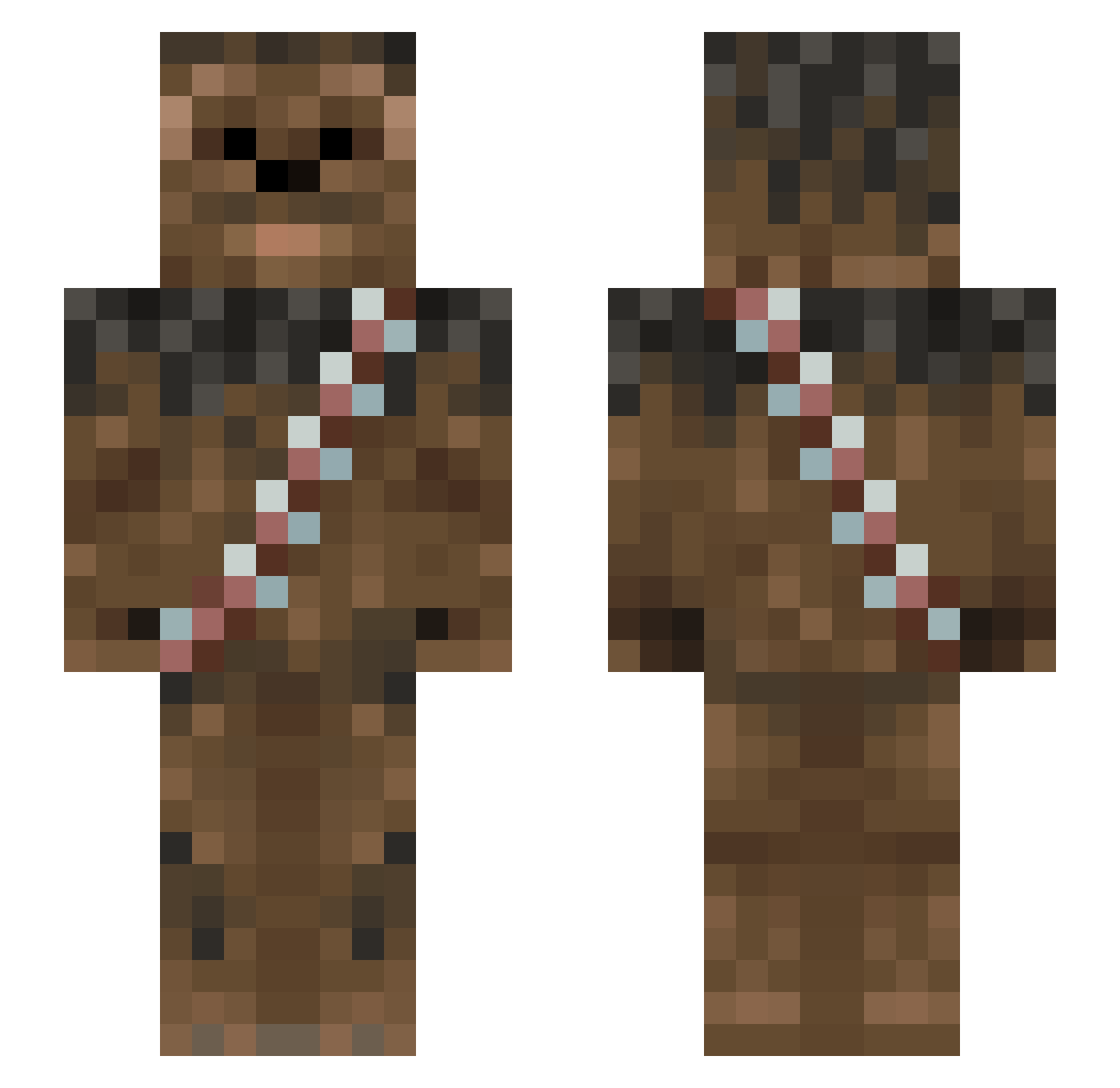
Current Minecraft skin of the player SteDent, loaded from the official Mojang API. Rotate the 3D model with your mouse or finger, then download the skin as a PNG file and use it in Minecraft: Bedrock Edition or Java Edition for free. When SteDent changes their skin, this page updates automatically and the old skin stays in the history below.
Other players with this skin (1013)
SteDent was the 846th player we have seen with this skin, first spotted on 23.10.2026. The same skin was seen on these players. Open a nickname to see their current skin and skin history.
 JoeHattJoe AxTEx14 NasenRaeuber Onguarde jaumeska angelpoppa Romiele1 kilshotz_93 Lizzardjoe andrewjm222 cyklaromkull Sebnoah Kepnid_ monkeyman949 RyanD396 tomejk redhead43 ErikSugerSnasexD chompodc12 PXLWookie Duckmansteve Fresh_Fudge Justin_gamer990 WTFIGO Emmelyren Nacho2596 WillyBoulton ndrewmaskell bobisboom YaBoiLeRoy PeaceCP 2TallTyler cwey20 Sockenbarth nbfasttrack33 Grxxm Londo_HD AvengingProphet jopy2003 wesb2 Eltempest bloowafflez LordGhirahim666 Malcraft_HD BBtinstorm Crafter_123_ Okrop69 liliangoose Wookies_N_Cream jpssoccer GeneKelly liam_1515 Legendown44 Mull_T Chewbacci treebark12002 buschero03 gremlins29 BuilderDan8 Twanto
More Wookiee Minecraft skins
How to install the SteDent skin
- Press the Download button above to save the skin as a PNG file.
- Minecraft: Bedrock Edition (PE): open the Dressing Room from the main menu (or tap your character → Edit Character), go to Classic Skins → Owned, press the + (new skin) button, choose the downloaded PNG and pick the Slim (Alex) model. Works on PC and mobile; consoles cannot import custom skins.
- Minecraft: Java Edition: open the Minecraft Launcher, go to the Skins tab, click New Skin, load the PNG, pick the Slim (Alex) model and press Save & Use. You can also upload it at minecraft.net → Profile → Change Skin.
The skin does not show up after import - what should I do?
Restart Minecraft and open the Dressing Room again - imported skins sometimes appear only after a restart. Also make sure you selected the imported skin and picked the Slim (Alex) model.
Which model should I choose, Classic or Slim?
This skin is designed for the Slim (Alex) model. If you pick the wrong model, the arms of the skin will look stretched or squeezed.
Is the skin of SteDent free to download?
Yes. Press Download, save the PNG file and use it in Minecraft: Bedrock Edition or Java Edition - no payment or registration needed. The skin also works on multiplayer servers and Realms.
More skins
Looking for more? Go back to all Minecraft skins and check the top skins of the week, month and all time, or find any player's skin by nickname.