
StarGeron - Minecraft Skins & Skin History
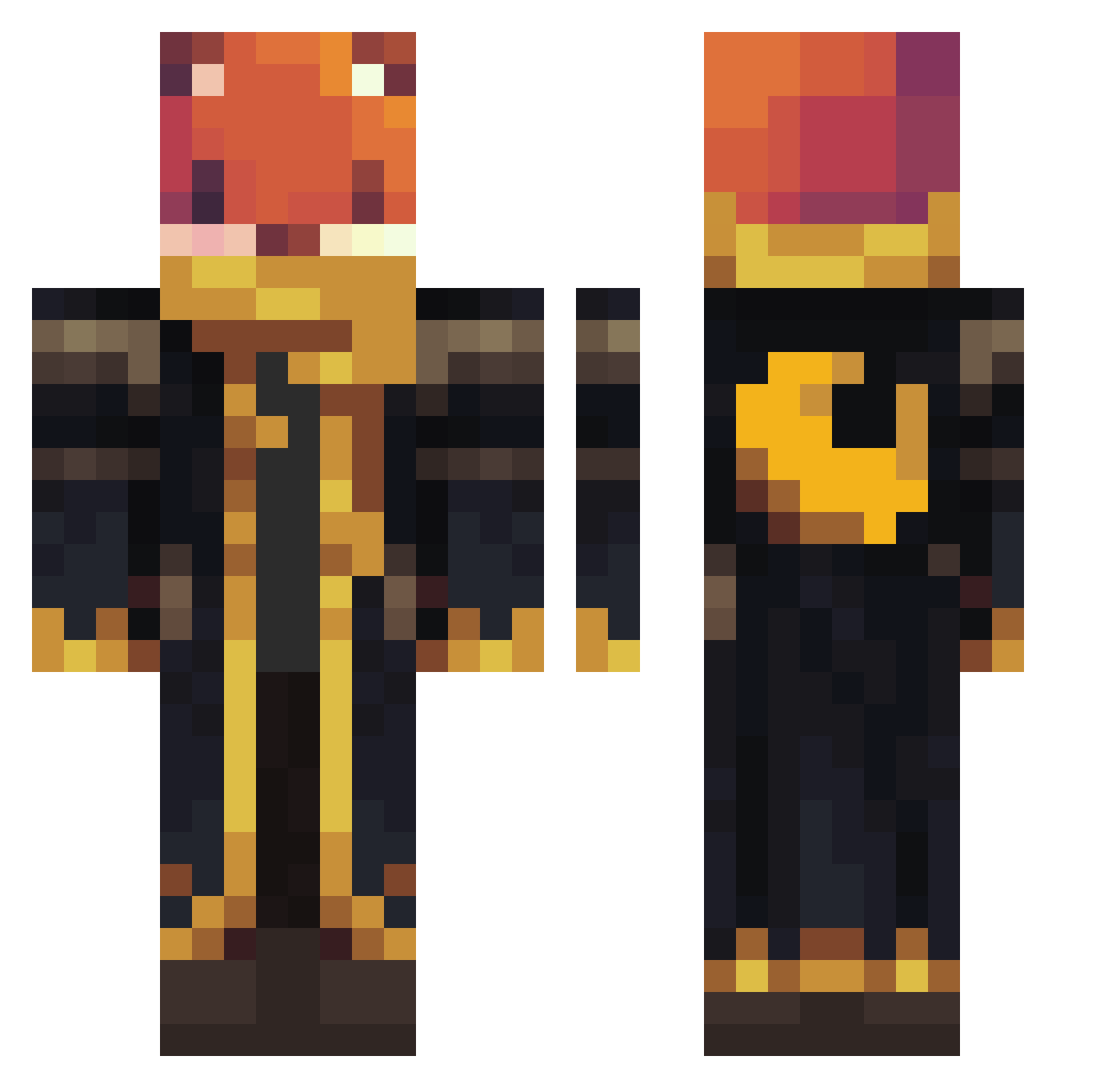
Current Minecraft skin of the player StarGeron, loaded from the official Mojang API. Rotate the 3D model with your mouse or finger, then download the skin as a PNG file and use it in Minecraft: Bedrock Edition or Java Edition for free. When StarGeron changes their skin, this page updates automatically and the old skin stays in the history below.
Other players with this skin (1307)
StarGeron was the 1242nd player we have seen with this skin, first spotted on 14.11.2026. The same skin was seen on these players. Open a nickname to see their current skin and skin history.
 Filip692137 LavacaSaturno chris57382 illomarkis SoulofDoom Alderax CaptainoPancake POKEJAS kasonph _Mennu Mustafa_kh IceFreshBanana dragonTea2011 WoodyT125 Auzeron juarezdepot Cakilay dansejens TriggerGamerxdd SMILEW2000 Ferret740 MkiOnFire Valhalla7729 MiaChiocciola wraps2025 NerfDude886 Lamb5613 Luik15 marcos961 Julian8484 clockwise66 BenChenGame TatinkoB TwistedFox505 SzmitkO Tblawg Hei3d crimson_donut bladegrim Thingamajjig HUKKIN2000 Noke300 Electric21 Firstcurly Duraesviss BagelT0ast Vesktopp T_Grochu Ced42099 SpartanRapt0r szilaszlo Soap_Jelly Gregoricson Matsuri1479 AJPER_ Aeneroth ReckTav LukasIgel123 Alexreston Memorium13
More Crescent Moon Minecraft skins
See all 321 Crescent Moon skins
How to install the StarGeron skin
- Press the Download button above to save the skin as a PNG file.
- Minecraft: Bedrock Edition (PE): open the Dressing Room from the main menu (or tap your character → Edit Character), go to Classic Skins → Owned, press the + (new skin) button, choose the downloaded PNG and pick the Classic (Steve) model. Works on PC and mobile; consoles cannot import custom skins.
- Minecraft: Java Edition: open the Minecraft Launcher, go to the Skins tab, click New Skin, load the PNG, pick the Classic (Steve) model and press Save & Use. You can also upload it at minecraft.net → Profile → Change Skin.
The skin does not show up after import - what should I do?
Restart Minecraft and open the Dressing Room again - imported skins sometimes appear only after a restart. Also make sure you selected the imported skin and picked the Classic (Steve) model.
Which model should I choose, Classic or Slim?
This skin is designed for the Classic (Steve) model. If you pick the wrong model, the arms of the skin will look stretched or squeezed.
Is the skin of StarGeron free to download?
Yes. Press Download, save the PNG file and use it in Minecraft: Bedrock Edition or Java Edition - no payment or registration needed. The skin also works on multiplayer servers and Realms.
More skins
Looking for more? Go back to all Minecraft skins and check the top skins of the week, month and all time, or find any player's skin by nickname.