
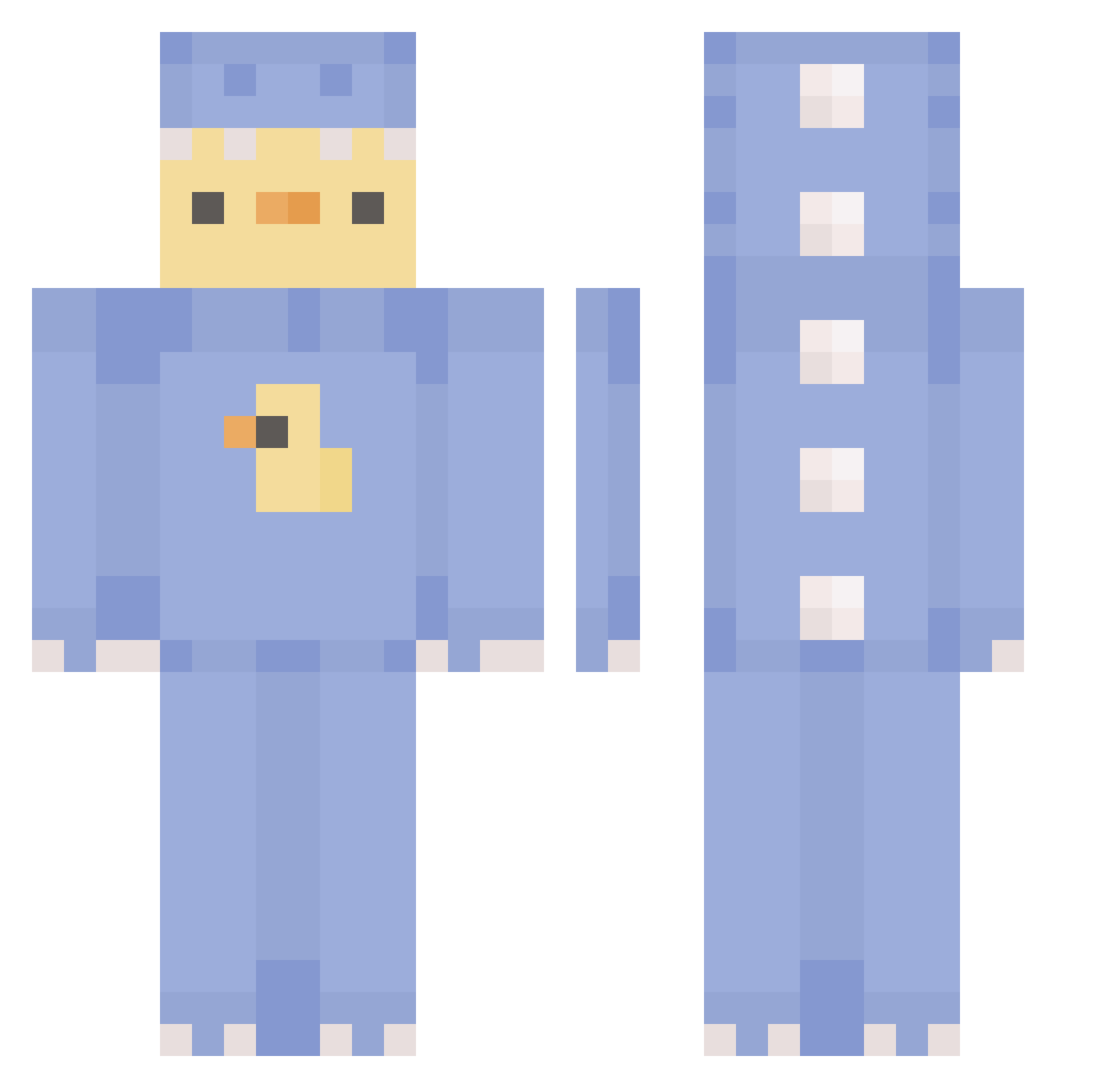
Current Minecraft skin of the player Staceee18, loaded from the official Mojang API. Rotate the 3D model with your mouse or finger, then download the skin as a PNG file and use it in Minecraft: Bedrock Edition or Java Edition for free. When Staceee18 changes their skin, this page updates automatically and the old skin stays in the history below.
Other players with this skin (305)
Staceee18 was the 76th player we have seen with this skin, first spotted on 15.08.2026. The same skin was seen on these players. Open a nickname to see their current skin and skin history.
 Spark_34_ fkngodmode sabs729 AZOK09 JulianHatesJam _Aubsz_ Red_Wyre lozanogabriel pink_dumpling CaptainFineBuns teenytinycookie Emdoid Che__rry D_yaji EunByeol20 ThePetkaML Piyo12 Blurzcin lowintellect SaebSaeb duzydzoint alyssia3462 dreamsmp68 merlinlion cravencereal kittyb3an yeetzbetz bifflesrock lychee69x DaddyPand eriiiiiiina kimch1214 aaromonni i_am_t1_rat sexysoeun adilite boomboomstik dragonduck_thing AmiKotek7 SpeedBuildKing Gilichko
 fbimoni erika2512 Duckm3n KillcamG ya_Ang BloodRED1005 sangminzora mmhrnt KangDongHee steadypimp PANDAQ6411 kirakijoe SibalUniversity Carlisle_yt Naokieml FridaJF Emp1fy_is_washed yungjini thecabbagethief
More Dinosaur Onesie Minecraft skins
See all 568 Dinosaur Onesie skins
How to install the Staceee18 skin
- Press the Download button above to save the skin as a PNG file.
- Minecraft: Bedrock Edition (PE): open the Dressing Room from the main menu (or tap your character → Edit Character), go to Classic Skins → Owned, press the + (new skin) button, choose the downloaded PNG and pick the Classic (Steve) model. Works on PC and mobile; consoles cannot import custom skins.
- Minecraft: Java Edition: open the Minecraft Launcher, go to the Skins tab, click New Skin, load the PNG, pick the Classic (Steve) model and press Save & Use. You can also upload it at minecraft.net → Profile → Change Skin.
The skin does not show up after import - what should I do?
Restart Minecraft and open the Dressing Room again - imported skins sometimes appear only after a restart. Also make sure you selected the imported skin and picked the Classic (Steve) model.
Which model should I choose, Classic or Slim?
This skin is designed for the Classic (Steve) model. If you pick the wrong model, the arms of the skin will look stretched or squeezed.
Is the skin of Staceee18 free to download?
Yes. Press Download, save the PNG file and use it in Minecraft: Bedrock Edition or Java Edition - no payment or registration needed. The skin also works on multiplayer servers and Realms.
More skins
Looking for more? Go back to all Minecraft skins and check the top skins of the week, month and all time, or find any player's skin by nickname.