
Squerz_ - Minecraft Skins & Skin History
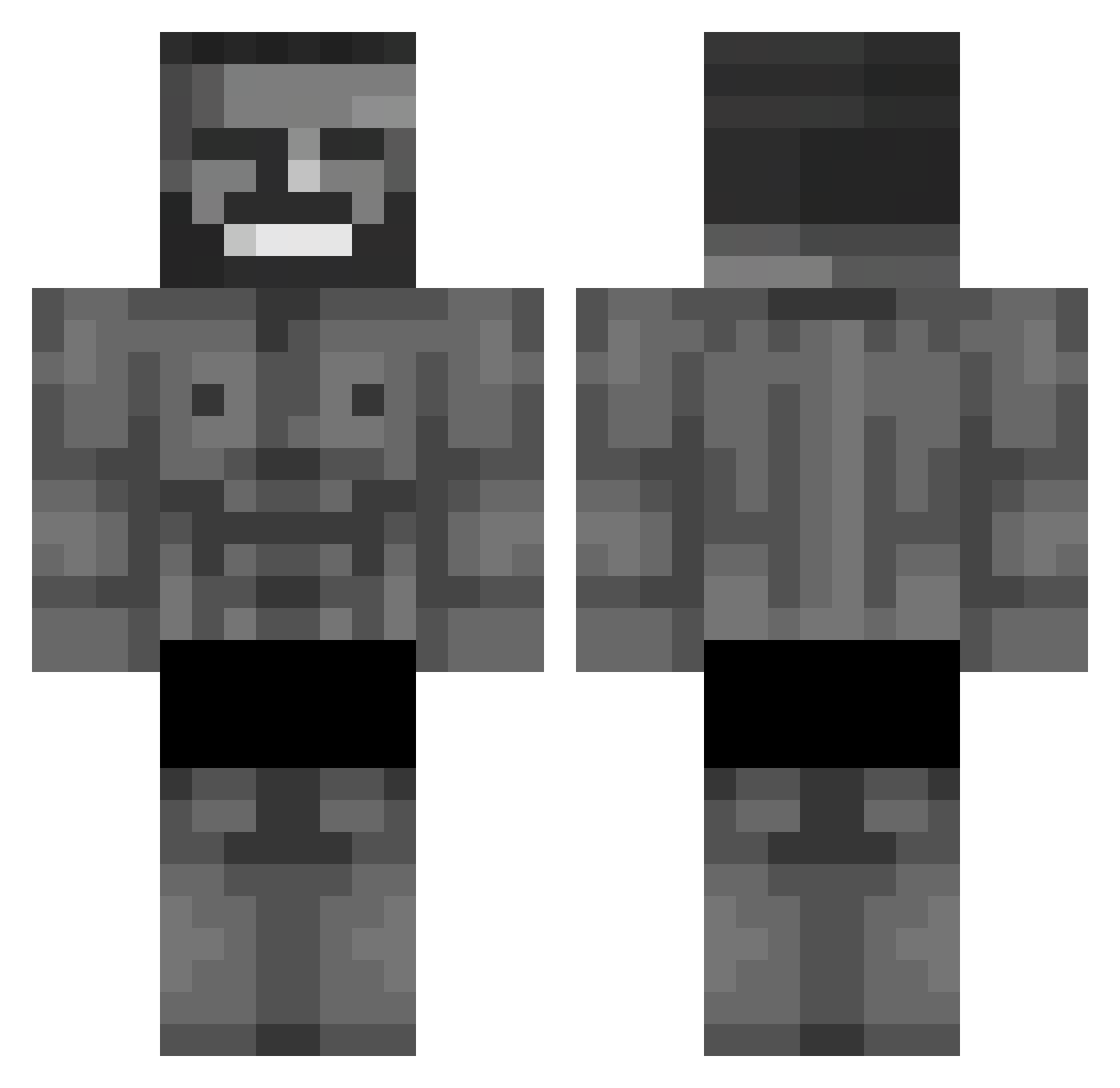
Current Minecraft skin of the player Squerz_, loaded from the official Mojang API. Rotate the 3D model with your mouse or finger, then download the skin as a PNG file and use it in Minecraft: Bedrock Edition or Java Edition for free. When Squerz_ changes their skin, this page updates automatically and the old skin stays in the history below.
Other players with this skin (653)
Squerz_ was the 316th player we have seen with this skin, first spotted on 15.09.2026. The same skin was seen on these players. Open a nickname to see their current skin and skin history.
 Th_Fantasia2 CHORROKA RobbiRulla StronkTonk Asoks39 McDigas noxxyBL Nyndexx Vitinhord LOSEN21 Dhercules05 mtabuelitas_3000 BaBaPiro31 infiniity888 wafflak FrixD_ wandayw ledieuxdesrat igi_to_kox Odet06 Wood088 GassBreather Pinguinoverde Passeas JKMe2 ZenAD12 vokintis dr_tuci budownik12 OldSkoolNewJack V07ANICH iceman4449 zippszz Lootje987 anehuse Meccse X_Nosbor_X Reneitor23 Warrzick IWillEatKebab krvvko Mertyy_boyy VisioN871 FranTB9 ondy111 mooomooi coba1nnn FlotterOtto5782 Pawel0507 EatMyDS Wirsttian Manolocarnaval Incognito17 AbidM KeepSand SliceyTomato Flametague Zodon75 LmaoSimpXD AR3Sl
More Gigachad Minecraft skins
How to install the Squerz_ skin
- Press the Download button above to save the skin as a PNG file.
- Minecraft: Bedrock Edition (PE): open the Dressing Room from the main menu (or tap your character → Edit Character), go to Classic Skins → Owned, press the + (new skin) button, choose the downloaded PNG and pick the Classic (Steve) model. Works on PC and mobile; consoles cannot import custom skins.
- Minecraft: Java Edition: open the Minecraft Launcher, go to the Skins tab, click New Skin, load the PNG, pick the Classic (Steve) model and press Save & Use. You can also upload it at minecraft.net → Profile → Change Skin.
The skin does not show up after import - what should I do?
Restart Minecraft and open the Dressing Room again - imported skins sometimes appear only after a restart. Also make sure you selected the imported skin and picked the Classic (Steve) model.
Which model should I choose, Classic or Slim?
This skin is designed for the Classic (Steve) model. If you pick the wrong model, the arms of the skin will look stretched or squeezed.
Is the skin of Squerz_ free to download?
Yes. Press Download, save the PNG file and use it in Minecraft: Bedrock Edition or Java Edition - no payment or registration needed. The skin also works on multiplayer servers and Realms.
More skins
Looking for more? Go back to all Minecraft skins and check the top skins of the week, month and all time, or find any player's skin by nickname.