
SpookeyTime - Minecraft Skins & Skin History
Current Minecraft skin of the player SpookeyTime, loaded from the official Mojang API. Rotate the 3D model with your mouse or finger, then download the skin as a PNG file and use it in Minecraft: Bedrock Edition or Java Edition for free. When SpookeyTime changes their skin, this page updates automatically and the old skin stays in the history below.

Other players with this skin (72)
SpookeyTime was the 52nd player we have seen with this skin, first spotted on 18.10.2026. The same skin was seen on these players. Open a nickname to see their current skin and skin history.
 L0psun Rap12138 ping_noob coutame Hino_w Recluses YummyMilk heckuab ElPipo sixeyess TonyNugget RebeuDuper FleurRubis1 _stinky___ DarkClamity Threadita kaeedo Floor7 harivia KnightSmile42 Ni_ur_gul Chamanderobito14 VichoRTK Fyre520 xWoxee sau0baru1 iSoyStarblon_YT KingLevezz GalivexerYT aerichandesooo Wanolax TalonFlame5885 LuKe_Kun GTN2008 Alpisdaddy Zapallitou EnzoLeCoco andresF1278 AlvaritoCherry Charizard316 NotChimken banhbee DIGUI25 Elektrofox777 PanConPure maattiissh 111_ken Glumiux uowis_ asyms yunoqt White_ice_ PokePixiel
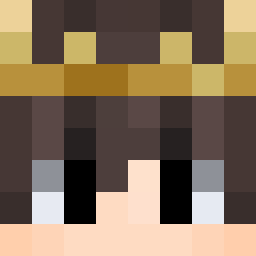 KingJuaum zweiherz satgamer NPCiolaSbu95 ActuallyLit
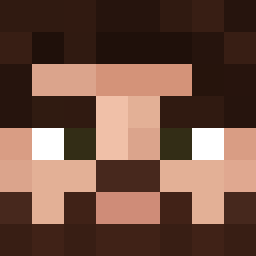 Regis1889 platy1228
More Ponytail Minecraft skins
How to install the SpookeyTime skin
- Press the Download button above to save the skin as a PNG file.
- Minecraft: Bedrock Edition (PE): open the Dressing Room from the main menu (or tap your character → Edit Character), go to Classic Skins → Owned, press the + (new skin) button, choose the downloaded PNG and pick the Slim (Alex) model. Works on PC and mobile; consoles cannot import custom skins.
- Minecraft: Java Edition: open the Minecraft Launcher, go to the Skins tab, click New Skin, load the PNG, pick the Slim (Alex) model and press Save & Use. You can also upload it at minecraft.net → Profile → Change Skin.
The skin does not show up after import - what should I do?
Restart Minecraft and open the Dressing Room again - imported skins sometimes appear only after a restart. Also make sure you selected the imported skin and picked the Slim (Alex) model.
Which model should I choose, Classic or Slim?
This skin is designed for the Slim (Alex) model. If you pick the wrong model, the arms of the skin will look stretched or squeezed.
Is the skin of SpookeyTime free to download?
Yes. Press Download, save the PNG file and use it in Minecraft: Bedrock Edition or Java Edition - no payment or registration needed. The skin also works on multiplayer servers and Realms.
More skins
Looking for more? Go back to all Minecraft skins and check the top skins of the week, month and all time, or find any player's skin by nickname.